

To enable this integration, follow the steps outlined below within the Veeam User Interface (UI):
-
Log in to the Veeam Backup & Replication interface.
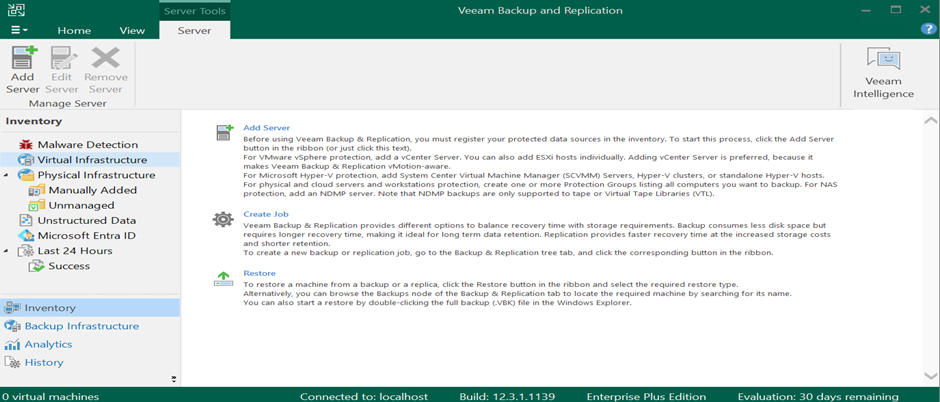
Veeam Backup & Replication Home Page
-
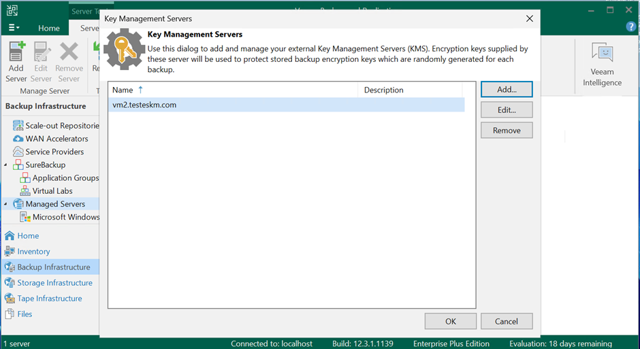
Navigate to Credentials & Password and select the Key Management Servers.
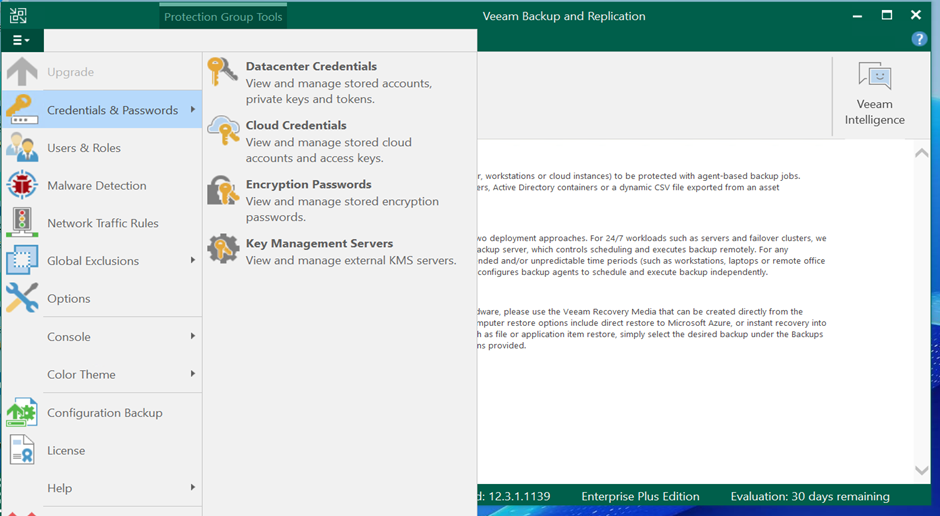
Credentials and Passwords Page
-
Click Add, and it will prompt for the server URL, server certificate, and client certificate.
Ensure that the default port number is set to 5696, taken care of during the installation phase.
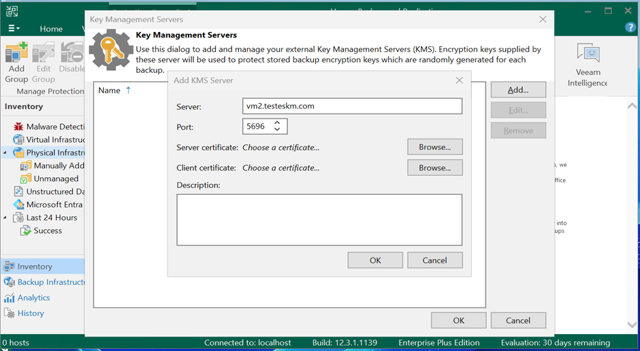
Server Name Added
-
Upload the client and server certificates generated in Sections 4.3 and 4.4.
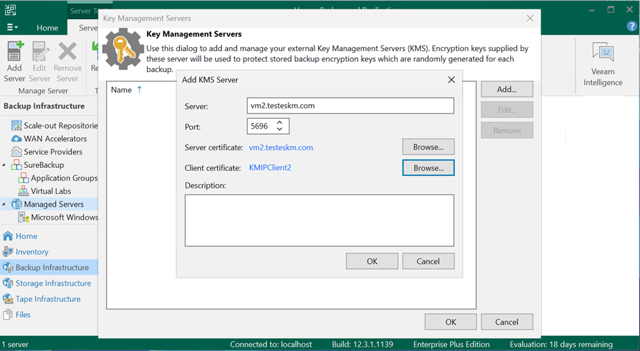
Server and Client Certificates Added
-
After you have provided the required information, click OK.
Summary