

Encrypt PDF using your Digital ID
-
Open a PDF document in Adobe Acrobat Pro.
-
Click All Tools.
-
Click Protect a PDF.
-
Click Encrypt with a Certificate.
-
Click Next.
-
In the Document Security window, select your digital ID, then click OK.
-
Click Next on the Certificate Security Settings screen.
-
Click Finish.
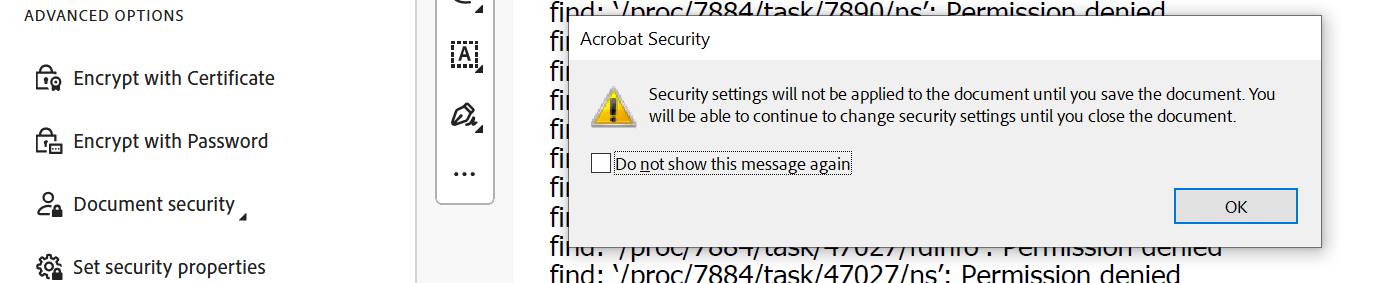
Warning Message
-
Click OK in the Adobe Security settings warning.
-
Close the document and click Yes to save changes.
Decrypt Document using Digital ID
-
Open an encrypted PDF document in Adobe Acrobat Pro.
-
In the Digital ID Authentication window, enter the user PIN in the Password box.
-
Click OK.
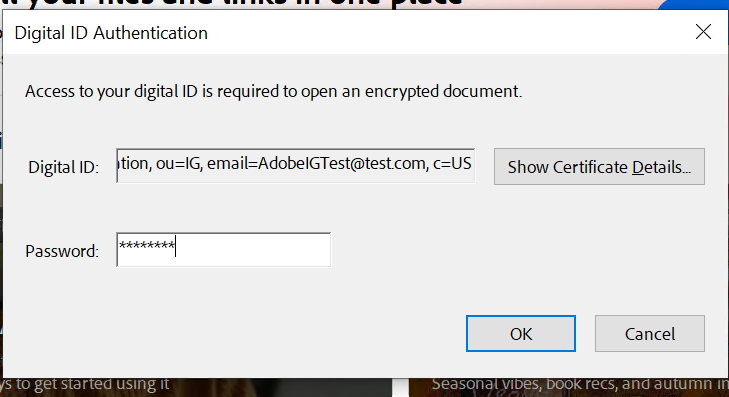
Authentication Window
4. The PDF file opens with all content.