

1. Generate an EC keypair on Utimaco HSM.
|
›_ Console |
|---|
|
Provide information when prompted here:
-
EC is the key algorithm
-
NONE is the keystore for HSM
-
PKCS11 is the storetype
-
12345678 is the slot PIN
-
SunPKCS11-CryptoServer is the provider name
-
tomssleckey is the key name that will be generated on Utimaco HSM
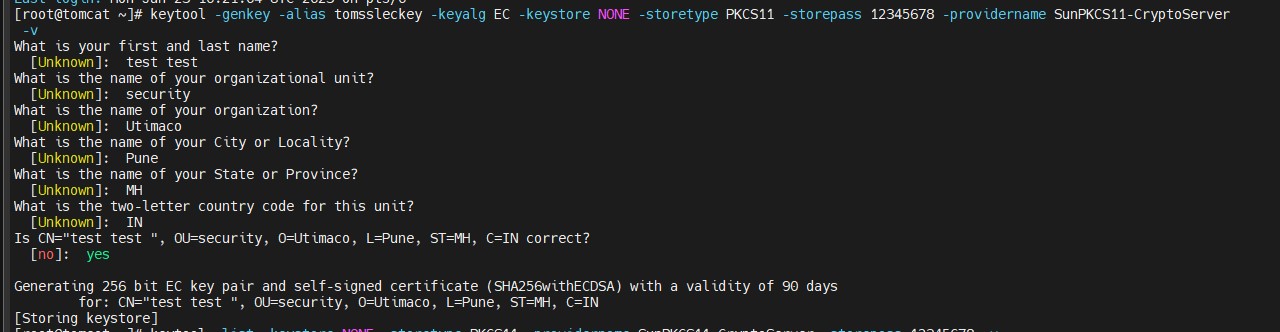
Key Generation Using the Keytool Command
2. Verify that the keys have been generated.
|
›_ Console |
|---|
|
Here:
-
NONE is the keystore for HSM
-
PKCS11 is the storetype
-
12345678 is the slot PIN
-
SunPKCS11-CryptoServer is the provider name
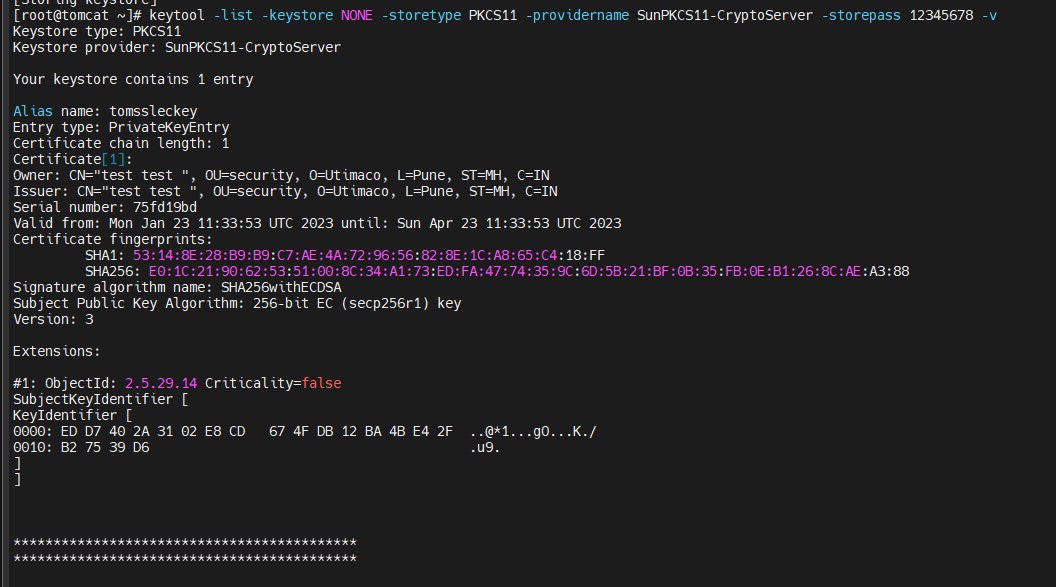
Listkeys Output
-
List the keys using
p11tool2.
|
›_ Console |
|---|
|
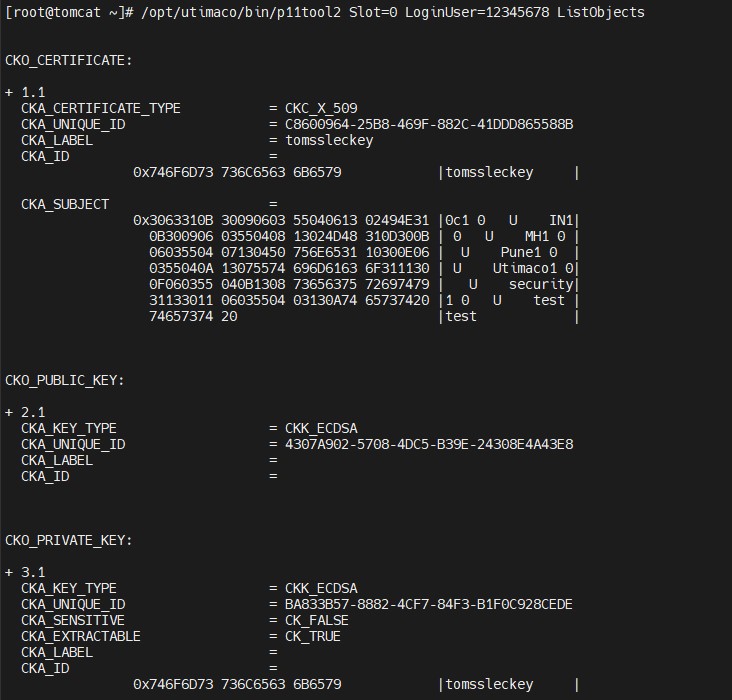
List Keys Output Using p11tool2
-
Generate a CSR using the
keytoolcommand.
|
›_ Console |
|---|
|
Here:
-
NONE is the keystore for HSM
-
PKCS11 is the storetype
-
12345678 is the slot PIN
-
SunPKCS11-CryptoServer is the provider name
-
tomssleckey is the key name
-
tomcateckey.csr is the CSR file name that will be generated
-
Get this CSR signed by the CA.
-
Copy the signed certificate along with the root CA certificate chain on the Tomcat server.
-
Import the signed certificate chain reply using the command below.
|
›_ Console |
|---|
|
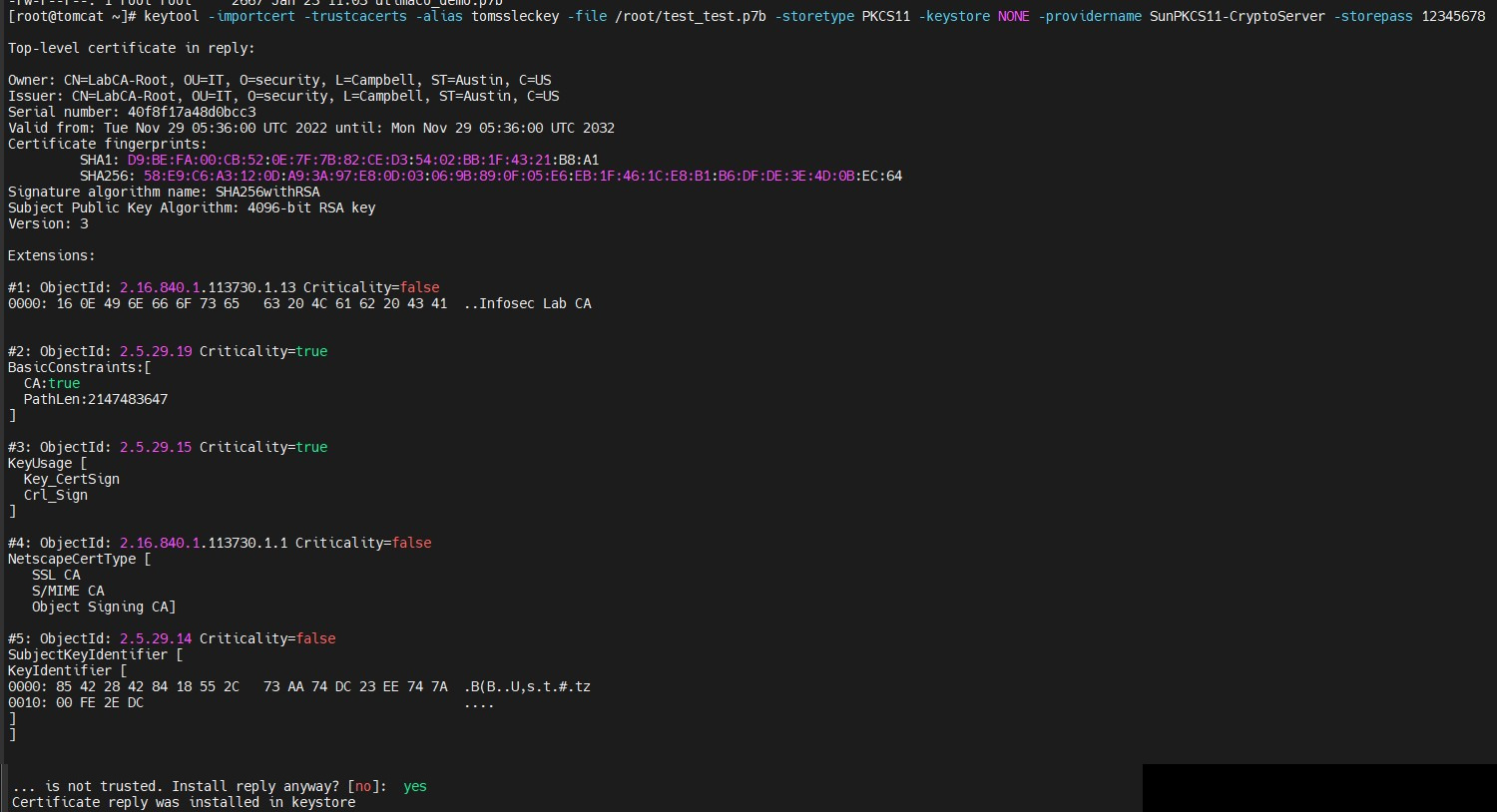
Signed Certificate Imported
The signed certificate must also contain the certificate chain.
-
Verify that the
keytoolcommand shows the signed certificate as well as the root CA certificate.
|
›_ Console |
|---|
|
Here:
-
NONE is the keystore for HSM
-
PKCS11 is the storetype
-
SunPKCS11-CryptoServer is the provider name
-
12345678 is the slot PIN
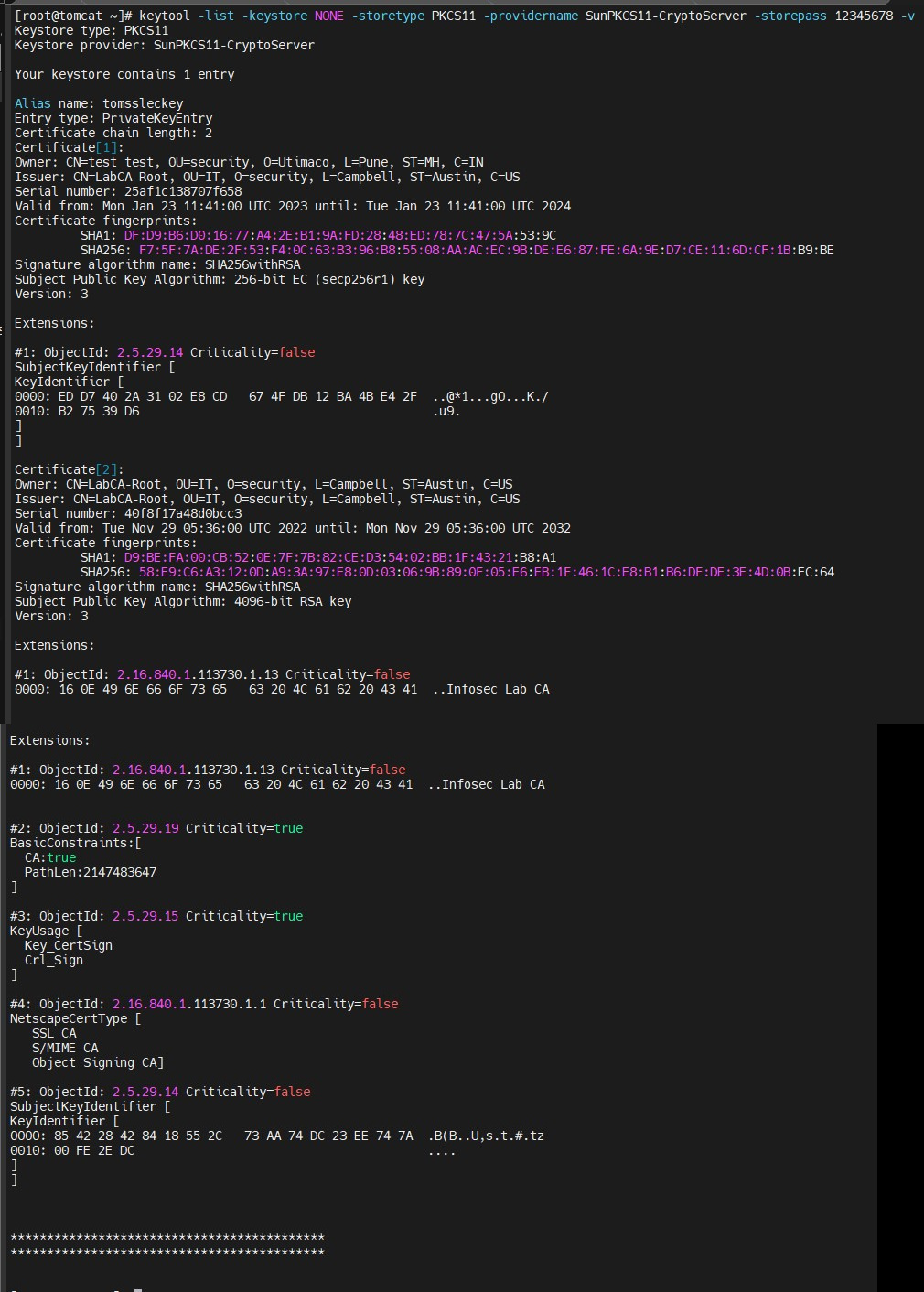
Keytool List Output