For OpenJDK 11 with EC Key

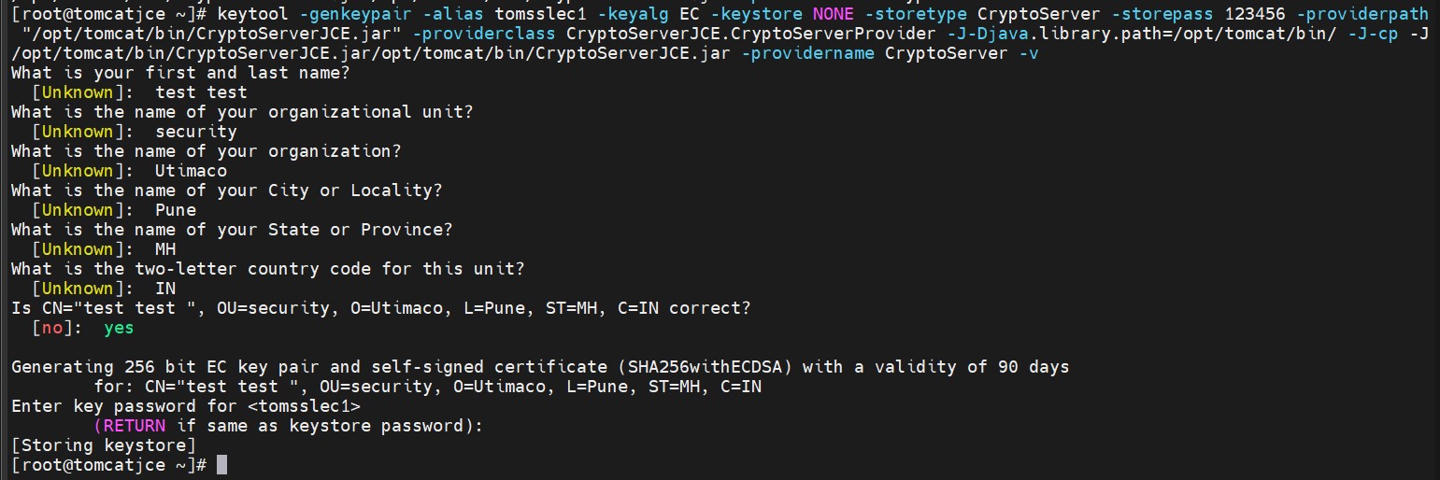
1. Generate a key pair on the Utimaco HSM.

›_ Console

# keytool -genkeypair -alias tomsslec1 -keyalg EC -keystore NONE -storetype

CryptoServer -storepass 123456 -providerpath

"/opt/tomcat/bin/CryptoServerJCE.jar" -providerclass

CryptoServerJCE.CryptoServerProvider -J-Djava.library.path=/opt/tomcat/bin/ -

J-cp -J/opt/tomcat/bin/CryptoServerJCE.jar/opt/tomcat/bin/CryptoServerJCE.jar -providername CryptoServer -v

Provide information when prompted.

Here:

  • EC is the key algorithm

  • 2048 is the key size

  • NONE is the key store for HSM

  • CryptoServer is the store type

  • 123456 is the PIN

  • CryptoServer is the provider name

  • tomsslec1 is the key name that will be generated on the Utimaco HSM
bfac674f-7531-45e1-a39c-25fcd77cfb27.jpg


keytool command to generate keys

For OpenJDK 11 RSA key algorithm is not supported with Utimaco HSM.

  1. List the keys using the cxitool.

›_ Console

# /opt/utimaco/bin/cxitool Dev=3001@127.0.0.1 LogonPass=tom,123456 Listkeys

e2cfcad0-d943-4d86-b4f1-d60b6f8a4ba1.jpg


List keys output using cxitool

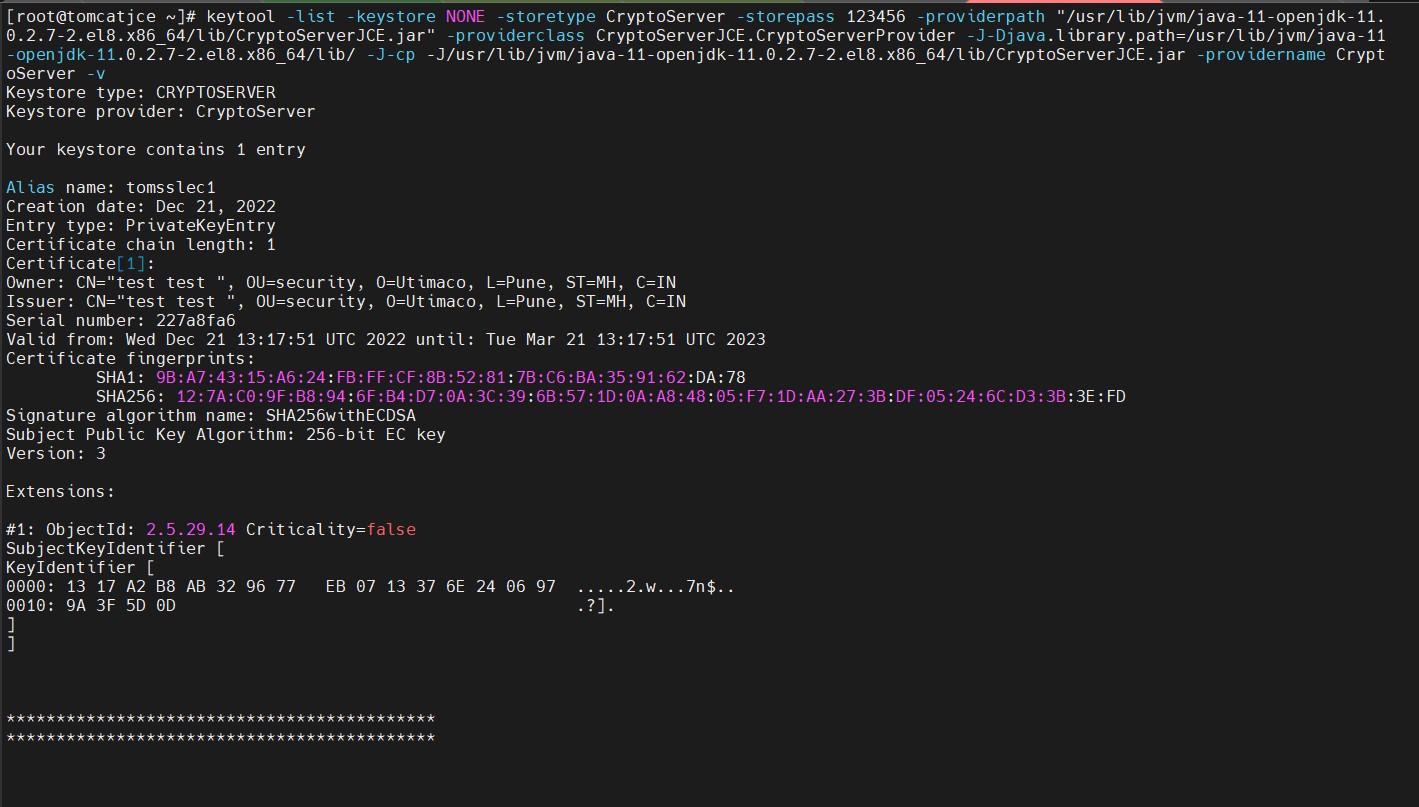
  1. Verify that the keytool command shows the created certificate.

›_ Console

# keytool -list -keystore NONE -storetype CryptoServer -storepass 123456 providerpath "/usr/lib/jvm/java-11-openjdk-11.0.2.7-

2.el8.x86_64/lib/CryptoServerJCE.jar" -providerclass

CryptoServerJCE.CryptoServerProvider -J-Djava.library.path=/usr/lib/jvm/java-

11-openjdk-11.0.2.7-2.el8.x86_64/lib/ -J-cp -J/usr/lib/jvm/java-11-openjdk-

11.0.2.7-2.el8.x86_64/lib/CryptoServerJCE.jar -providername CryptoServer -v

Here:

  • NONE is the key store for HSM

  • CryptoServer is the store type

  • 123456 is the PIN

  • CryptoServer is the provider name

90c291fb-3312-4925-8e7a-d8da3c03129e.jpg

keytool list output