

1. Generate an RSA key pair on the Utimaco HSM.
|
›_ Console |
|
|
Provide information when prompted.
Here:
-
RSAis the key algorithm -
2048is the key size -
NONEis the key store for HSM -
CryptoServeris the store type -
12345678is the PIN -
CryptoServeris the provider name -
tomcatsslkeyis the key name that will be generated on the Utimaco HSM
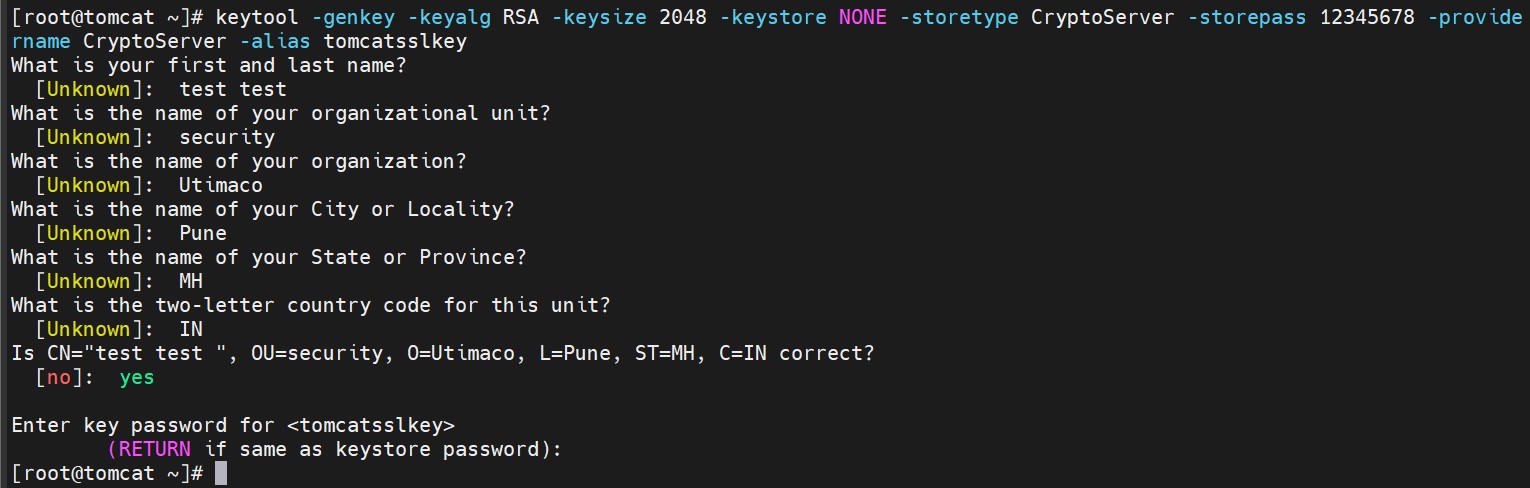
Key generation using keytool command output
2. Verify that the keys have been generated with the keytool command.
|
›_ Console |
|
|
Here:
-
NONEis the key store for HSM -
CryptoServeris the store type -
12345678is the PIN -
CryptoServeris the provider name
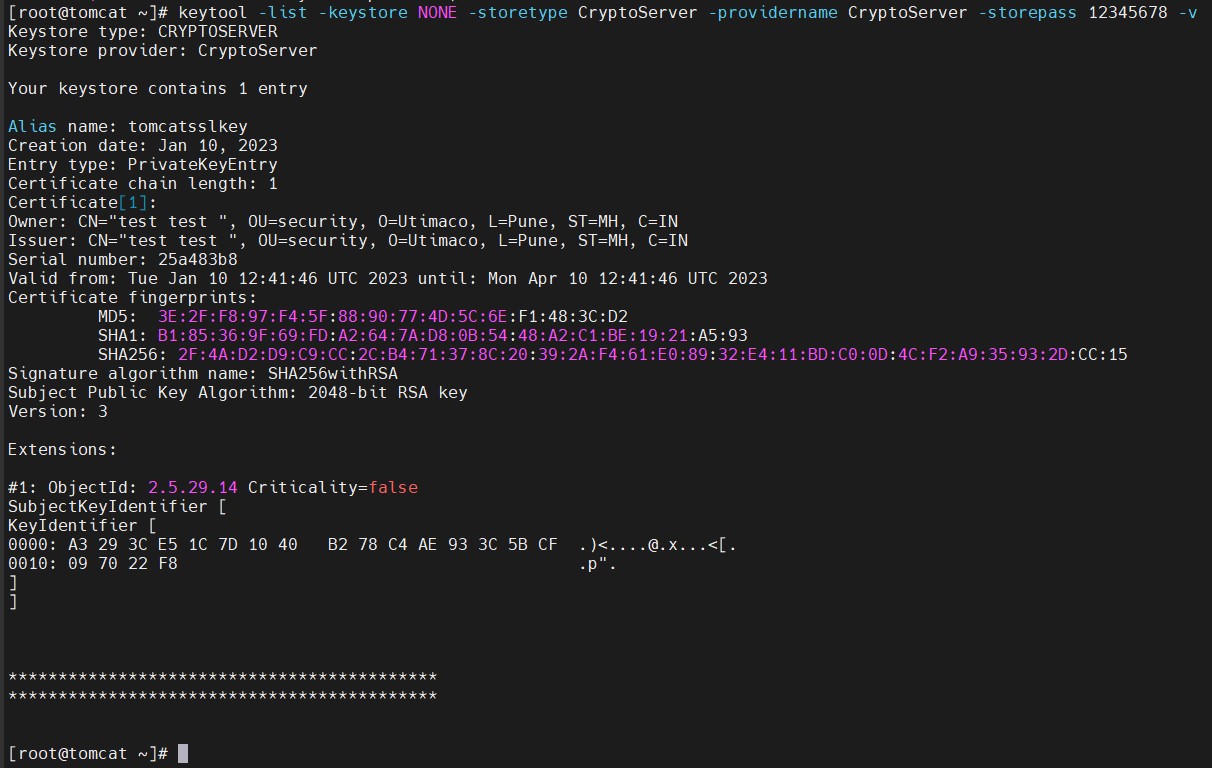
Keytool list output
-
List the keys using the cxitool.
|
›_ Console |
|
# /opt/utimaco/bin/cxitool Dev=3001@127.0.0.1 Logonpass=tomcat,12345678 Group=JCE ListKeys |

List keys output using the cxitool
-
Generate a CSR using the
keytoolcommand.
|
›_ Console |
|
|
Provide the user PIN when you’re prompted for the key store password.
Here:
-
tomcatsslkeyis the key name -
CryptoServeris the store type -
test.csris the CSR file name that will be generated -
NONEis the keystore for HSM
-
Get this CSR signed by the CA.
-
Copy the signed certificate along with the root CA certificate chain to the Tomcat server.
-
Import the signed certificate chain reply using the command below.
|
›_ Console |
|
|
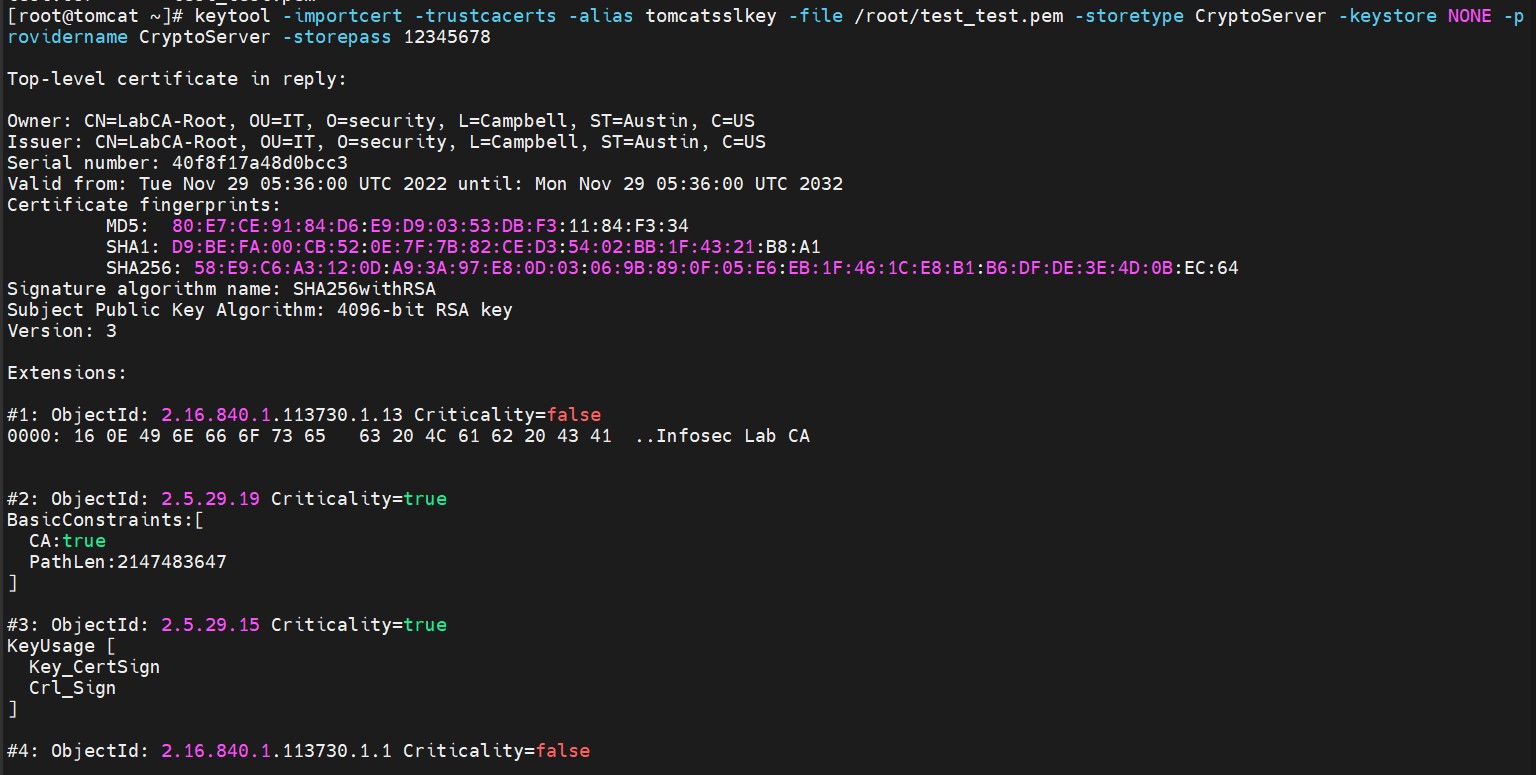
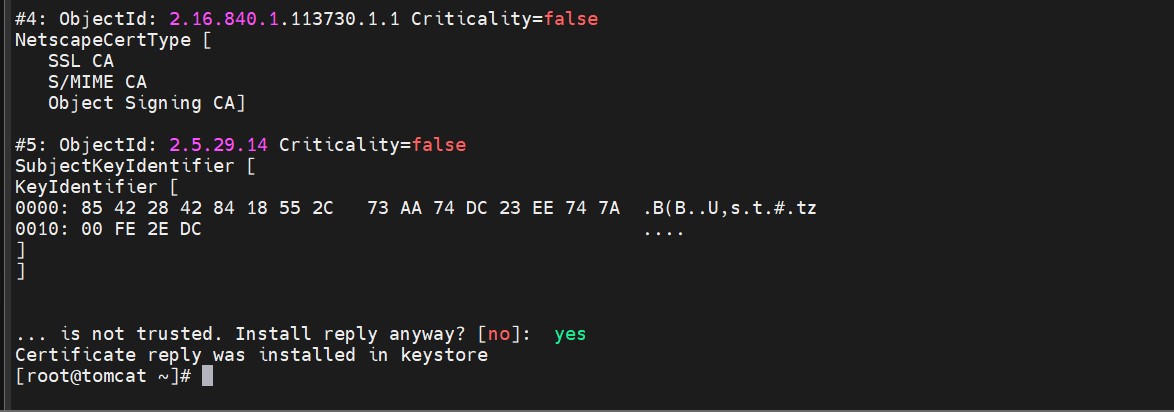
Import the user certificate into the key store
Signed certificates must also contain the certificate chain.
-
Verify that the
keytoolcommand shows the signed certificate.
|
›_ Console |
|
|
Here:
-
NONEis the keystore for the HSM -
CryptoServeris the store type -
12345678is the PIN -
CryptoServeris the provider name
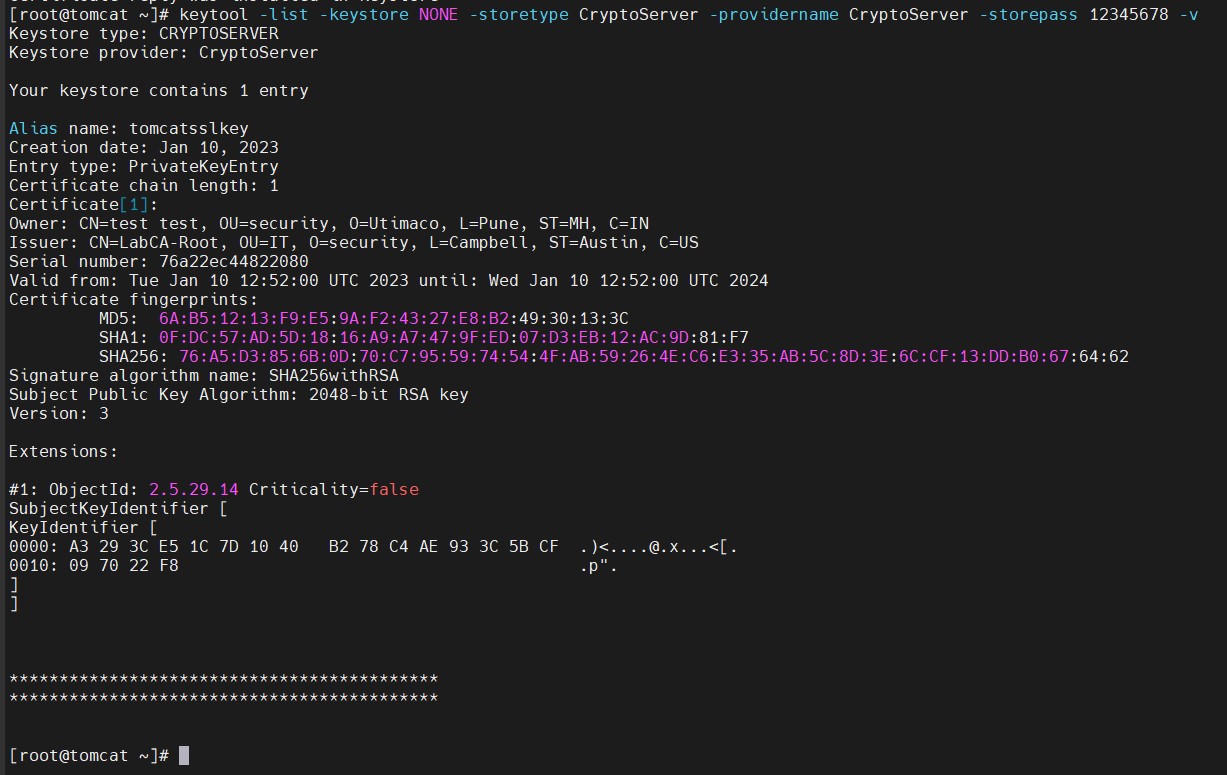
Keytool list output