

-
Log in to the Windows machine where Elasticsearch is configured.
-
Open a browser and access http://<localhost>:5601 or http://<host_ip>:5601 to access the Elasticsearch dashboard and enter the configured superuser credentials to log in.
-
From the dashboard, navigate to Analytics → Discover.
-
In the search bar, enter keywords related to ESKM events (e.g., ESKM, login, audit, syslog) to filter and view the logs received from the ESKM system.
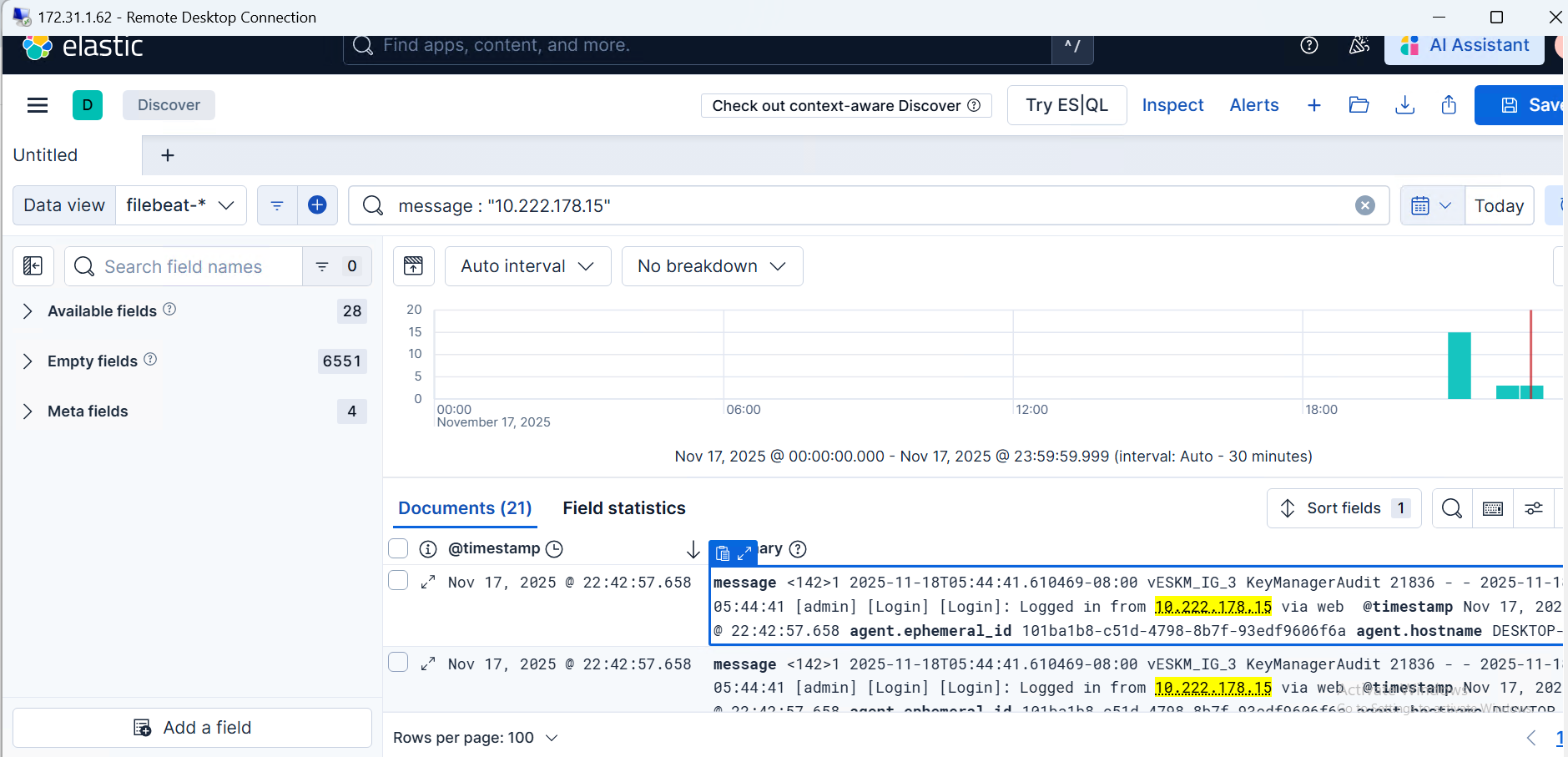
Verify ESKM logs
After Filebeat is configured, perform actions on the ESKM server, such as login, logout, or any administrative operation, to ensure new events are captured.