

-
Generate a key using PKCS#11 tool
|
›_ Console |
|
-
In the Main tab, select System > Certificate Management >Traffic Certificate Management > SSL Certificate list > Import. The SSL Certificate/Key Source page opens
-
Select Key, from the Import type drop-down
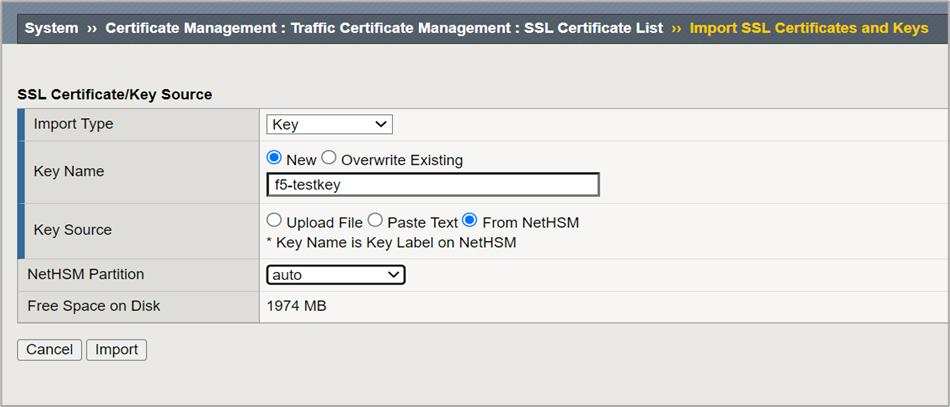
Figure 4: Import SSL Certificates and Keys Window
-
Enter the Key Name in Key Name text box (Use the same key label as generated using p11tool2)
-
Select New radio button from Key Name.
-
Select From NetHSM, within Key Source
-
Select auto from the NetHSM partition drop-down
-
Click on the Import button, to import the key