

-
Log in to the BIG-IP Configuration utility.
-
In the Main tab, select System > Certificate Management > Traffic Certificate Management. The Traffic Certificate Management screen will be displayed.
-
Click on the Create button.
-
Enter a name for the SSL certificate in the Name field.
-
Select Self from the Issuer drop-down.
-
Enter the other details from the Certificate Properties section as required.
-
In Key Properties, select NetHSM from the Security Type drop-down.
-
Select auto from the NetHSM Partition drop-down.
-
Select the Algorithm from the Key Type drop-down.
-
Select a key size from the Size drop-down.
-
Click on the Finished button.
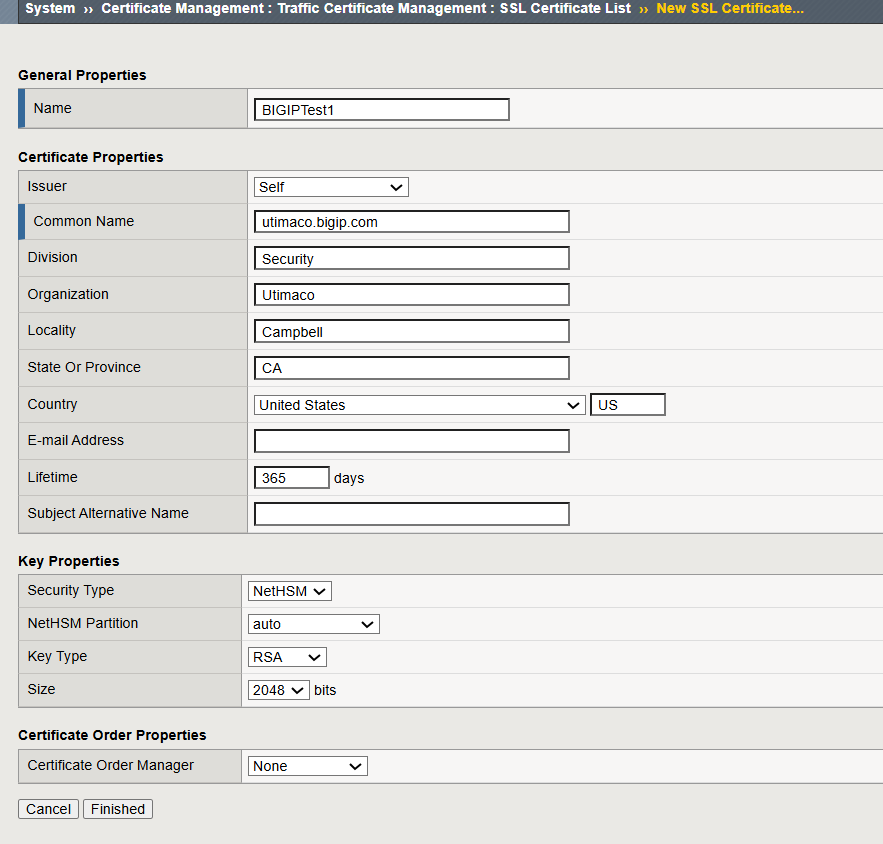
Generate a Self-Signed Certificate
-
Click on the generated certificate name. A screen will open with the Certificate and Key tabs. Click on the Key tab to see the generated key details.
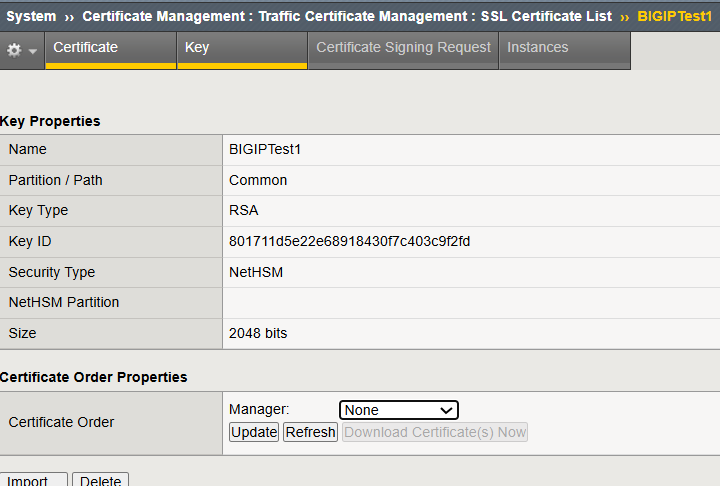
Key Details