

-
Generate a key and certificate.
(tmos)# create sys crypto key f5-testkey gen-certificate common-name utimaco.bigip.com nethsm-partition-name auto security-type nethsm
-
Verify that the key was created.
(tmos)# list sys crypto key f5-testkey
sys crypto key f5-testkey {
    key-id 9745a1d81e2b84a36eee720aa05505a8
    key-size 2048
    key-type rsa-private
    nethsm-partition auto
    security-type nethsm
}
-
Save the configuration.
(tmos)# save sys config

Saving running configuration...
  /config/bigip.conf
  /config/bigip_base.conf
  /config/bigip_user.conf
Saving Ethernet map ...done
Saving PCI map ...
 - verifying checksum .../var/run/f5pcimap: OK
done
 - saving ...done
-
Verify the key available in the configuration GUI.
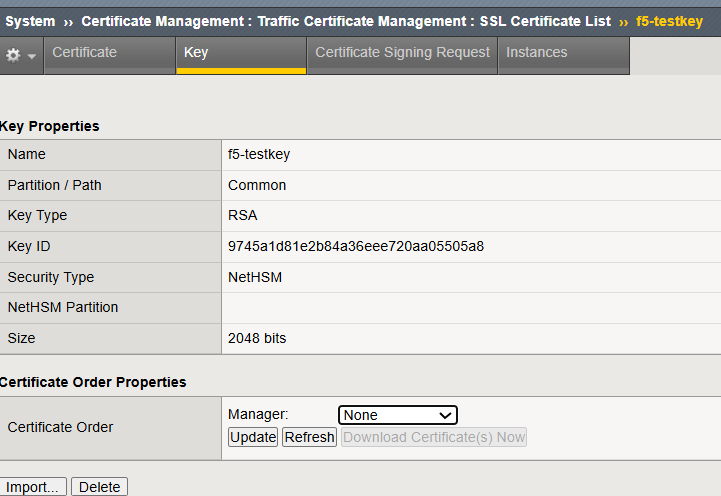
Generated Key available in GUI