

-
Create a sample message file
|
›_ Console |
|---|
|
-
Sign the file using the key name.
|
›_ Console |
|---|
|
Provide slot PIN when prompted. This will generate a signed file message.txt.signed

Signing the file
-
Verify the file message.txt.signed
|
›_ Console |
|---|
|

Verifying the signed file
-
Encrypt the file. Provide recipient user ID when prompted
|
›_ Console |
|---|
|
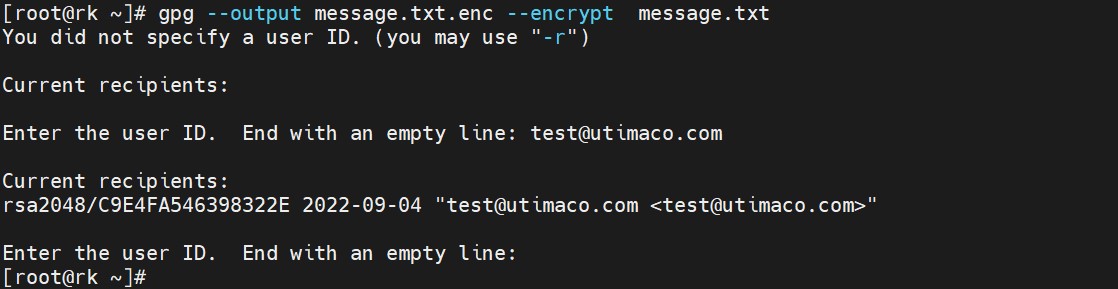
Encrypting the file
This will generate an encrypted file message.txt.enc
-
Decrypt the encrypted file
|
›_ Console |
|---|
|
Provide slot PIN when prompted. This will generate a decrypted file message.txt.dec

Decrypting the file
-
Verify the content of original file
|
›_ Console |
|---|
|

Original content of the file