

To configure the Identity Provider in the Google Workspace Admin Console (https:// admin.google.com/):
-
Go to Data > Compliance > Client-side encryption.
-
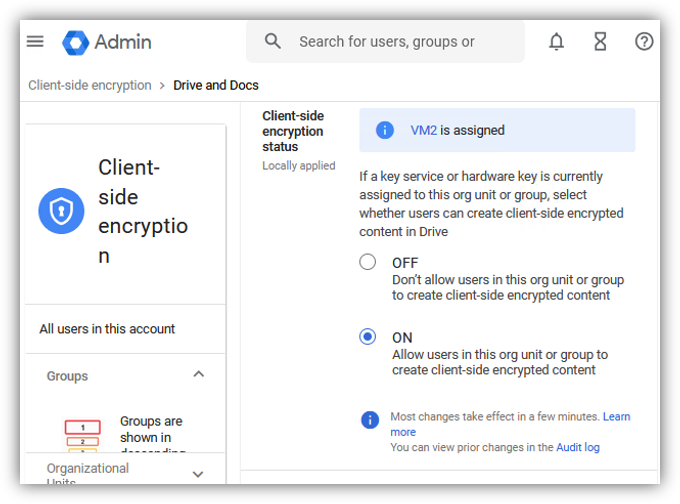
Add the ESKM URL (for examle https://vm2.testcompany.com) as the External Key Manager in the Google Workspace Admin Console.
-
Assign the key manager to apply authentication methods for various Google Workspace applications such as Gmail, Meet, Calendar, and Drive & Docs.
-
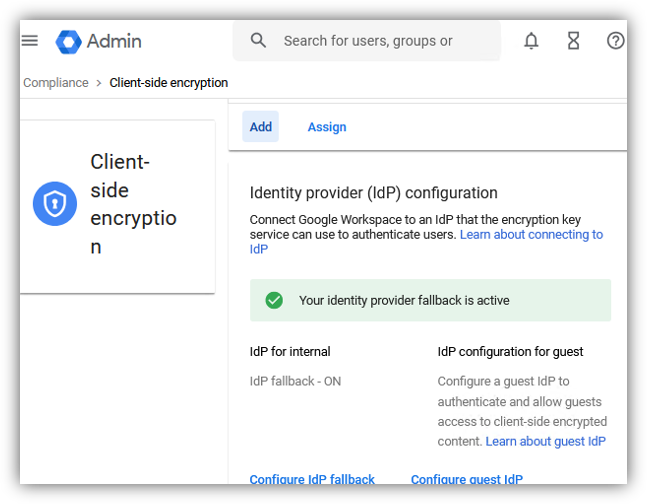
Go to to Security > Access and data control > Client-side encryption and select Configure IdP fallback under Identity provider configuration.
-
Enter the IDP Client ID, which is obtained from the IDP Admin Console. The same Client ID should also be configured in the Advanced Rest Settings. For more information, see Configure ESKM.