Generating KSK and ZSK with ECC Algorithm

  1. Run the following commands to generate a zone-signing key and a key-signing key using ECC:

A note on generating ECDSA keys: there is a bug in libp11 when looking up a key, that function compares keys only on their ID, not the label. So, when looking up a key it returns the first key, rather than the matching key. The workaround for this is when creating ECDSA keys, you should specify a unique ID:

›_ Console

# ksk=$(echo "ksk" | openssl sha1 -r | awk '{print $1}') 

# echo $ksk 

# ./p11tool2 slot=0 LoginUser=ask PubKeyAttr=CKA_LABEL="ksk",CKA_ID=0x a01834fcaa9401cefc8eeac928de96521cbd671a PrvKeyAttr=CKA_LABEL="ksk",CKA_ID=0x a01834fcaa9401cefc8eeac928de96521cbd671a GenerateKeyPair=ECC  

# zsk=$(echo "zsk" | openssl sha1 -r | awk '{print $1}') 

# echo $zsk 

# p11tool2 slot=0 LoginUser=ask 

PubKeyAttr=CKA_LABEL="zsk",CKA_ID=0x67700db641c898be1b44a41d3fa68a7e0f33452b PrvKeyAttr=CKA_LABEL="zsk",CKA_ID=0x67700db641c898be1b44a41d3fa68a7e0f33452b GenerateKeyPair=ECC 
tmp_0lzv_4o.jpg

Key generation output for KSK

tmpz52yahec.jpg

Key generation output for KSK

tmp93xg1mqr.jpg

Key generation output for ZSK

tmpx0ij3rw3.jpg

Key generation output for ZSK

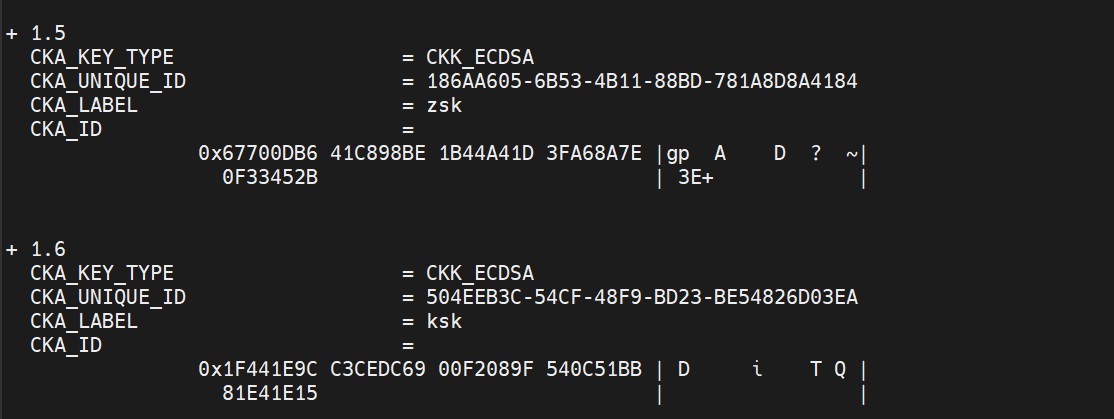
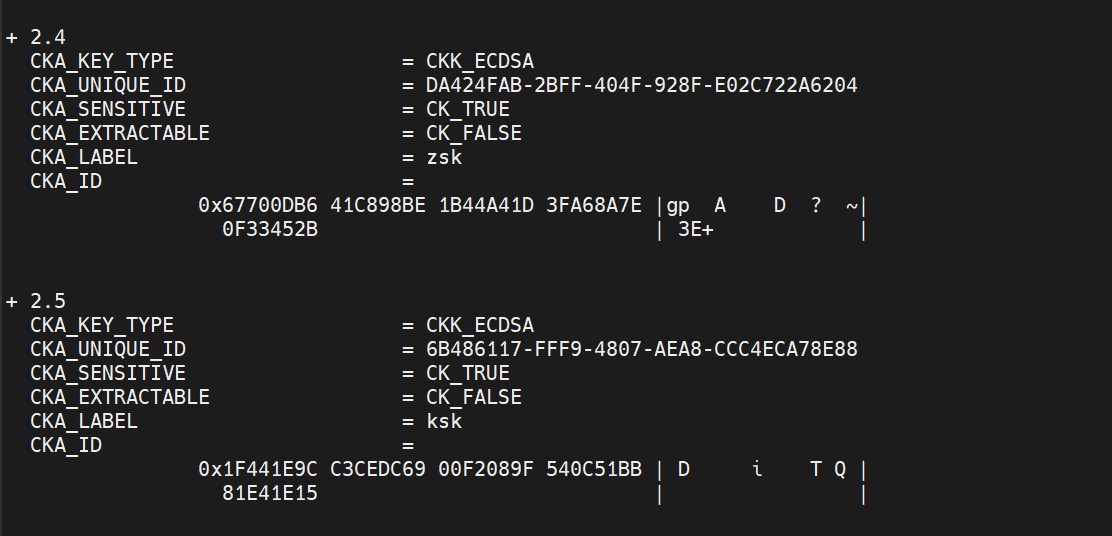
  1. List the keys using p11tool2 command.

›_ Console

# p11tool2 slot=0 LoginUser=ask ListObjects 
tmpfwag3j5a.jpg

List key output

tmpt99r_b7f.jpg

List key output


ECC keys which are generated above have default NIST-P256 curve.