

-
Copy the
CryptoServer.cfgfile under Jboss configuration directory.
|
›_ Console |
|---|
|
-
Open the
$JBOSS_HOME/standalone/configuration/standalone.xmlfile. -
Edit the
<ssl>configuration under the<management> <security-realms>section, as indicated below:
|
standalone.xml |
|---|
|
Update alias name and keystore password according to your setup.
-
Restart the jboss service.
|
›_ Console |
|---|
|
-
Open any browser and access the URL https://< jboss_ip_address>:8443.
-
After the page is loaded, verify the SSL certificate details.
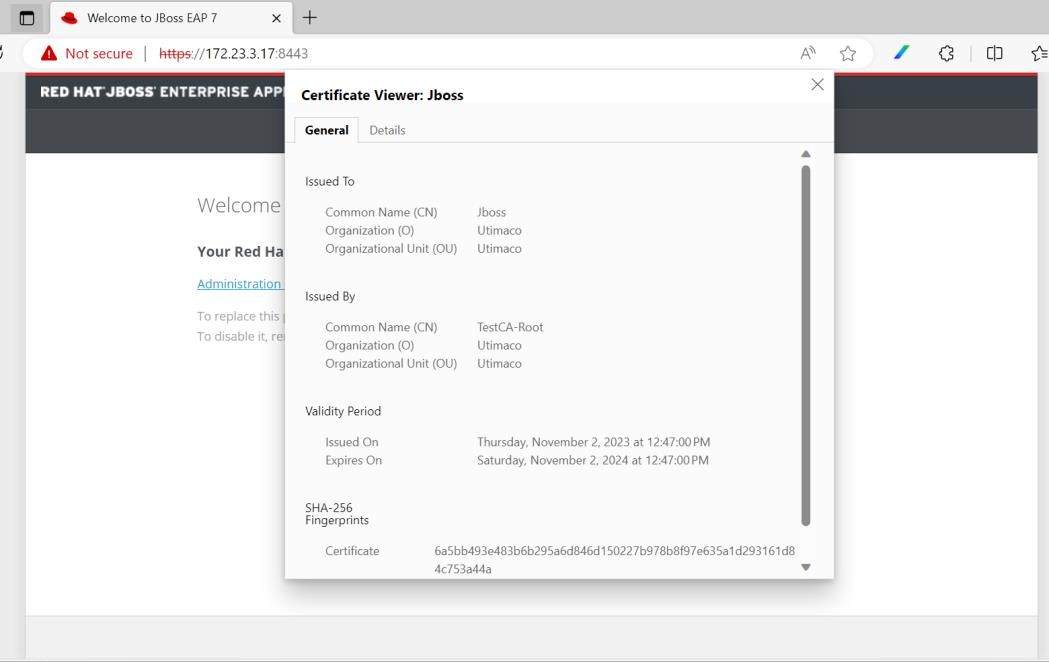
Loading page over HTTPS
This completes the integration of JBoss Enterprise Application Platform with Utimaco SecurityServer using CryptoServer JCE.