

-
Click Generate CSR and enter the key alias of the newly generated key (See Figure 7).
-
Click the < button to enter the key alias.
-
Enter the signature algorithm, for example "SHA256withRSA" and a distinguished name (DN) for signing certificate (for example
CN=testsigner). -
Click Generate, click Download below the result and then save the resulting CSR as a
p10file.
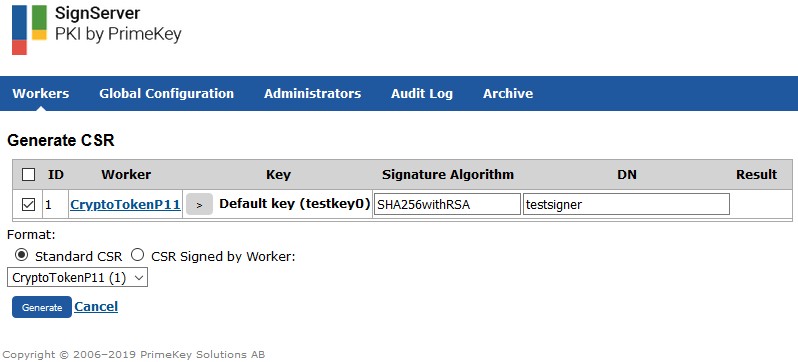
Signserver Generate CSR
-
Issue a signer certificate for your new signer by using your CA and this CSR.
Ensure you to issue an appropriate certificate when setting up a time-stamp signer or code signer by using the correct certificate extensions.