

The HSM can be deployed in a clustered configuration, in which multiple HSM devices work together to provide high availability, load balancing, and fault tolerance for cryptographic operations.
The HSM clustering can be performed by following the steps below.
-
Confirm that all the HSMs in the cluster are reachable from the Kubernetes control plane.
-
Make sure that all the HSMs in the cluster are using the same MBKs.
-
Update the PKCS#11 config file '
/etc/kms/config/cs_pkcs11_R3.cfg' for HSM clustering setup.-
Set SynchronizationOnline & SynchronizationOffline values accordingly.
-
Set FallbackInterval accordingly.
-
Comment Device specifier line.
-
Enable HSM clustering.
-
A sample PKCS#11 config file for setting up HSM clustering with two HSMs is mentioned below.
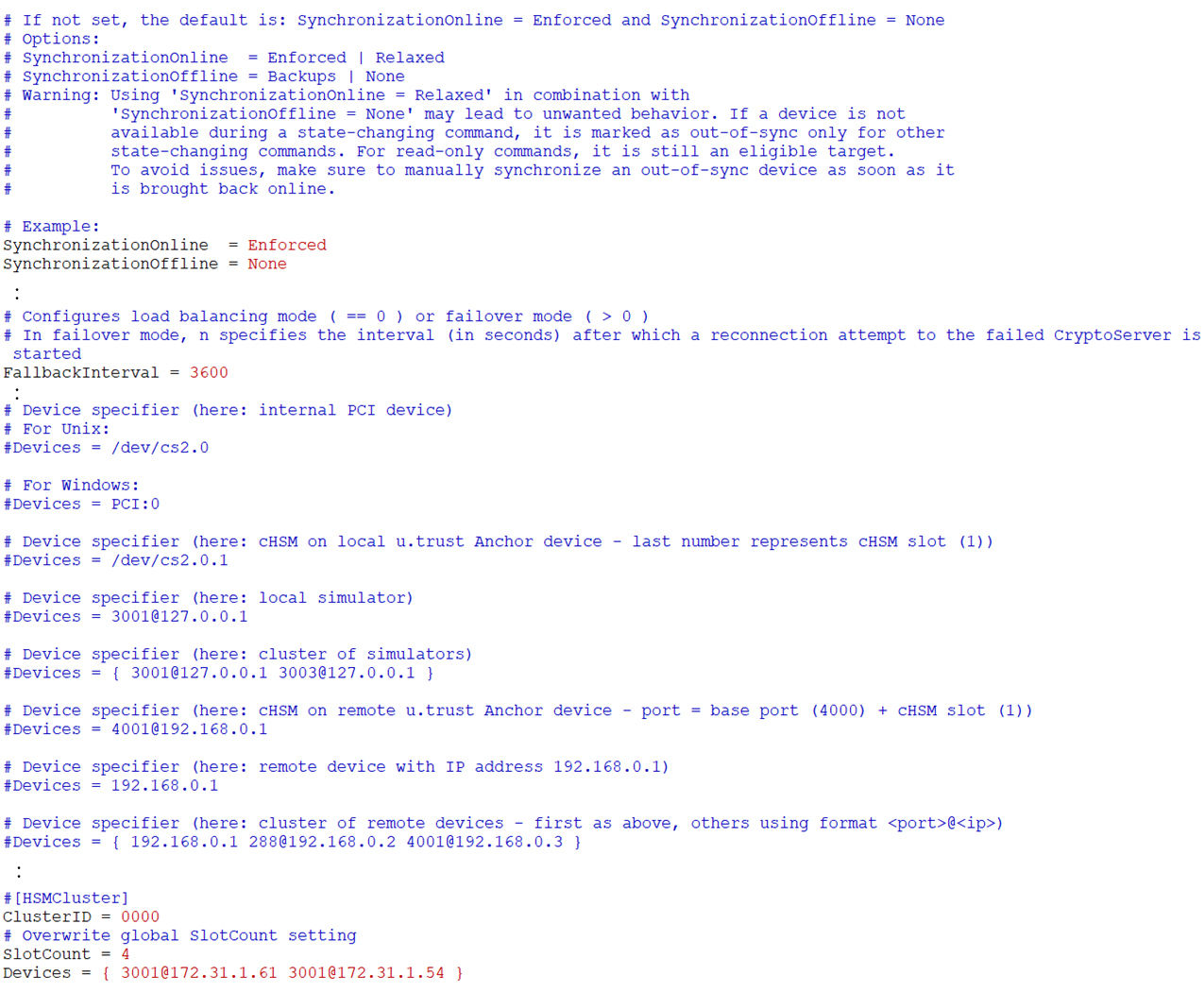
Sample config file 'cs_pkcs11_R3.cfg' for HSM cluster
Make sure to restart the KMS plugin pod if changes are made in the 'cs_pkcs11_R3.cfg' config file. The steps below can be performed for verifying the HSM clustering.
-
Create a secret.
Create a secret using kubectl command.
-
Verify the encrypted secret in etcd.
Use `etcdctl` command to directly inspect the secret's value in the etcd database.
-
Shutdown the first HSM mentioned in the config file.
-
Restart the KMS plugin pod.
-
Verify the KMS plugin pod status.
The KMS plugin pod status can be verified using the command kubectl get pods -A. The KMS plugin pod should run without any issues, indicating that the generated key in the HSM is accessible to the KMS plugin pod.
-
Verify the encrypted secret in the etcd. The secret should be accessible.