

Create a secret using kubectl. This secret will be stored in etcd. Only kube-apiserver will have the access to read or write data to etcd.
-
Create a secret.
Create a simple secret using kubectl.

Step for secret creation
-
Verify the encrypted secret in etcd. Use `
etcdctl` to directly inspect the secret's value in the etcd database.
The output should show that the data has been encrypted by the KMS provider. The output will be unreadable and begin with the ` k8s:enc:kms:v2: kms-hsm: ` header. This header is the definitive proof that the KMS plugin has successfully encrypted the secret data before it was stored in etcd. The encrypted payload includes the UUID of the associated key used by the KMS plugin.

Step for verifying the secret
-
Verify decryption.
Retrieve the secret using ‘ kubectl ’. This action prompts the kube-apiserver to check its cache for the decrypted data. If the secret is not found in the cache, the kube-apiserver will then initiate a decryption request to KMS plugin, which returns the plaintext data.
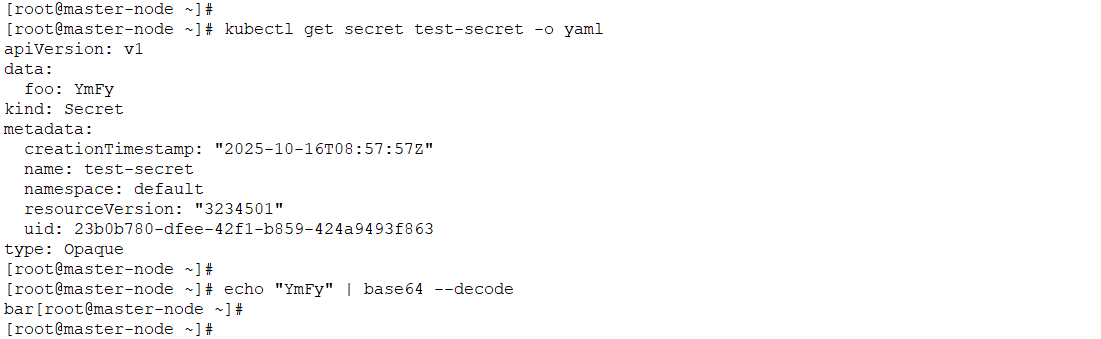
Step for verifying the decryption
The output will show the secret's data in its original, unencrypted format (base64-encoded). The ` bar` field, which was encrypted in etcd, is now readable as `YmFy` (the Base64 for `bar`). This confirms that the entire decryption workflow is working as expected.