

To test that the installation is successful, try to issue a certificate.
-
Open the command prompt and run
certmgr.msccommand.
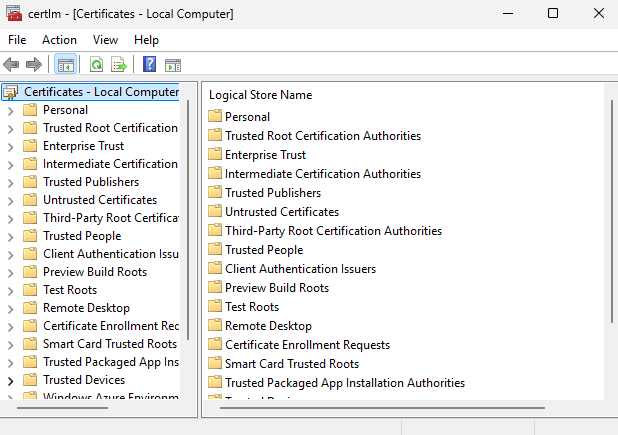
"Certificate Manager Console" Window
-
Go to the Certificates, then select Current User. Then select Personal and click on the Certificates directory.
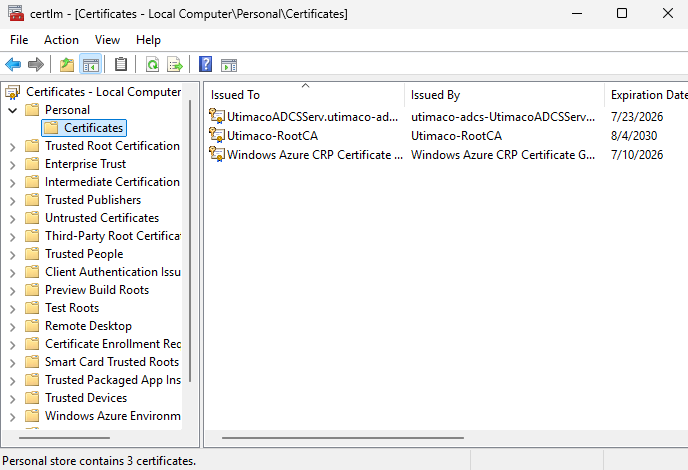
"Certificate Directory" Window
-
Right-click on the directory Certificates, followed by All tasks, then Request New Certificate.
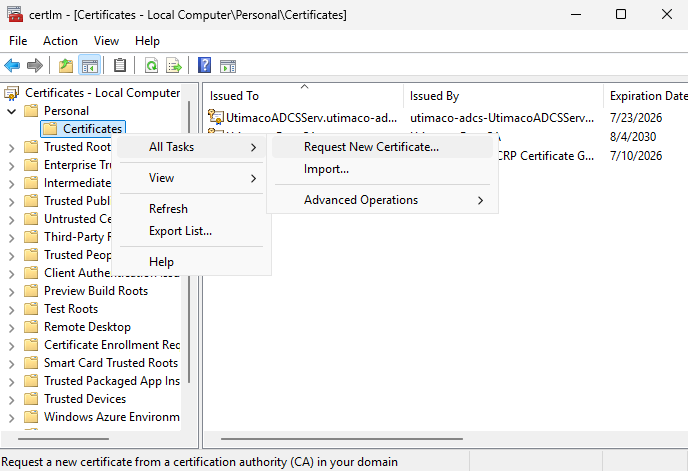
"Certificate Directory" Window
-
In the Before You Begin window, click Next.
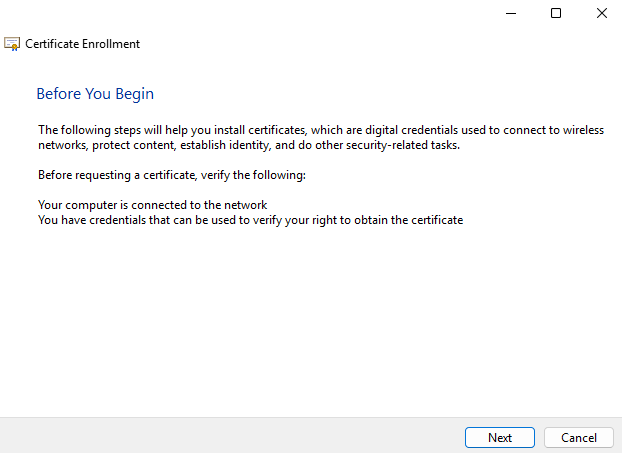
"Before You Begin" Window
-
In the Select Certificate Enrollment Policy window, click Next.
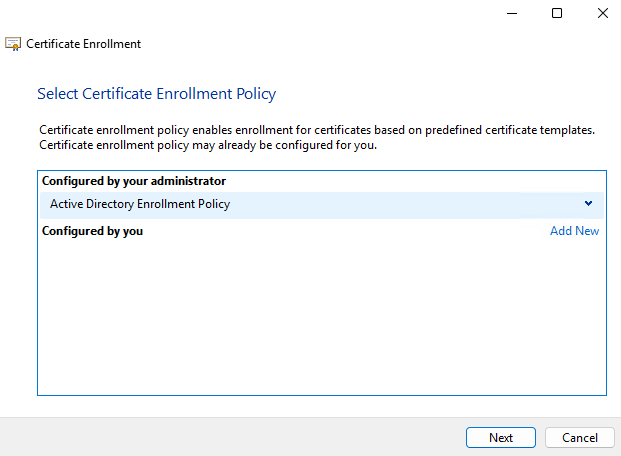
"Certificate Enrollment" Window
If you are using smartcard authentication, the prompt will appear on the PIN Pad device to insert the smartcard and enter the PIN. Then, press the OK button on the PIN Pad.
-
Enable the checkbox for User template and click Enroll.
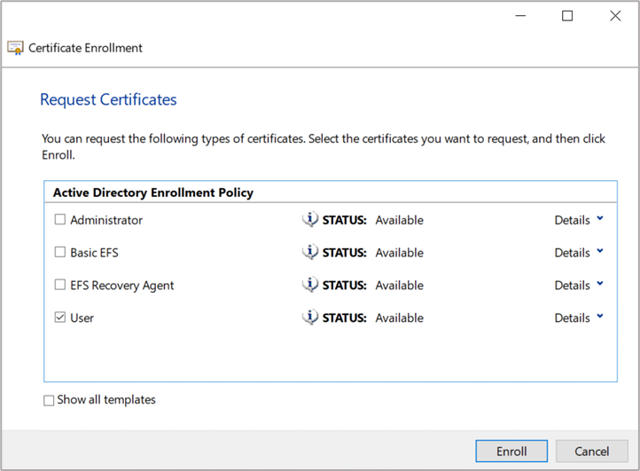
"Request Certificates" Window
Verify that the certificate is enrolled successfully. The Enrollment wizard shows if the certificate enrollment was successful.