

-
Under Action column, click Delete icon to delete the existing cloud instance.
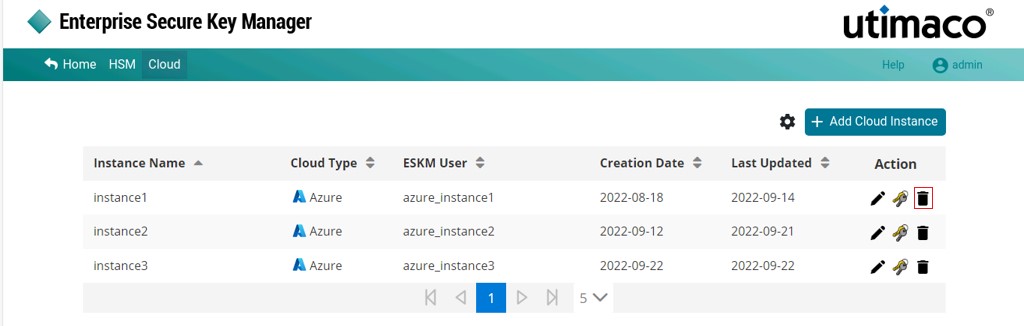
Delete Cloud Instance
-
The Delete Cloud Instance pop-up window will be displayed with a message reading "Are you sure you want to delete instance <instance name>?". Click Delete.
Cloud Instance instance name[Azure] deleted successfully.