

A Key Vault access policy allows a security principal, such as a user, application, or user group, to perform various operations on Key Vault secrets, keys, and certificates. User can assign access policies using Microsoft Azure portal.
-
In the Microsoft Azure Portal, Navigate to the key Vault Resource.
-
Under Settings, select Access Configuration > Access Policies > Create
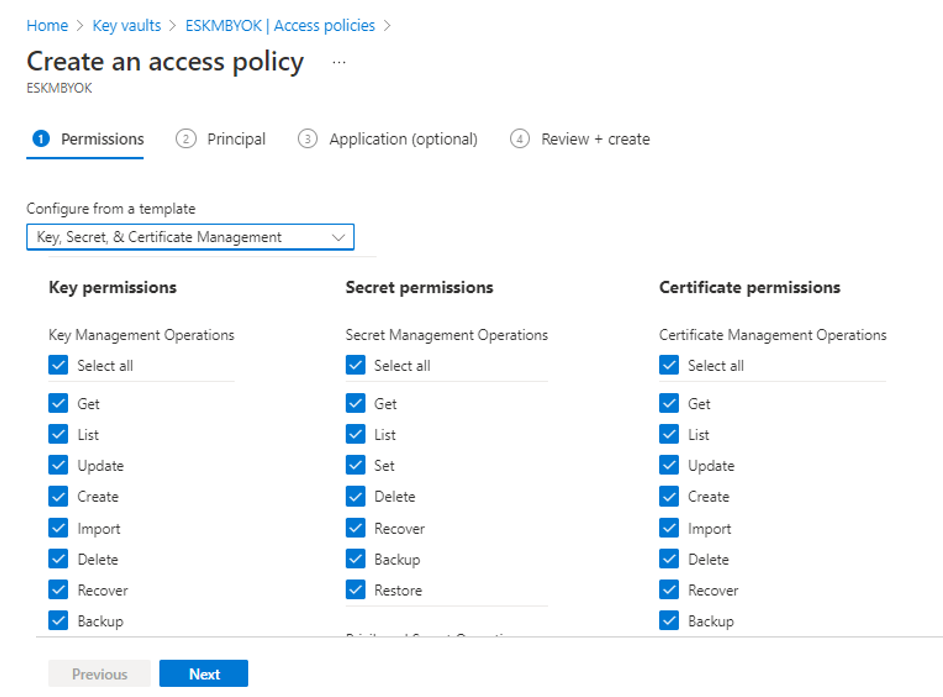
Create an Access Policy
Select the permissions you want under Certificate permissions, Key permissions, and Secret permissions. You can also select the template from the drop-down that contains common permissions and click Next.
Under the Principal tab, search for the user from the Active Directory to provide access to the key vault as a Manager. Click Next.
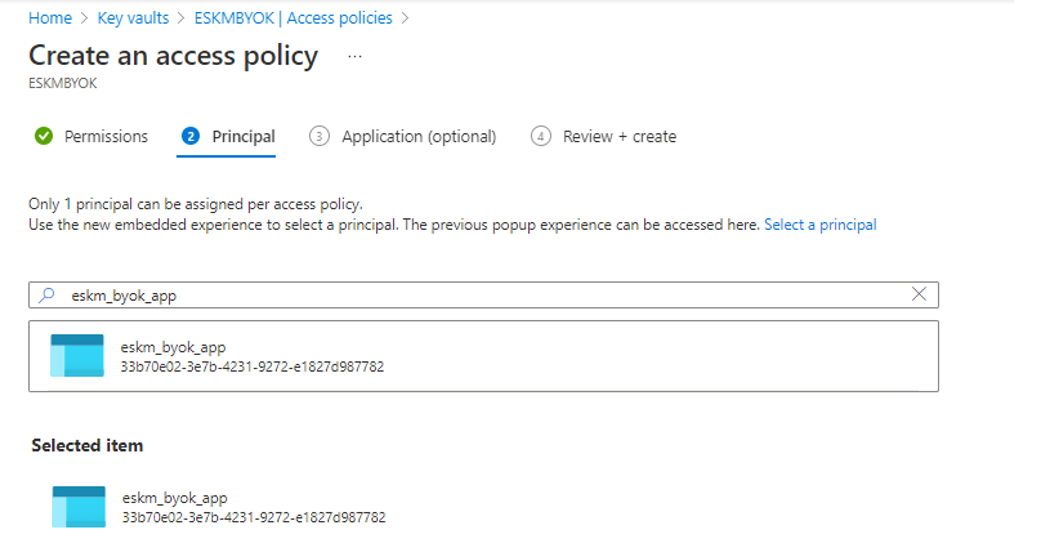
Principal
Under Application (optional) tab, search for and select the name of the app to provide the access at the application level grants. With your application identity, you can let your application connect to the vault. Click Next.
You will be navigated to the Review Summary and Click Create.
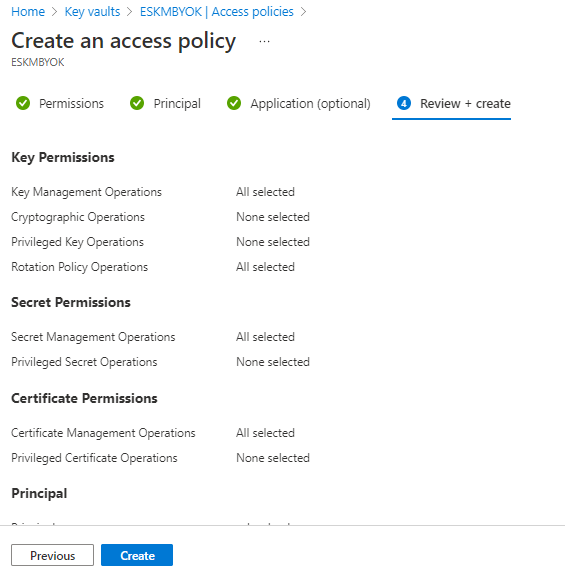
Review and Create