

In the application page, go to Certificate & Secrets as seen in the screenshot shown below.
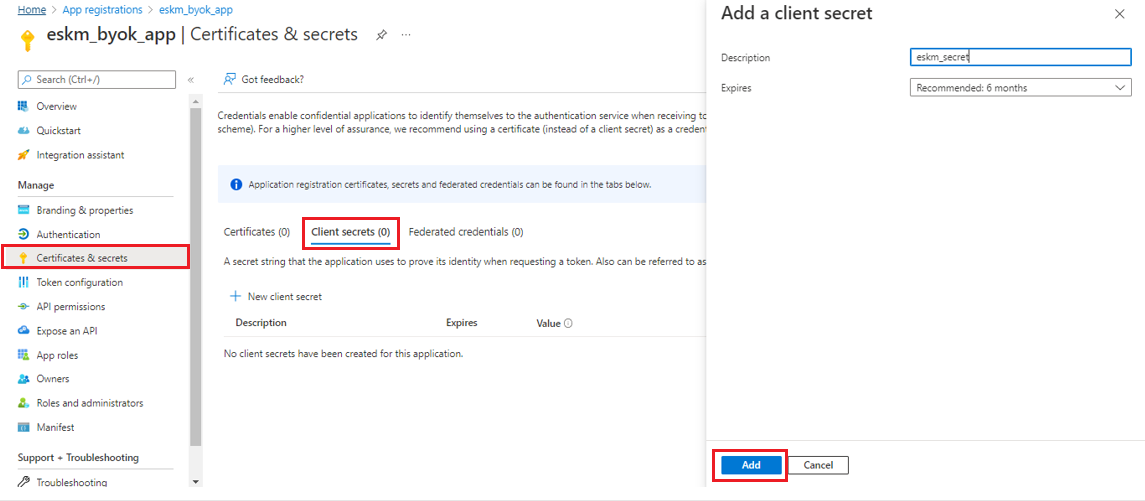
Add a Client Secret
Enter the required information and click Add.
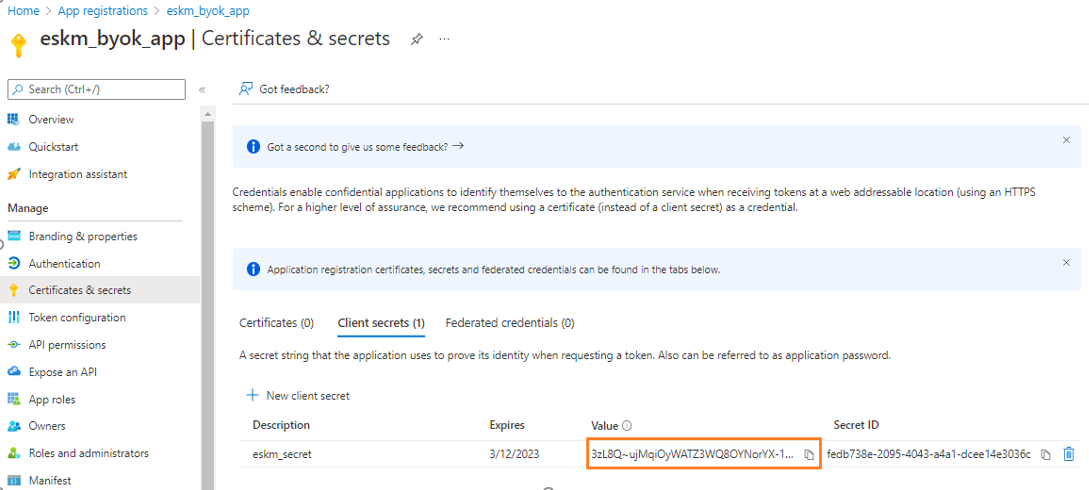
Secret ID
Secret ID created successfully.
Before leaving the page, ensure that the Secret ID has been copied and saved. After leaving a page, Secret ID is no longer accessible.