

Configuring the OpenID Server
After completing the Microsoft Entra ID configuration and obtaining the required application details, configure the OpenID Server settings in ESKM.
-
Log in to the ESKM Administration Portal using an administrator account.
-
Navigate to Device → Administrators → OpenID Server Configuration.
-
Click Edit.
-
Enable OpenID Authentication.
-
Configure the parameters listed in the table below.
-
Click Save to apply the configuration.
|
Parameter |
Description |
|---|---|
|
Configuration URL |
https://login.microsoftonline.com/<Tenant-ID>/v2.0/.well-known/openid-configuration |
|
Client ID |
<Application Client ID> |
|
Client Name |
<Display name> |
|
Client Secret |
<Client Secret value> |
|
Registration ID |
<Application Client ID> |
|
Scope |
openid,profile,email |
|
Username Attribute Name |
|
OpenID server configuration parameters
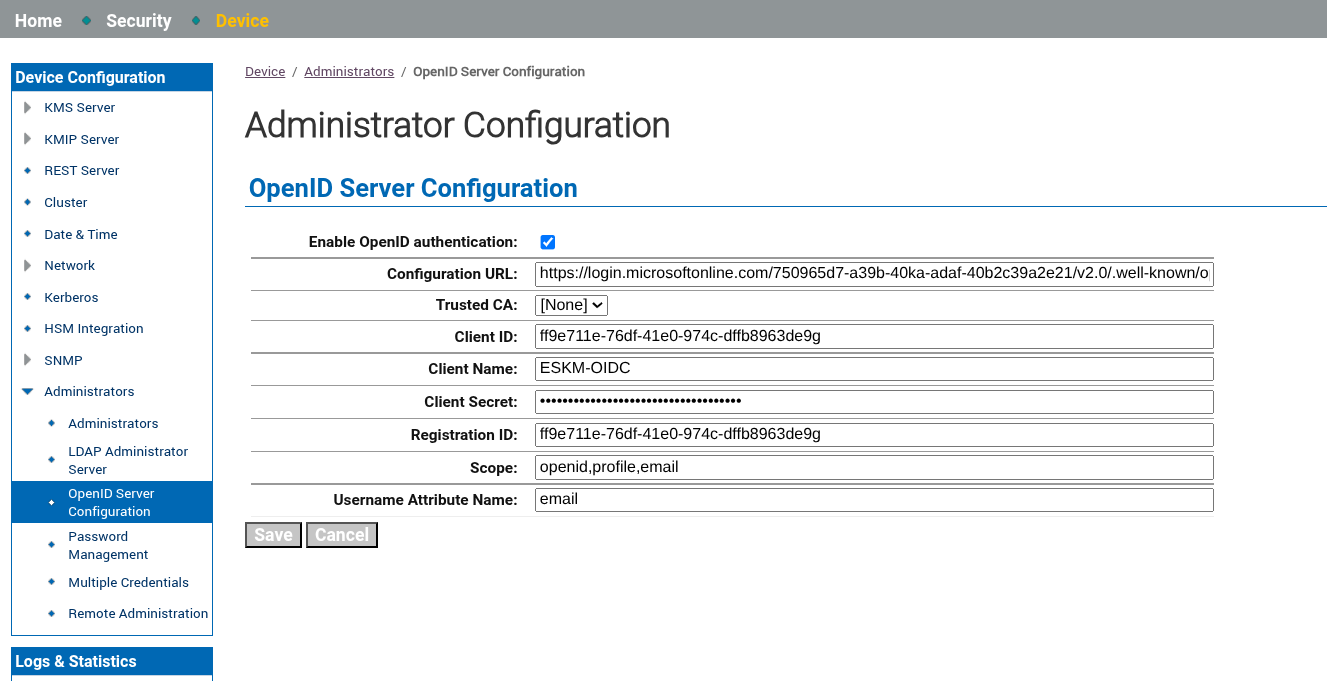
OpenID server configuration
After saving the configuration, ESKM restarts the required services and enables OIDC-based authentication.
The Configuration URL, Client ID, Registration ID, and Client Secret values are obtained from the Microsoft Entra ID application registration created in the previous section.
The value specified for Username Attribute Name must correspond to a claim provided by Microsoft Entra ID. In this example, email is used to identify authenticated users.
Creating an OIDC Administrator in ESKM
After configuring the OpenID Server settings, create an OpenID administrator account in ESKM that corresponds to a Microsoft Entra ID user.
-
Navigate to Device → Administrators → Administrators.
-
Click Create OpenID Administrator.
-
In the Username field, enter the email address of the Microsoft Entra ID user that will be granted access to ESKM. Ensure that the value matches the email claim returned by Microsoft Entra ID during authentication.
-
Assign the required administrative privileges and access rights.
-
Click Create to create the OpenID administrator.
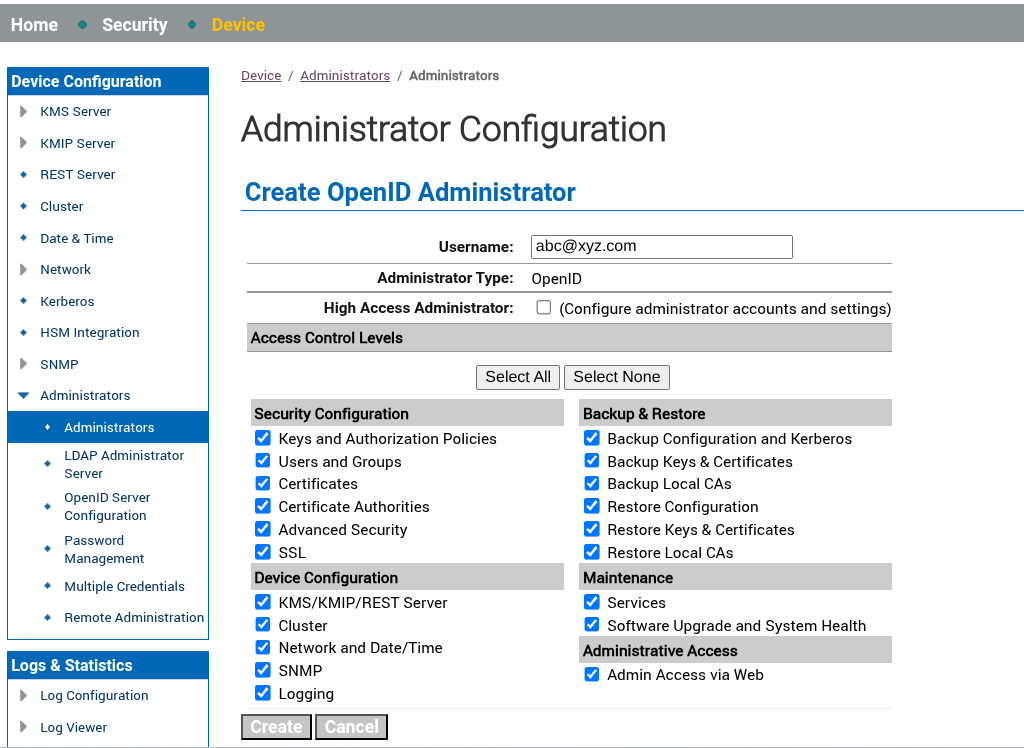
Administrator configuration
The OpenID administrator username must exactly match the value returned by the claim specified in the Username Attribute Name field of the OpenID Server Configuration. In this guide, the Username Attribute Name is configured as email.
After completing this step, the configured user can authenticate to ESKM using Microsoft Entra ID credentials through OIDC authentication.