Generate Certificate Request for Sender and Receiver:

  1. Create a directory to generate the certificate request for the sender and receiver

›_ Console

# mkdir C:\localCA\newcerts\sender
# mkdir C:\localCA\newcerts\receiver
  1. Generate a sender key using p11tool2

For RSA

›_ Console

C:\Program Files\Utimaco\SecurityServer\Administration>p11tool2 slot=7 LoginUser=123456 PubKeyAttr=CKA_LABEL="SenderKey"PrvKeyAttr=CKA_LABEL="SenderKey" GenerateKeyPair=RSA
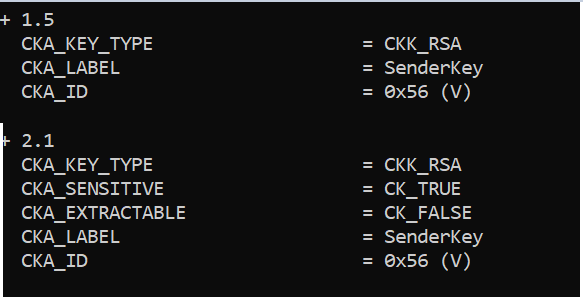
tmp6egy0ytp.png

Figure 45: Sender RSA Key list

For ECDSA

›_ Console

C:\Program Files\Utimaco\SecurityServer\Administration>p11tool2 slot=7 LoginUser=123456 PubKeyAttr=CKA_LABEL="SenderKey" PrvKeyAttr=CKA_LABEL="SenderKey" GenerateKeyPair=ECC

Once key generation is completed then add CKA_ID for both public and private ECDSA keys using PKCS11# CryptoServer Administration tool.
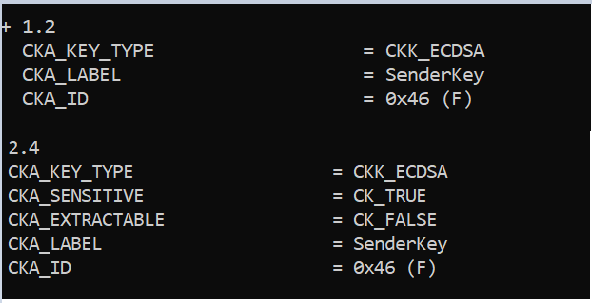
tmpkeswxw2m.png

Figure 46: Sender ECDSA Key list

  1. Generate a certificate request for the sender

›_ Console

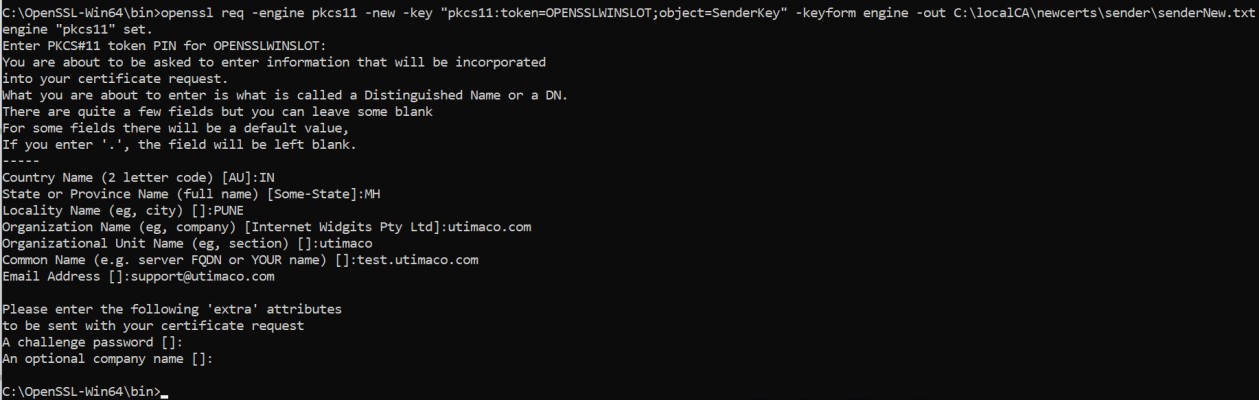
C:\OpenSSL-Win64\bin>openssl req -engine pkcs11 -new -key "pkcs11:token=OPENSSLWINSLOT;object=SenderKey" -keyform engine -out C:\localCA\newcerts\sender\senderNew.txt
tmptyt8rf2q.jpg

Figure 47: Sender certificate request generation output

Enter the prompted value for "A challenge password" as blank.

Here, OPENSSLWINSLOT is the token label and SenderKey is the key on the HSM. Provide Cryptouser PIN when prompted.

  1. Sign the certificate request for the Sender by CA

›_ Console

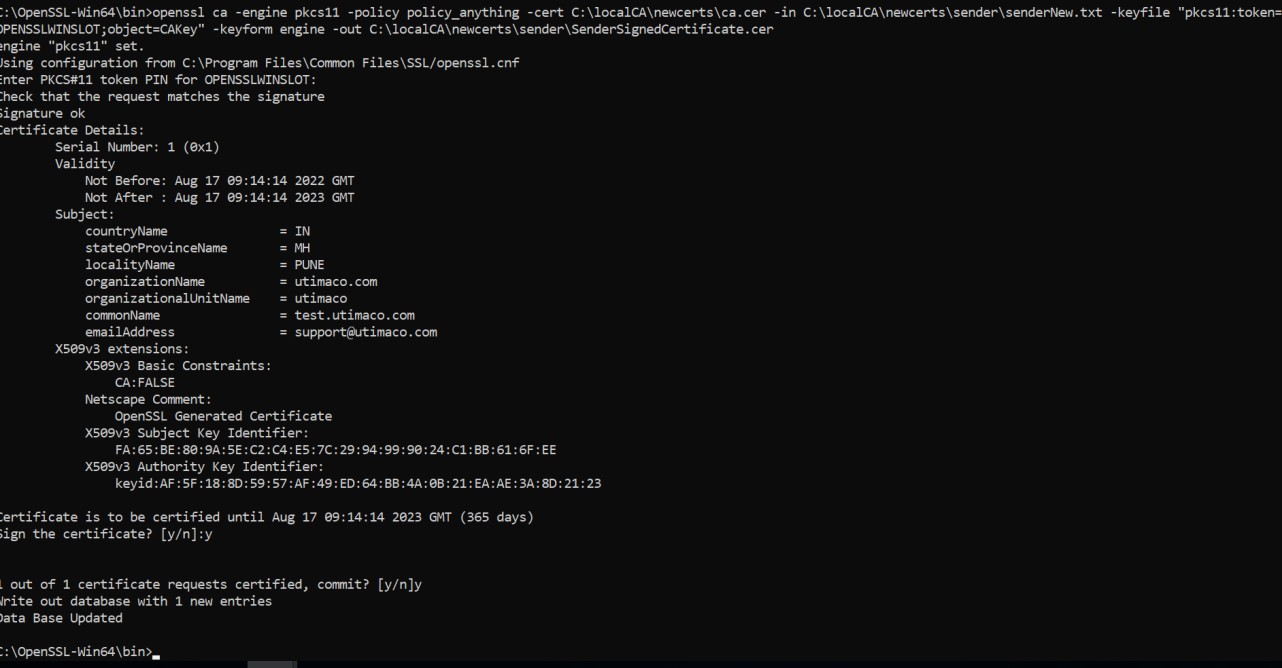
C:\OpenSSL-Win64\bin>openssl ca -engine pkcs11 -policy policy_anything - cert C:\localCA\newcerts\ca.cer -in C:\localCA\newcerts\sender\senderNew.txt -keyfile "pkcs11:token=OPENSSLWINSLOT;object=CAKey" -keyform engine -out C:\localCA\newcerts\sender\SenderSignedCertificate.cer
tmp89uk7exr.jpg

Figure 48: Sender certificate request signing by CA

Press y to sign and y again to commit.

Here, OPENSSLWINSLOT is the token label and CAKey is the key on the HSM. Provide Cryptouser PIN when prompted.

  1. Generate key for the receiver using p11tool2

For RSA

›_ Console

C:\Program Files\Utimaco\SecurityServer\Administration> p11tool2 slot=7 LoginUser=123456 PubKeyAttr=CKA_LABEL="ReceiverKey" PrvKeyAttr=CKA_LABEL="ReceiverKey" GenerateKeyPair=RSA
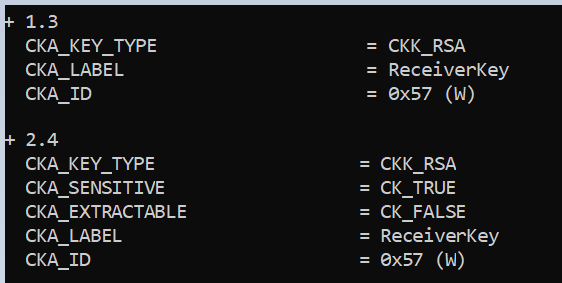
tmp53yct26m.png

Figure 49: Receiver RSA Key list

For ECDSA

›_ Console

C:\Program Files\Utimaco\SecurityServer\Administration> p11tool2 slot=7 LoginUser=123456 PubKeyAttr=CKA_LABEL="ReceiverKey" PrvKeyAttr=CKA_LABEL="ReceiverKey",CKA_DERIVE=CK_TRUE GenerateKeyPair=ECC

Once key generation is completed then add CKA_ID for both public and private ECDSA keys using PKCS11# CryptoServer Administration tool.
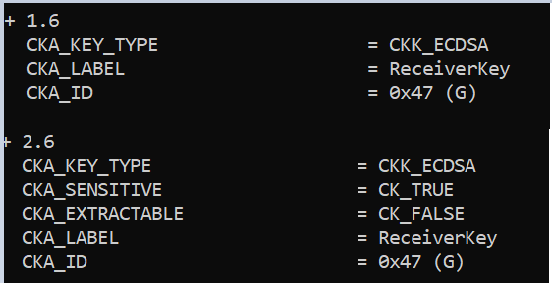
tmpxois9_cx.png

Figure 50: Receiver ECDSA Key list

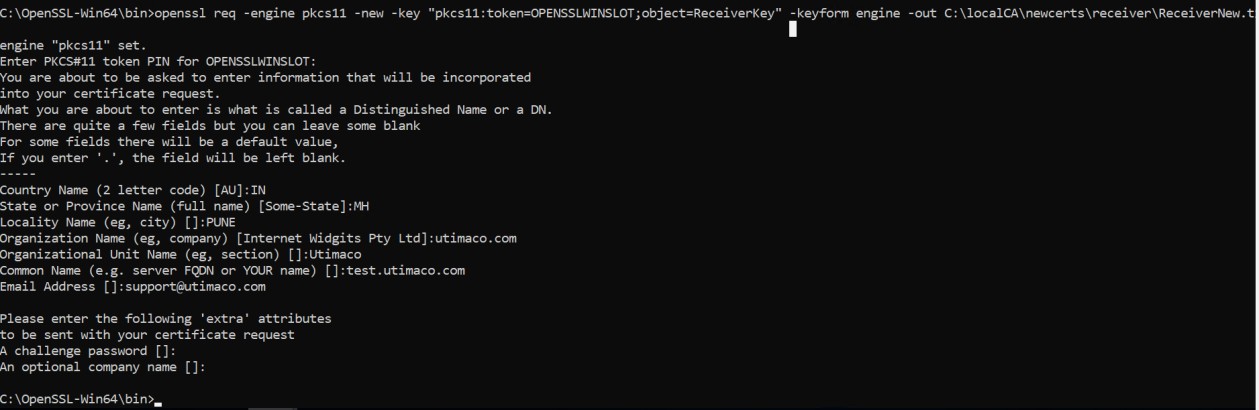
  1. Generate a certificate request for the receiver

›_ Console

C:\OpenSSL-Win64\bin>openssl req -engine pkcs11 -new -key "pkcs11:token=OPENSSLWINSLOT;object=ReceiverKey" -keyform engine -out C:\localCA\newcerts\receiver\ReceiverNew.txt
tmp2qhgiydm.jpg

Figure 51: Receiver certificate request generation output

Here, OPENSSLWINSLOT is the token label and ReceiverKey is the key on the HSM. Provide Cryptouser PIN when prompted.

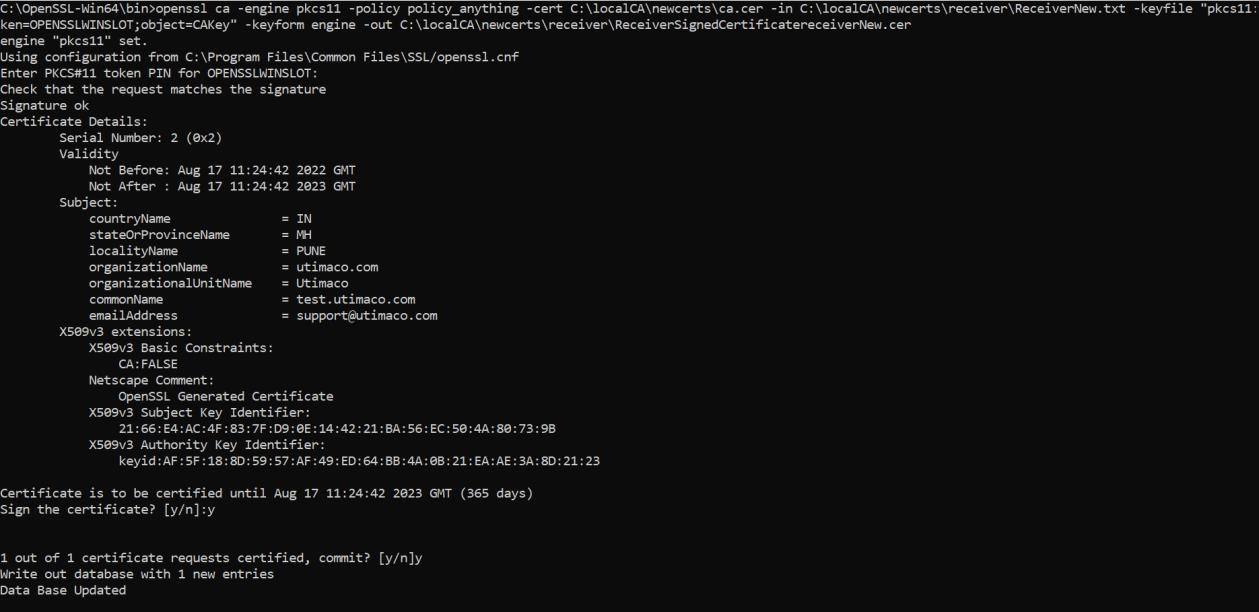
  1. Sign the certificate request for the receiver by CA

›_ Console

C:\OpenSSL-Win64\bin>openssl ca -engine pkcs11 -policy policy_anything - cert C:\localCA\newcerts\ca.cer -in C:\localCA\newcerts\receiver\ReceiverNew.txt -keyfile "pkcs11:token=OPENSSLWINSLOT;object=CAKey" -keyform engine -out C:\localCA\newcerts\receiver\receiverNew.cer
tmpg8xa7987.jpg

Figure 52: Receiver certificate request signing by CA

Press y to sign and y again to commit.

Here, OPENSSLWINSLOT is the token label and CAKey is the key on the HSM. Provide Cryptouser PIN when prompted.