

A key can not be used without being authorized in CryptoServer CP5. To authorize a key, you must first initialize it with and authorization key and then set the authorization with the AuthorizeKey command.
-
List existing keys using
cxitool ListKeys.
|
|
|
|

Listing keys with cxitool
-
Check the status of key initialization using
cxitool KeyInfo.
|
|
|
|
We can see that the key’s ‘Initialized’ status is ‘False’.
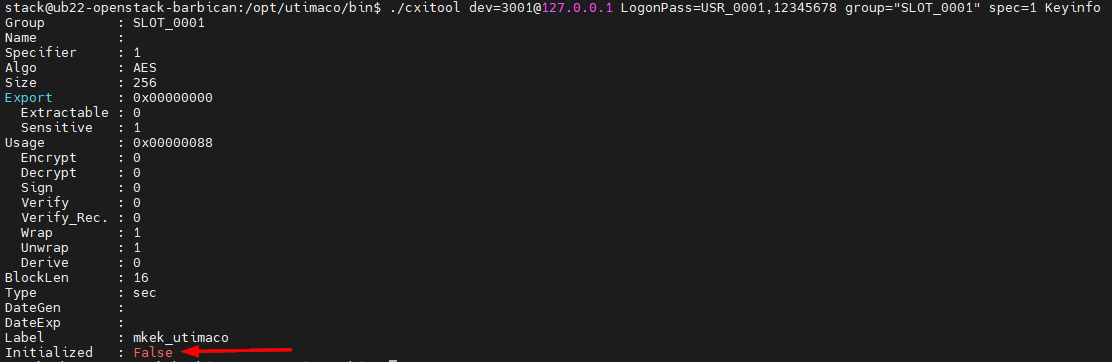
MKEK key info before initialization
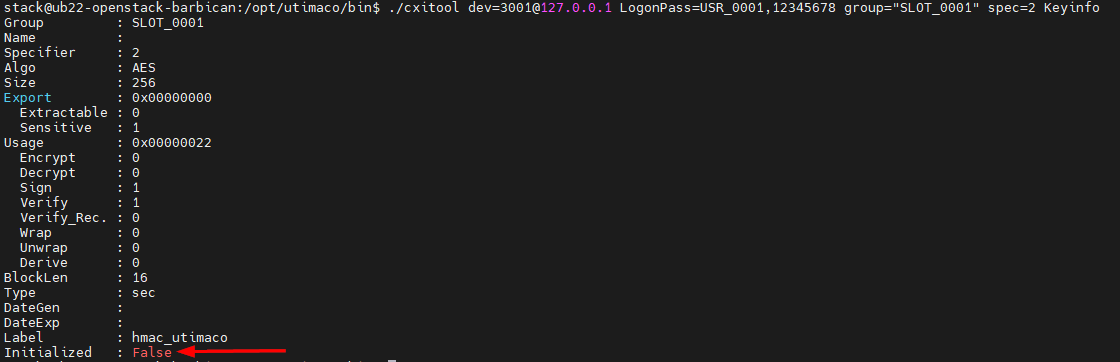
HMAC key info before initialization
-
Run below command to generate user authentication key file KA.key, which contains an RSA key pair of given size. This authentication key will be used to initialize the MKEK and HMAC in the next steps.
|
|
|
|
-
Initialize the MKEK and HMAC with authentication file KA.key.
|
|
|
|

Initialize MKEK and HMAC
-
Check the status of key initialization again using
cxitool KeyInfo.
|
|
|
|
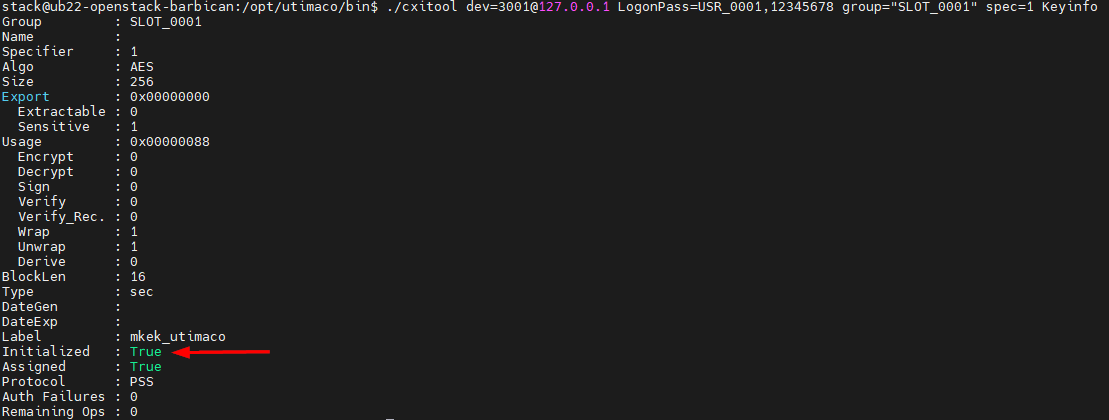
MKEK key info after initialization
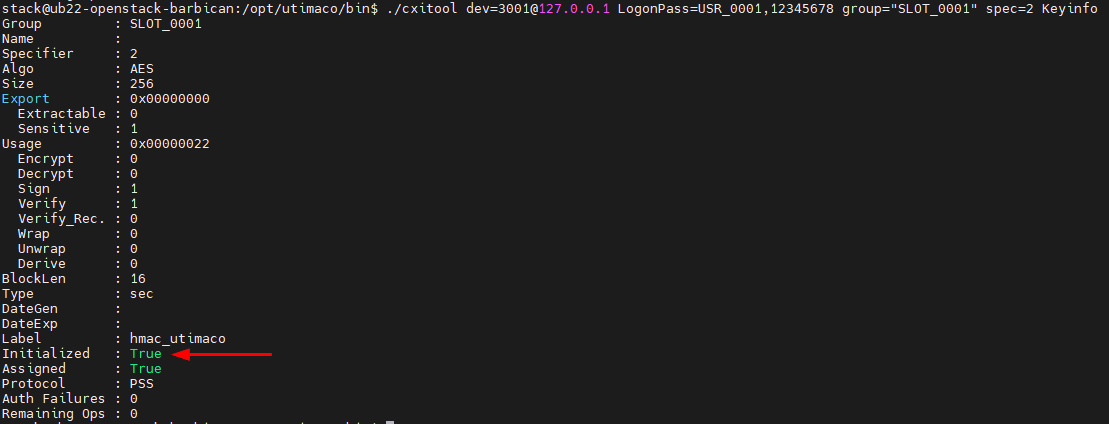
HMAC key info after initialization
-
Authorize the MKEK and HMAC with authentication file KA.key.
|
|
|
|

Authorize MKEK and HMAC
Keys need to be authorized before being used for encryption, decryption, signing, verifying and computing hashes. The command can be executed with or without <authcounter> parameter (e.g. AuthorizeKey=10 or AuthorizeKey). The parameter defines the number of operations the cryptographic key can be used for. If the key is used for an operation, the counter is decremented by 1. When it reaches 0, it cannot be used anymore until the AuthorizeKey command is executed again. If we run the command without the parameter, an unlimited number of key operations is supported until a server restart or revoking the authorization.
-
Confirm the keys were authorized by using
cxitool KeyInfoand checking the value underRemaining Ops.
|
|
|
|
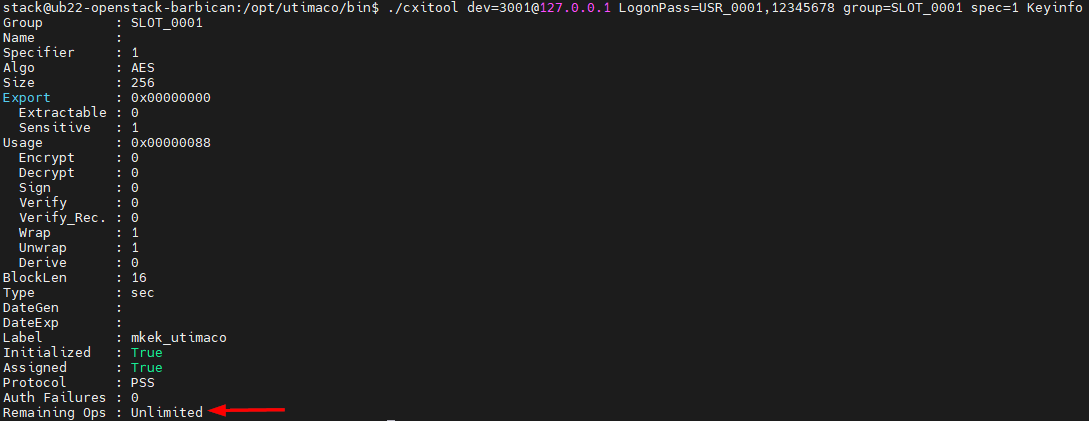
Authorized MKEK
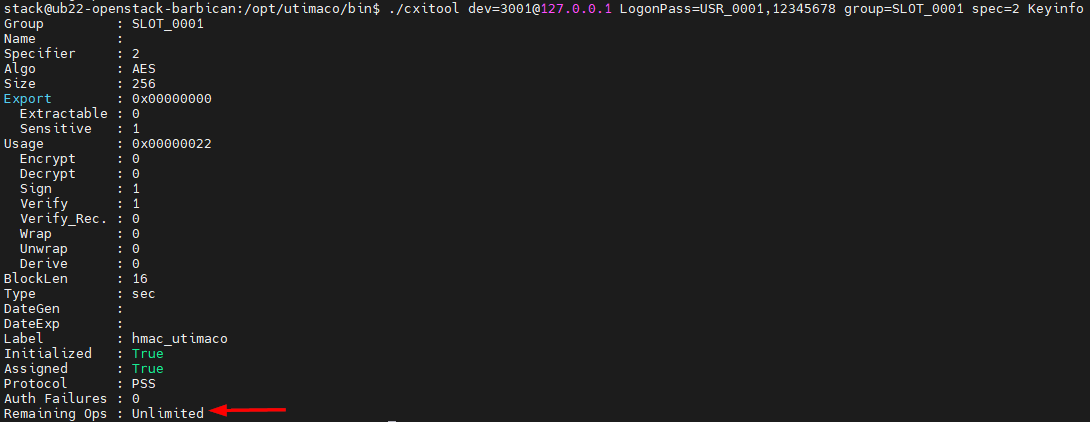
Authorized HMAC
The keys are now initialized and authorized and can be used by OpenStack Barbican.