

After license is activated, you can allot users to it who can request the smartcard certificate. For demonstration, a test user is being created in the AD. To create AD domain users on the domain controller:
-
Log in to the Windows AD domain server. Choose Start > Administrative Tools > Active Directory Users and Computers. The Active Directory Users and Computers page is displayed.
-
In the Active Directory Users and Computers dialog box, right-click Users.
-
Choose New > User.
-
Provide the user details and click Next.
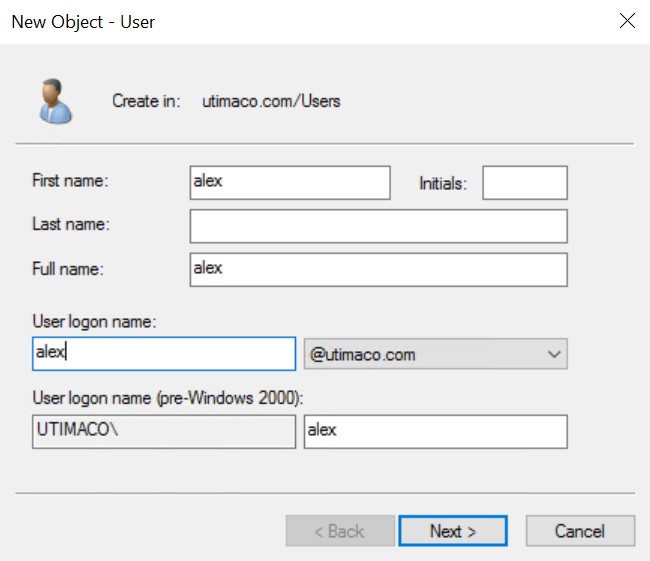
Creating a domain user
-
Click Next.
-
Enter a new password and enter it again to confirm.
-
Select any other option according to your need. Click Next.
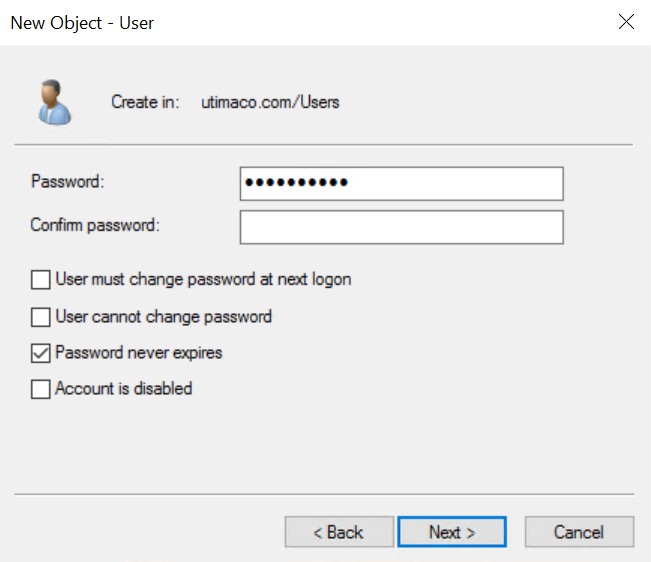
User password settings
This completes the steps on how to create a user account in Active Directory.
-
Once user is created, add the user email address in User properties.
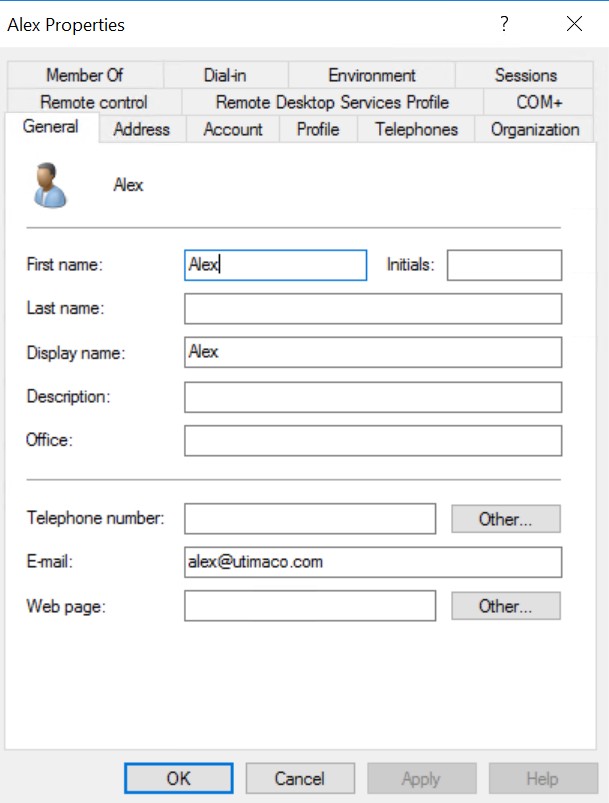
Adding email address
-
Add the user to a group if required. Click OK.
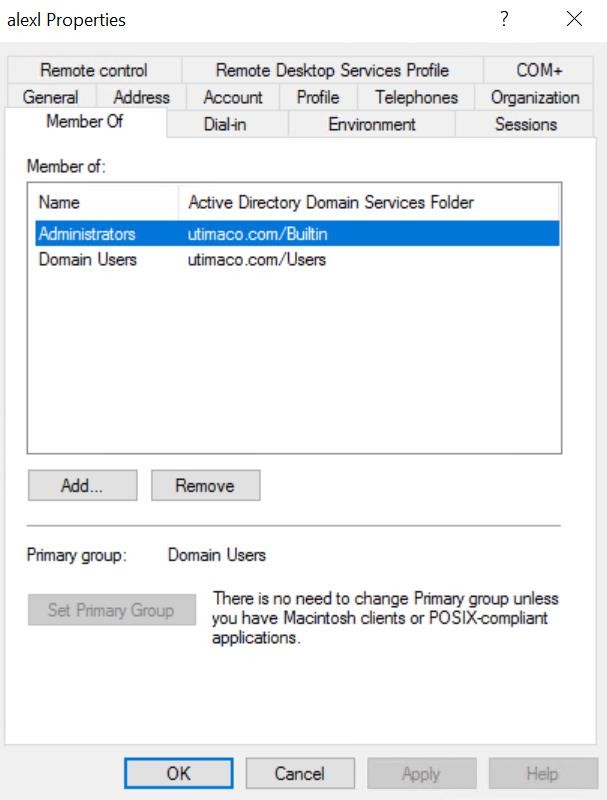
Adding group to user