

This section describes the steps to unassign license allotment for any user/group.
-
To unassign the entity, click on the delete icon (right side).
-
Click on Delete in the displayed confirmation dialog to delete entity allotment.
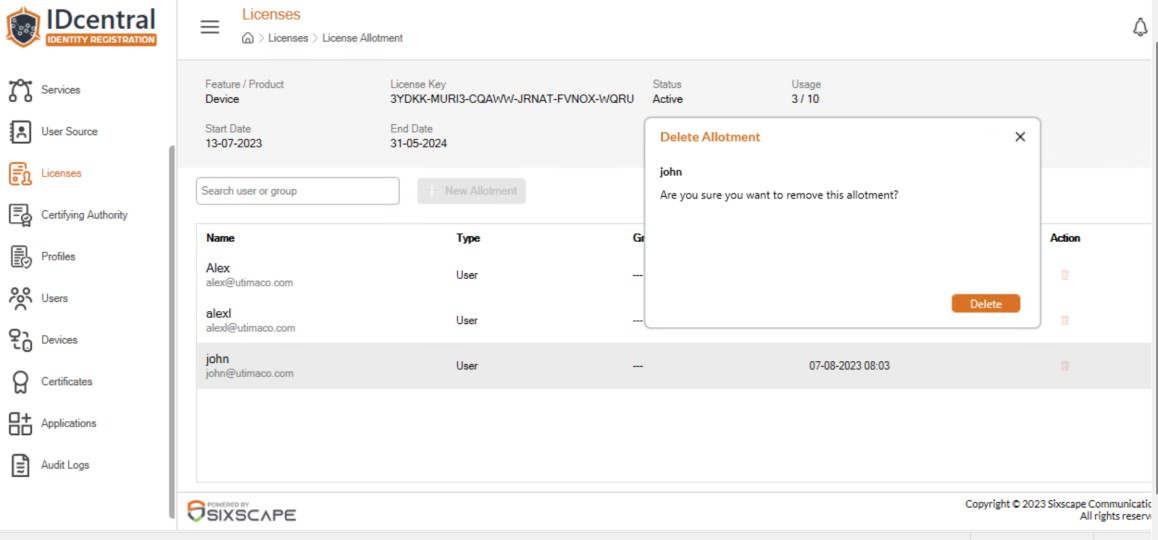
Delete License Allotment
-
On successful license allotment deletion, the entity information will be removed from the view.
The administrator can have a workflow for approving a device which was self-registered by user prior to device activation by reviewing its properties.