

Code Signing Environment Templates allow the Code Signing Administrator to suggest or require specific values to be used in CodeSign Protect Project Environments. Each project will include at least one environment. To create the Environment Template:
-
Select Environment Templates from the Venafi Code Signing node of the Venafi Configuration Console
-
From the Actions panel, Click Add Template
-
Enter the name of the template. The Development Properties wizard gets populated
-
In the Settings, enter the details for Description, Certificate Container and the Signing Flow created
-
In the Certificate Authority tab, enter the details for the CA template created
-
In the Keys tab, select the appropriate RSA key length values. This algorithm and key length appear as part of the certificate
-
In the Key Storage tab, click on the drop-down menu and select the HSM Connector created earlier for Utimaco HSM. Click, Add
-
The user can enter additional details, such as the Subject Domain Name of the certificate, in the remaining tabs
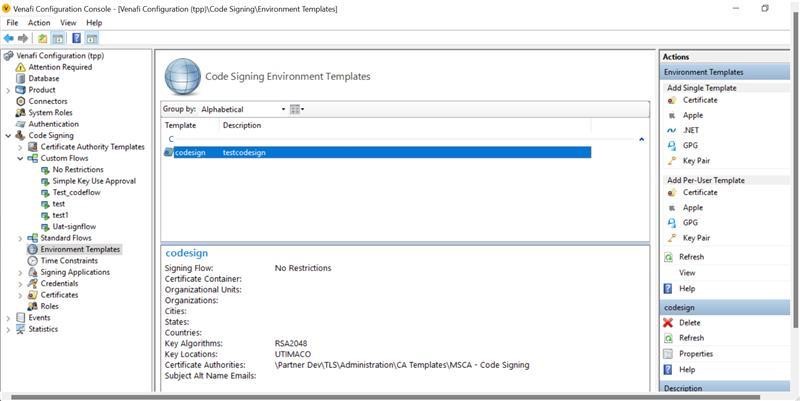
Figure 3: Code Signing Environment Templates Window