

In this example, we will export all keys from the SafeGuard environment.
Open a Windows Terminal/command line and run keyexporter.exe, no admin elevation needed:
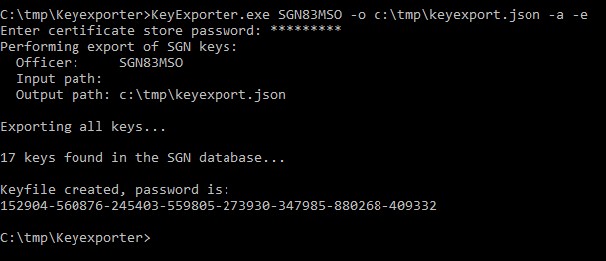
You need to provide your SafeGuard Enterprise Account name and a path to the keyexport.json file. There’s a parameter to export all:
c:\tmp\SGN\KeyExporter.exe SGN83MSO -o c:\temp\keyexport.json -a
You will then be asked for the security officer’s certificate store password (the login password to the SafeGuard console). Next, the export will start.
The export file itself will be encrypted, so no plaintext encryption values will be exposed at any point. This is the reason it will take a while to export if there are a lot of keys, so please be patient.
Towards the end, you will be given a password you need to pin down / copy. This password is needed to import the encryption keys to u.trust LAN Crypt in the next step.