

You need to trigger the synchronization to get the files downloaded to your local machine.
In Windows Explorer, select the top-level folder you work with, open its context menu by right-clicking on it, and select “Always keep on this device.”
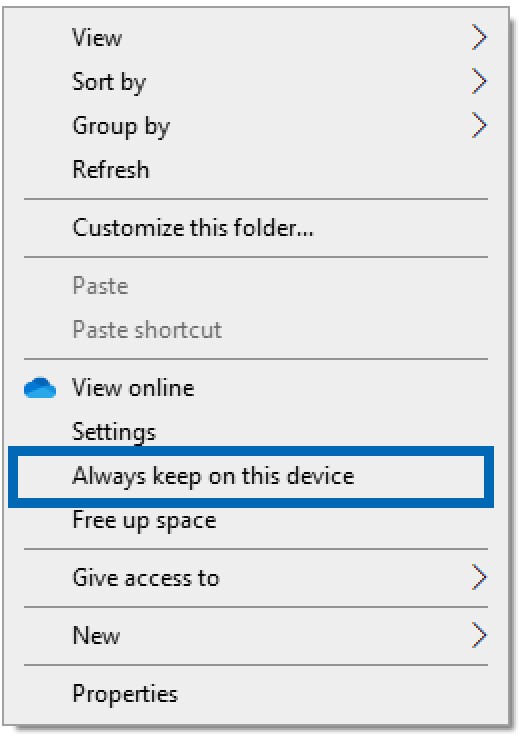
Always keep on this device
This triggers the initial synchronization. A green checkmark next to a file indicates that the synchronization is complete and the file has been downloaded to your machine.
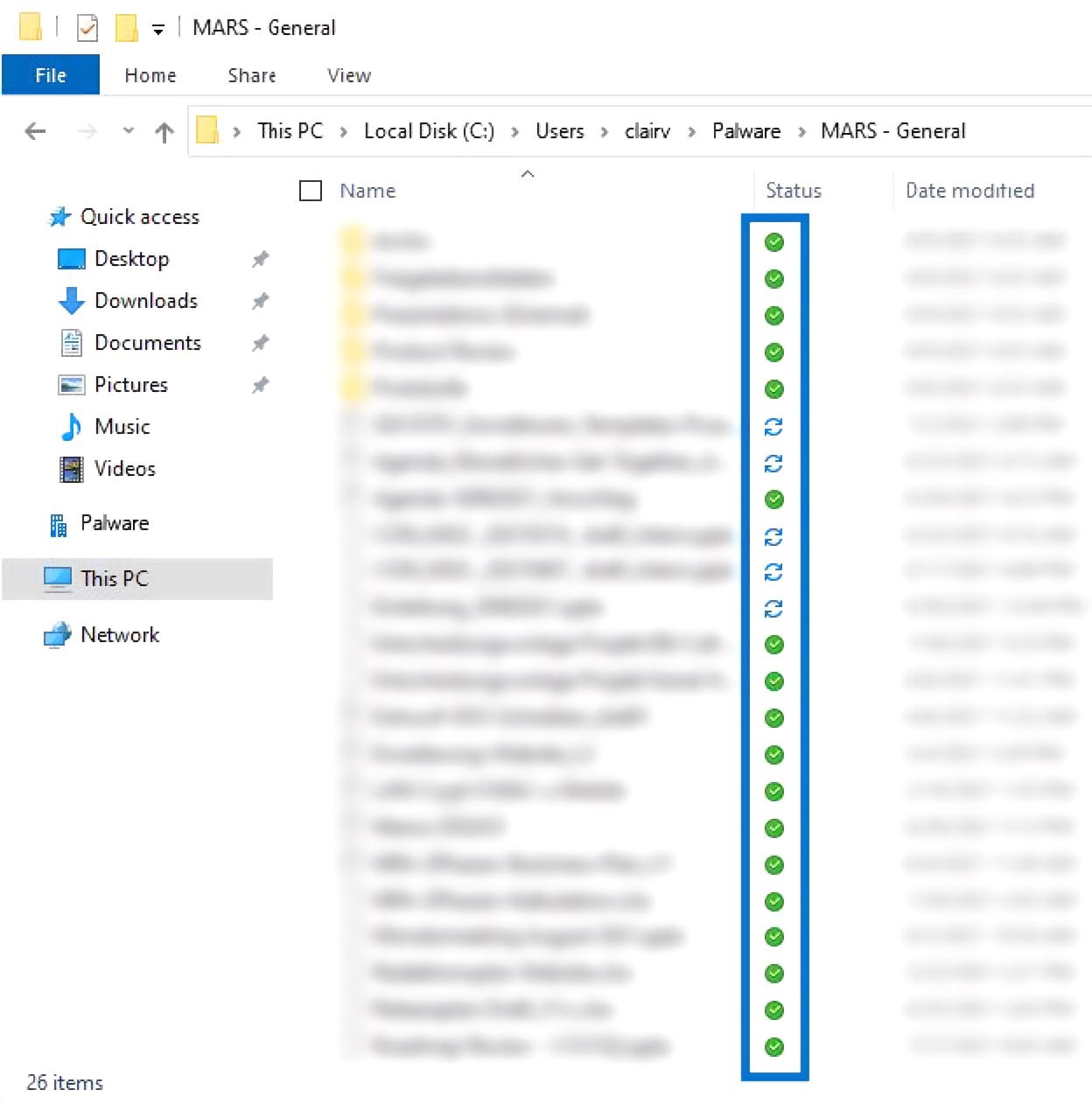
Sync status