

In order to integrate the CryptoServer Hardware Security Module with Microsoft HLK, the Utimaco CSP Utimaco CryptoServer CSP must be used to generate the certificate signing request.
-
Create an
inffilehlksigning.infwith the following attributes:
[Version]

Signature="$Windows NT$"

[NewRequest]

Subject= "C=DE, CN=UtimacoHLKSigning,OU=System Engineering HSM, O=Utimaco IS GmbH,L=Aachen,S=NRW"

KeySpec=1 KeyLength=2048 Exportable=FALSE MachineKeySet=FALSE KeyContainer=HLK1

ProviderName="Utimaco CryptoServer CSP" ProviderType=1

KeyUsage=0x04
-
Generate a certificate request using the created
inf. Make sure to use the 32 bit certreq utility. A success message is displayed after this command has been executed.
|
›_ Console |
|---|
|
-
Take the generated certificate request to a Certificate Authority and get it signed to obtain a signed certificate.
-
Now we have to import this obtained certificate in the users personal certificate store. As this setup is 32 bit, ensure to use the 32 bit Microsoft Certificate Manager Console.
|
›_ Console |
|---|
|
-
Right-click on Personal > All Task > Import.. and follow the instructions to import the signed certificate. Verify the certificate is successfully imported.
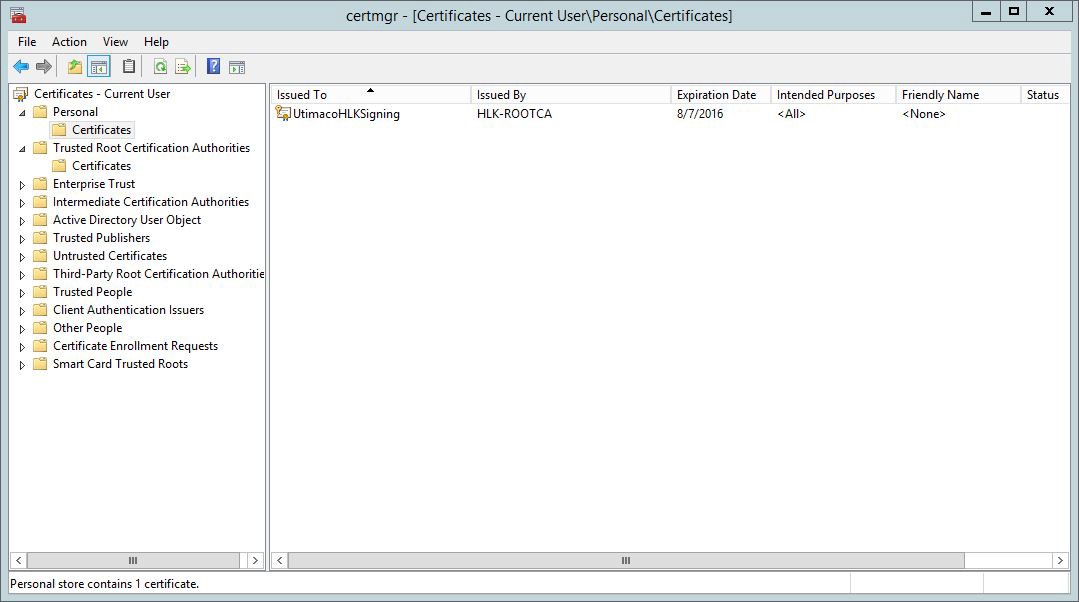
Microsoft Certificate Manager Console
-
Double click the certificate and confirm that there is a private key mapped with this certificate. Check the message at the bottom.
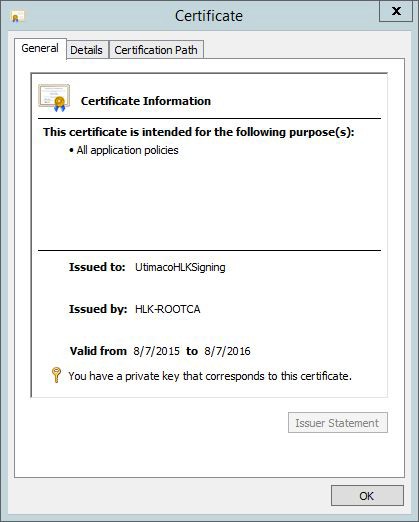
Certificate Information
-
In case the private key is not mapped correctly, repair the certificate using the
certutil repairstoreutility.
-
Open the certificate.
-
Browse to the details tab.
-
Select the serial number field.
-
Copy the serial number or thumb print.
-
Execute the
certutil -repairstore -user My SerialNumber or ThumbPrintcommand to map the private key on the HSM with the certificate.
|
›_ Console |
|---|
|
-
After the
repairstorecommand has been successfully executed, refresh the certificate manager snap in, open the certificate and confirm the message at the bottom is displayed.