Enabling Encryption on an Existing Volume with the Volume Encryption Conversion Start Command

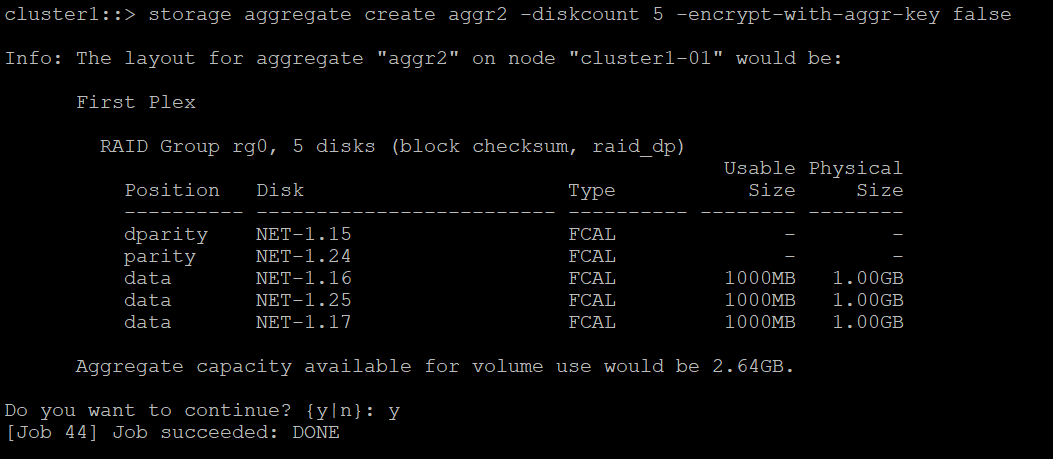
  1. Create a new aggregate aggr2 without encryption. 

>_Console

Cluster1:> storage aggregate create aggr2 –diskcount 5 -encrypt-with-aggr-key false

ontapaggrnoencryptioncreation.png

Create aggregate without encryption

  1. Create a plain text volume vol2 by running the command below.

>_Console

Cluster1::> volume create –volume vol2 –aggregate aggr2 –encrypt false

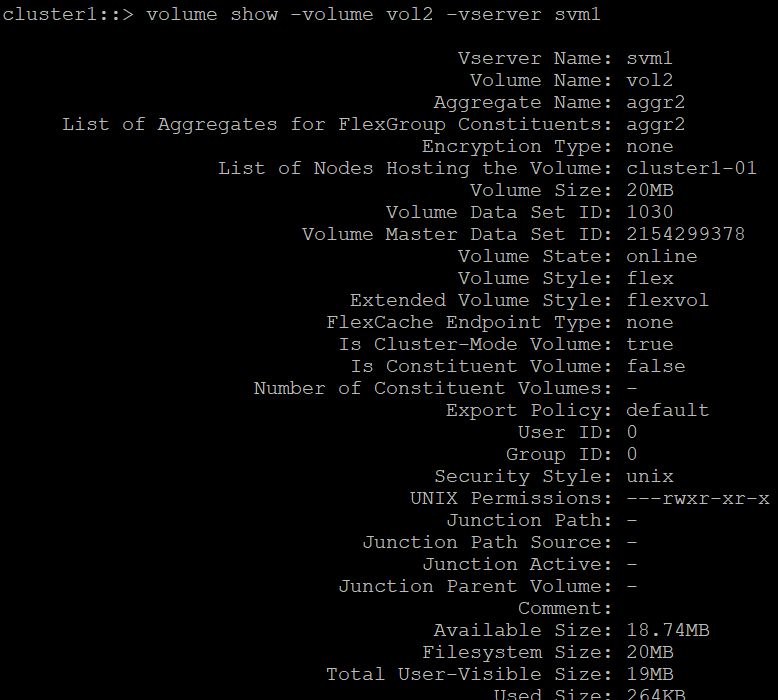
  1. View the volume vol2 by running the command below.

>_Console

Cluster::> volume show -volume vol2 -vserver svm1 

ontap_vol_plain_show.png
Volume show output.

Volume show output

  1. Convert the existing volume vol2 (plain text volume) to an encrypted volume by running the command below.

>_Console

cluster1::> volume encryption conversion start -vserver SVM_name -volume volume_name 

Example: 

Cluster1::> volume encryption conversion start -vserver svm1 -volume vol2

ontap_volume_encr_running.png
Volume encryption conversion start running.

Volume encryption conversion start running

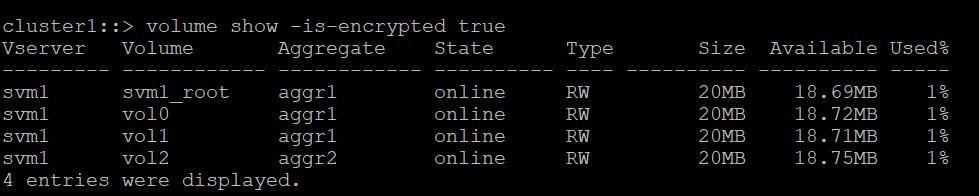
  1. When the conversion operation is complete, verify that the volume is enabled for encryption. 

>_Console

Cluster1::> volume show -is-encrypted true

ontap_show_vol2_after_conversion.png

Verifying encrypted volumes