Enabling Encryption on an Existing Volume with the Volume Move Start command

You can use the volume move start command to enable encryption by moving an existing volume. 

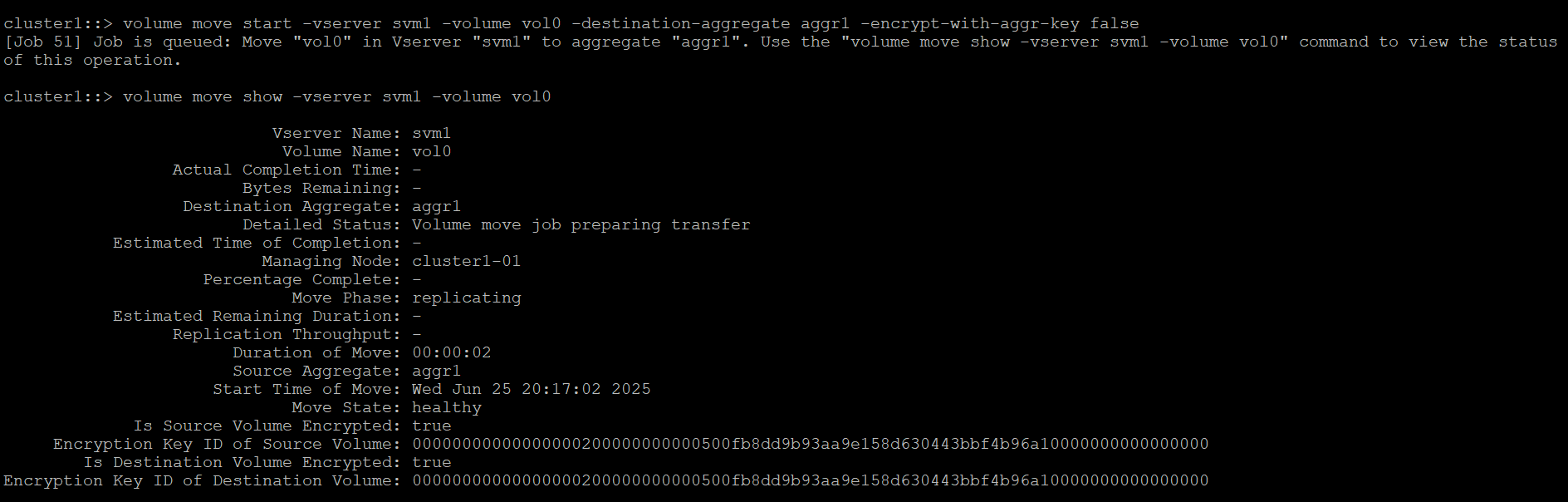
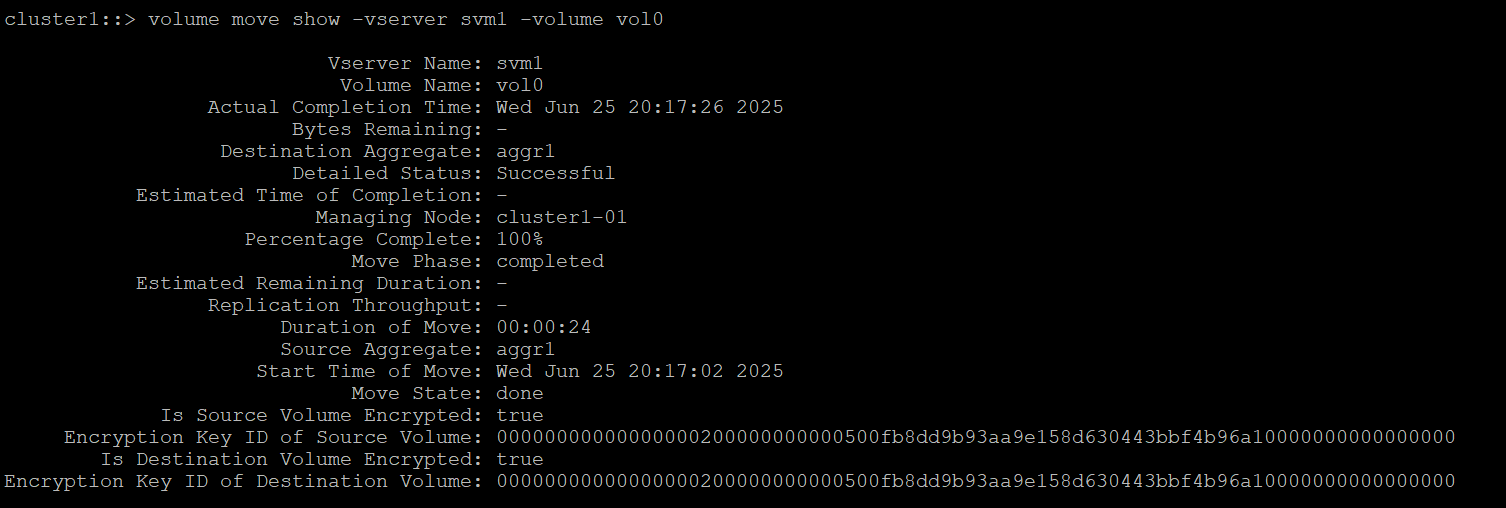
  1. Move an NAE volume to an NVE volume (vol0 is an NAE volume will convert this to NVE volume) and verify its status.

>_Console

cluster1::>volume move start -vserver SVM_name -volume volume_name - destination-aggregate aggregate_name -encrypt-with-aggr-key false 

Example:  

Cluster1::> volume move start -vserver svm1 -volume vol0 -destinationaggregate aggr1 -encrypt-with-aggr-key false

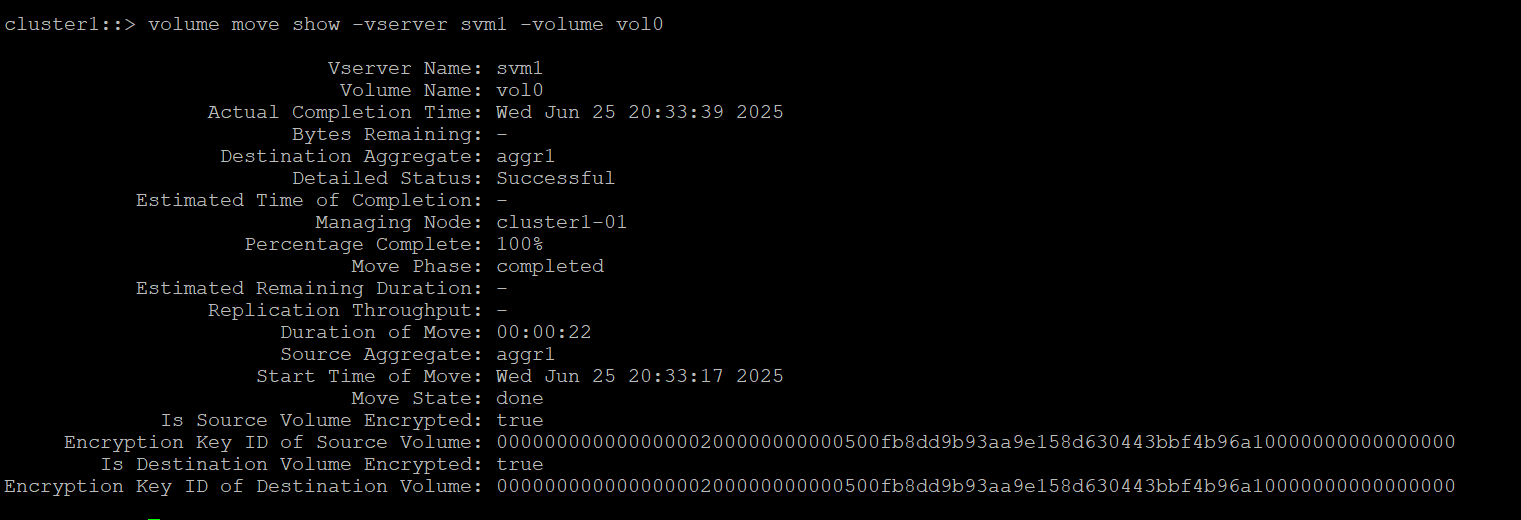
Cluster1::> volume move show -vserver svm1 -volume vol0

ontap_volume_move.png
ontap_volume_move_success.png

Moving an NAE volume to an NVE volume

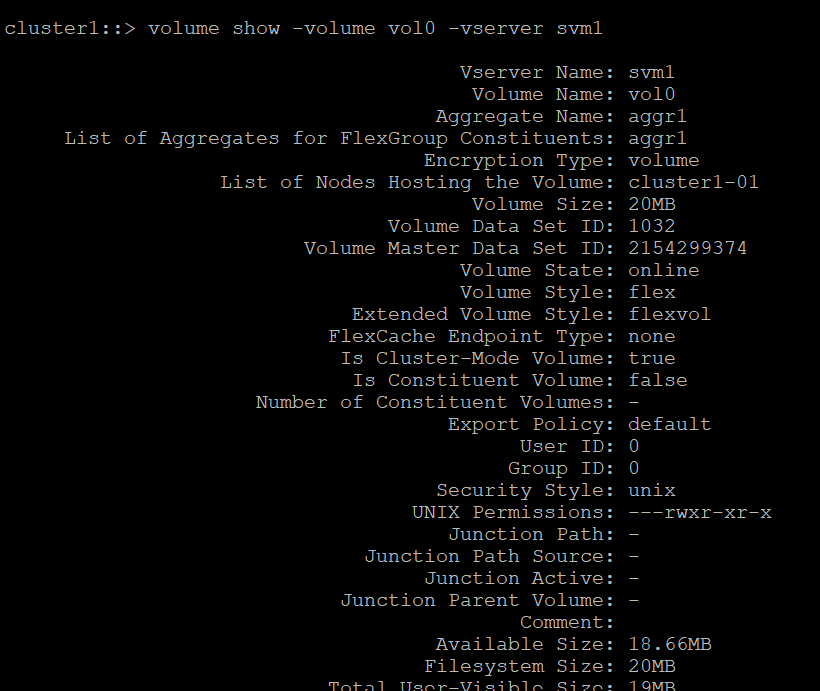
  1. View the volume vol0 once the operation is completed.

>_Console

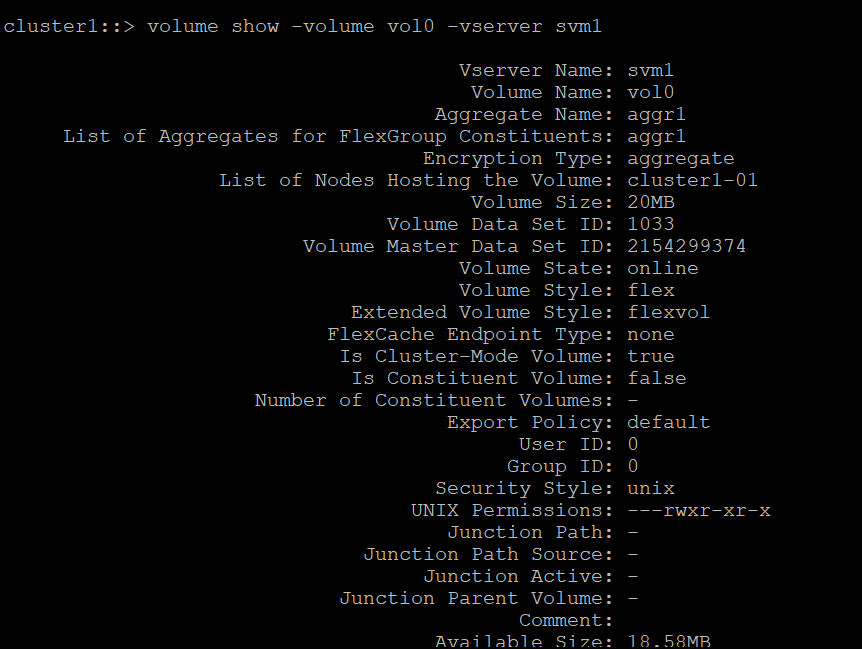
cluster1::> volume show -volume vol0 -vserver svm1

ontap_view_vol_after_mov.png

Volume show output

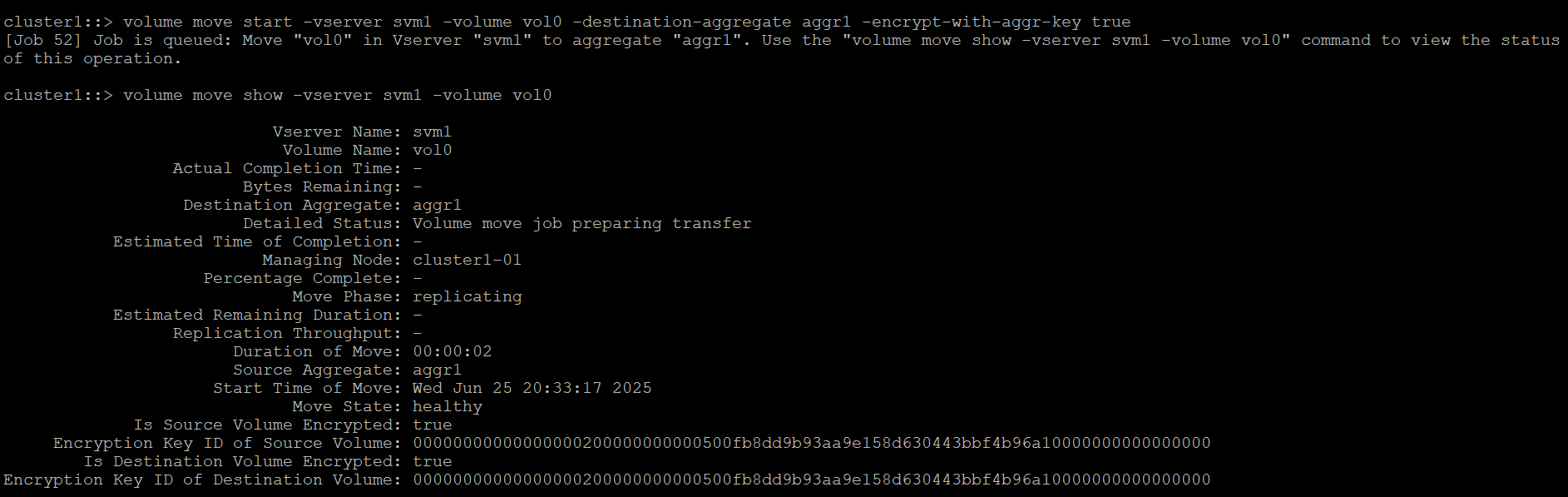
  1. Move an NVE volume to an NAE volume (vol0 is an NVE volume will convert this to NAE volume) and verify its status. 

>_Console

Cluster1::> volume move start -vserver SVM_name -volume volume_name - destination-aggregate aggregate_name -encrypt-with-aggr-key true 

For example: 

Cluster1::> volume move start -vserver svm1 -volume vol0 –destination-aggregate aggr1 -encrypt-with-aggr-key true  

Cluster1::> volume move show -vserver svm1 -volume vol0

ontap_vol_move_2_running.png
ontap_vol_move2_success.png

Moving an NVE volume to an NAE volume


  1. View the volume vol0 once the operation is completed.

>_Console

cluster1::> volume show -volume vol0 -vserver svm1

ontap_view_vol_afater_mov2.png

Volume show output