

If you have NGINX running over SSL with the existing keys locally somewhere on the directory, you can migrate those keys to Utimaco HSM and securely store them.
To migrate the existing key to Utimaco HSM follow these steps:
-
Make sure to complete the steps for installing and configuring openssl and libp11 in section 5.1, 5.2 and 5.3 before proceeding.
-
Convert a private key to pkcs12 format.
|
›_ Console |
|---|
|
-
Import converted private key to HSM using p11tool2.
|
›_ Console |
|---|
|
Only private key is required to import to Utimaco HSM, as certificate contains only public key information.
-
List the generated keys using p11tool2.
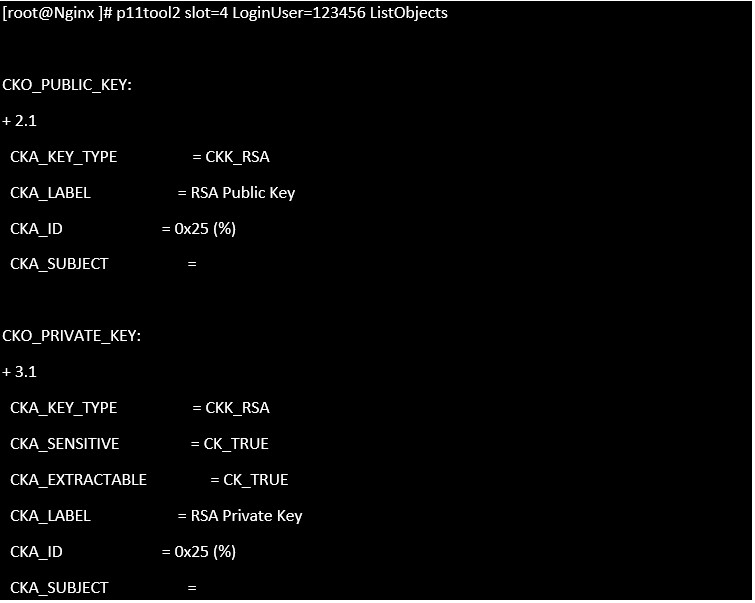
List keys
-
Open the
nginx.conffile and make the following changes.
|
›_ Console |
|---|
|
Here:
-
/root/nginx/RSA.certis the existing signed certificate. -
engine:pkcs11:slot_4-id_25is for slot no. 4 HSM and 25 is theCKA_IDof the private key on Utimaco HSM.
Below is the sample working configuration file for NGINX for SSL.
|
›_ Console |
|---|
|
-
Restart NGINX Open Source:
|
›_ Console |
|---|
|
Provide slot PIN when prompted.
-
Open https://<nginx_server_ip> in any browser and verify that you can see nginx welcome page.
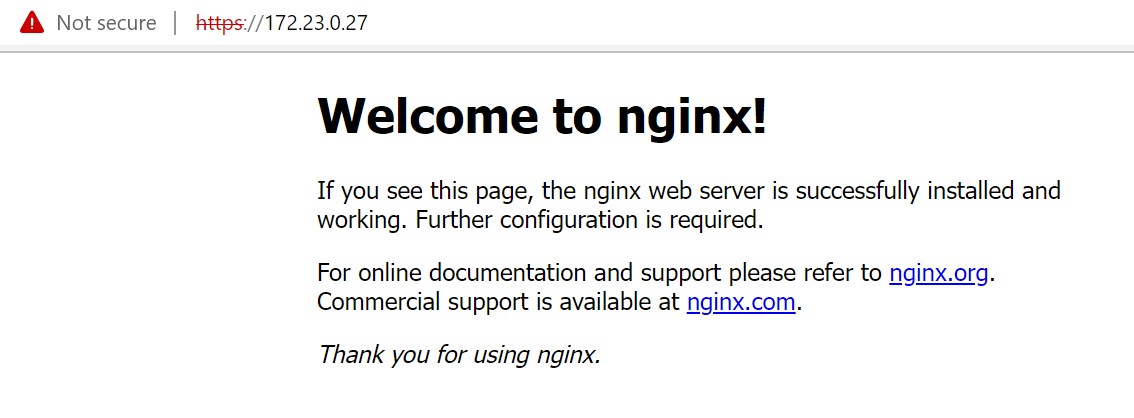
Nginx Page with Https
Once NGINX is running successfully after migrating the keys on Utimaco HSM you can delete the private key from the software location.
This completes the integration of NGINX with Utimaco HSM.