

-
Open the OpenDNSSEC configuration file
/etc/opendnssec/conf.xmland edit the details in <RepositoryList> …… </Repository> as below.
|
›_ Console |
|---|
|
<Pin> …. </PIN> attribute is optional and can be commented as per requirement. IF the PIN is not set in the configuration file, user will need to enter the CryptoUser PIN every time.
<Repository name="utimaco"> an important attribute is the name of the local repository which is used in kasp.xml to identify storage of the keys. User can give repository name as per their requirement. Refer to the OpenDNSSEC Documentation for more details of theconf.xml file.
-
Run the command below to verify the connection with HSM.
|
›_ Console |
|---|
|
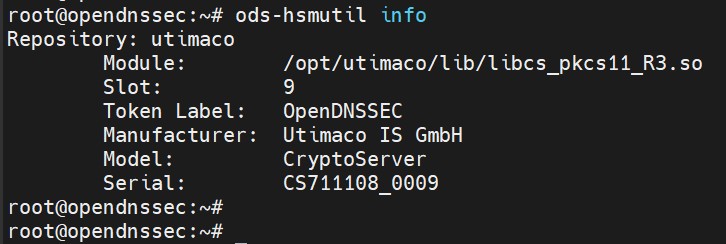
Console output of ods-hsmutil info