

-
Create a directory to generate the certificate request for sender and receiver
|
›_ Console |
|
-
Generate a sender key pair using p11tool2
For RSA
|
›_ Console |
|
For ECDSA
|
›_ Console |
|
Once key generation is completed then add CKA_ID for both public and private ECDSA keys using PKCS11# CryptoServer Administration tool.
-
Verify that the keys are generated onto the HSM using the following command:
|
For RSA›_ Console |
|
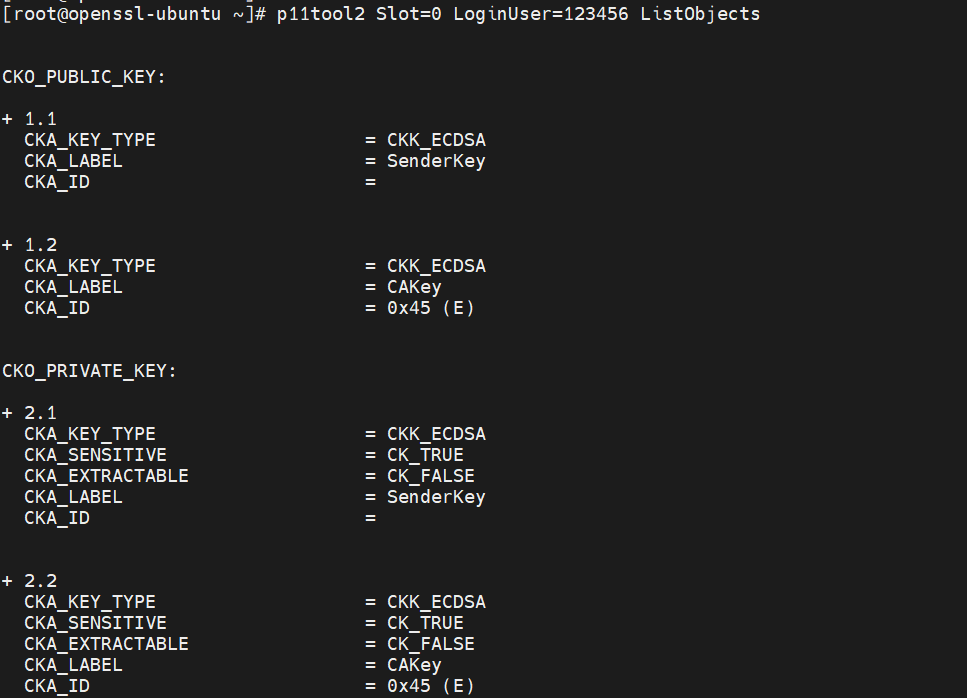
Figure 26: Sender RSA Key list
For ECDSA
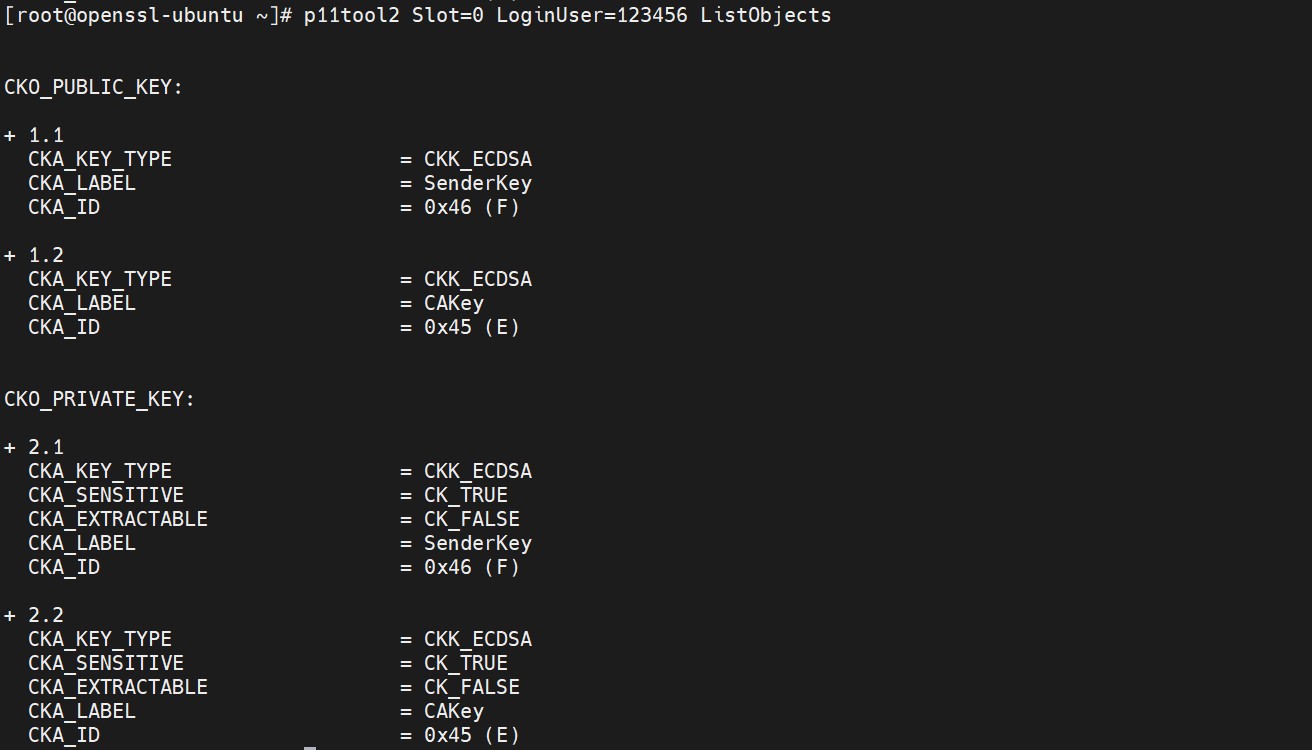
Figure 27: Sender ECDSA Key list
-
Generate a certificate request for sender.
|
›_ Console |
|---|
|
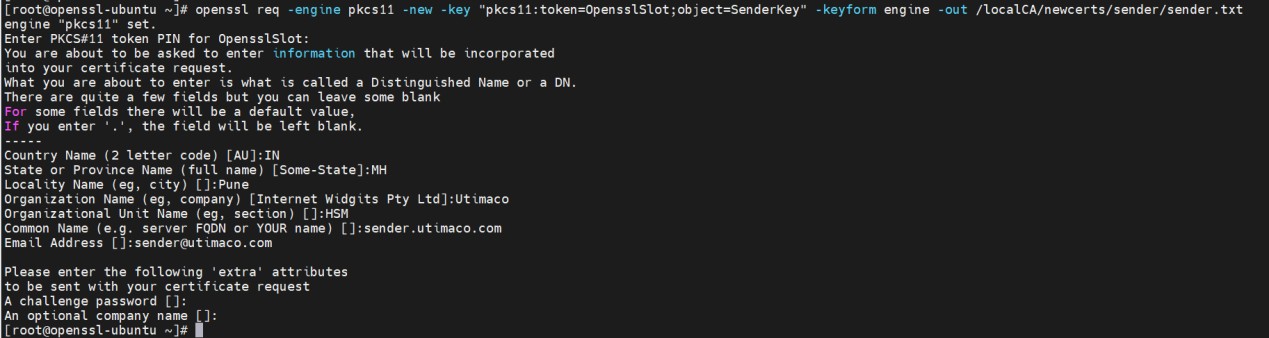
Figure 28: Sender certificate request generation
Enter the prompted value for "A challenge password" as blank.
Here, OpensslSlot is the token label and SenderKey is the key on the HSM. Provide Cryptouser PIN when prompted.
-
Sign the certificate request for sender by CA
|
›_ Console |
|
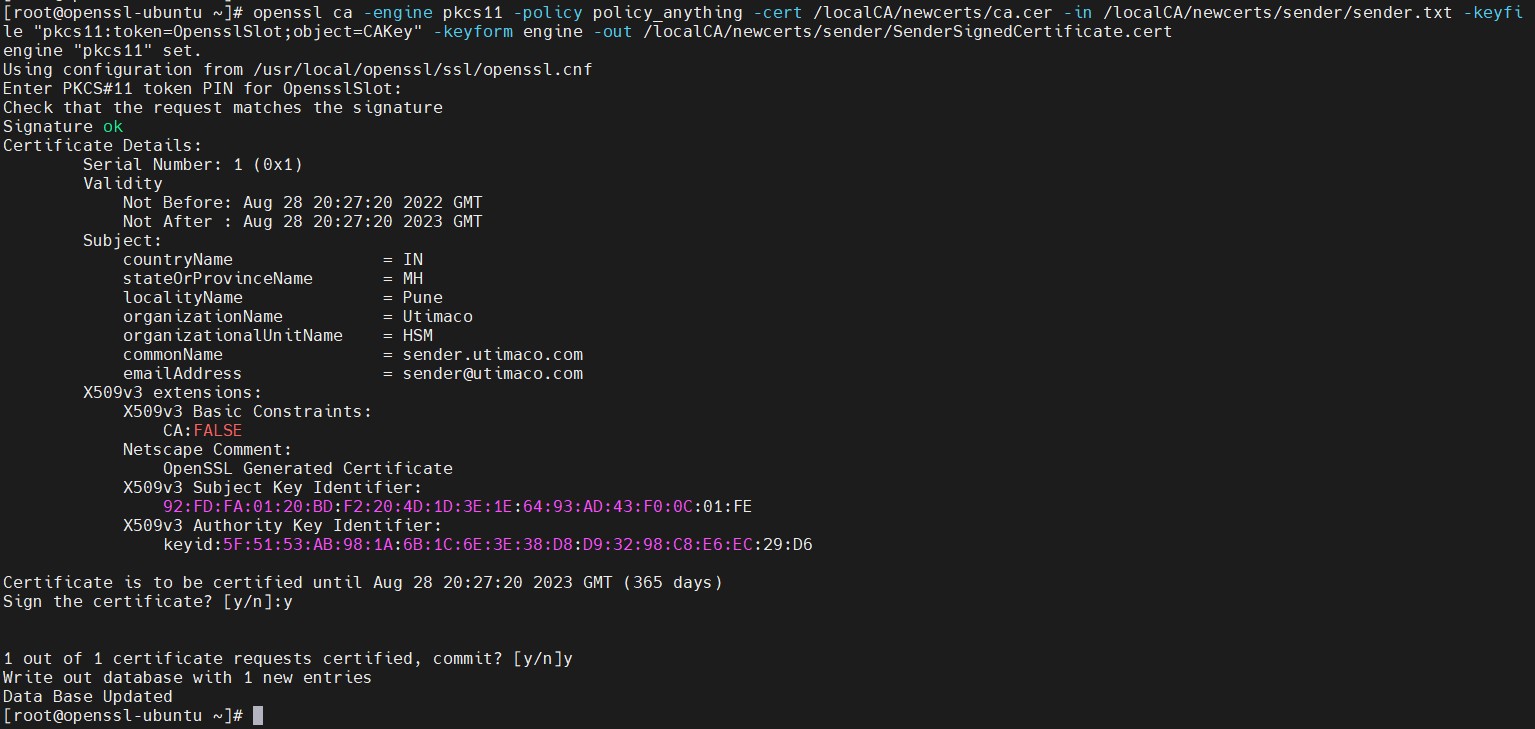
Figure 29: Sender certificate request signing by CA
Press y to sign and y again to commit.
Here, OpensslSlot is the token label and CAKey is the key on the HSM. Provide Cryptouser PIN when prompted.
-
Generate key pair for receiver using p11tool2
For RSA
|
›_ Console |
|
For ECDSA
|
›_ Console |
|
Once key generation is completed then add CKA_ID for both public and private ECDSA keys using PKCS11# CryptoServer Administration tool.
Also, make sure to set CKA_DERIVE=CK_TRUE in the above command
-
Verify that key pair is generated onto the HSM using the following command:
|
›_ Console |
|
For RSA
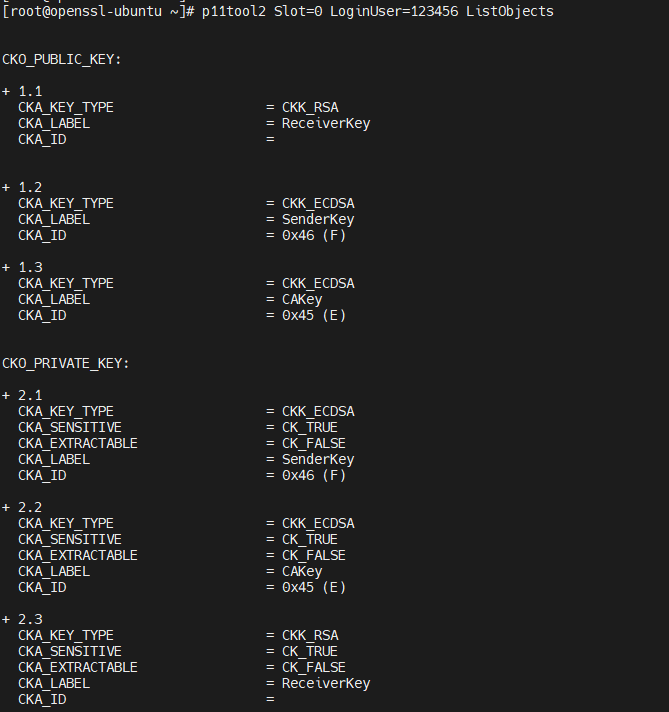
Figure 30: Receiver RSA Key list
For ECDSA
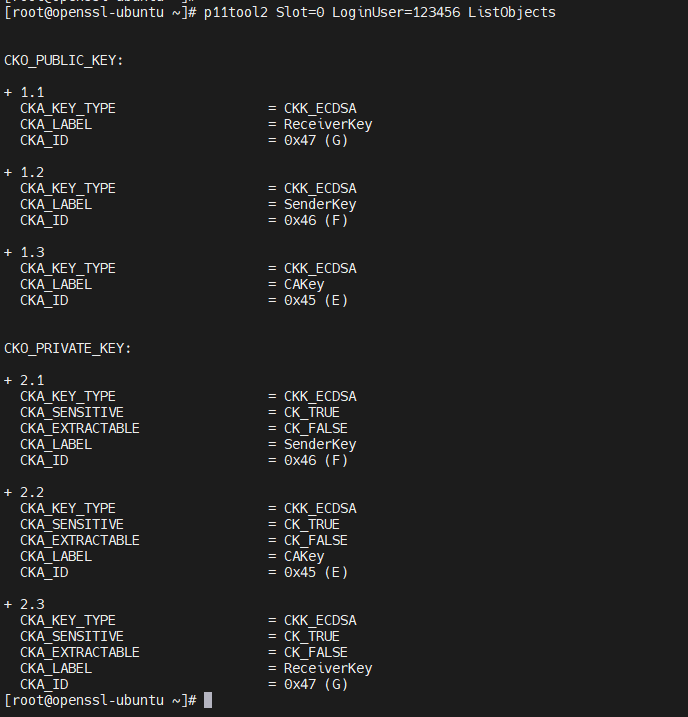
Figure 31: Receiver ECDSA Key list
-
Generate a certificate request for receiver.
|
›_ Console |
|
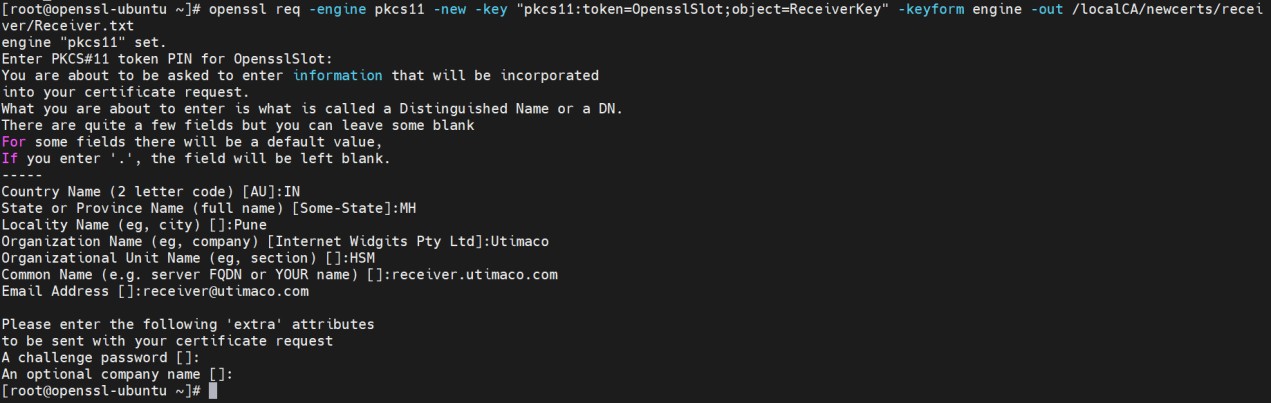
Figure 32: Receiver certificate request generation
Enter prompted value for "A challenge password" as blank.
Here, OpensslSlot is the token label and ReceiverKey is the key on the HSM. Provide Cryptouser PIN when prompted.
-
Sign the certificate request for receiver by CA
|
›_ Console |
|
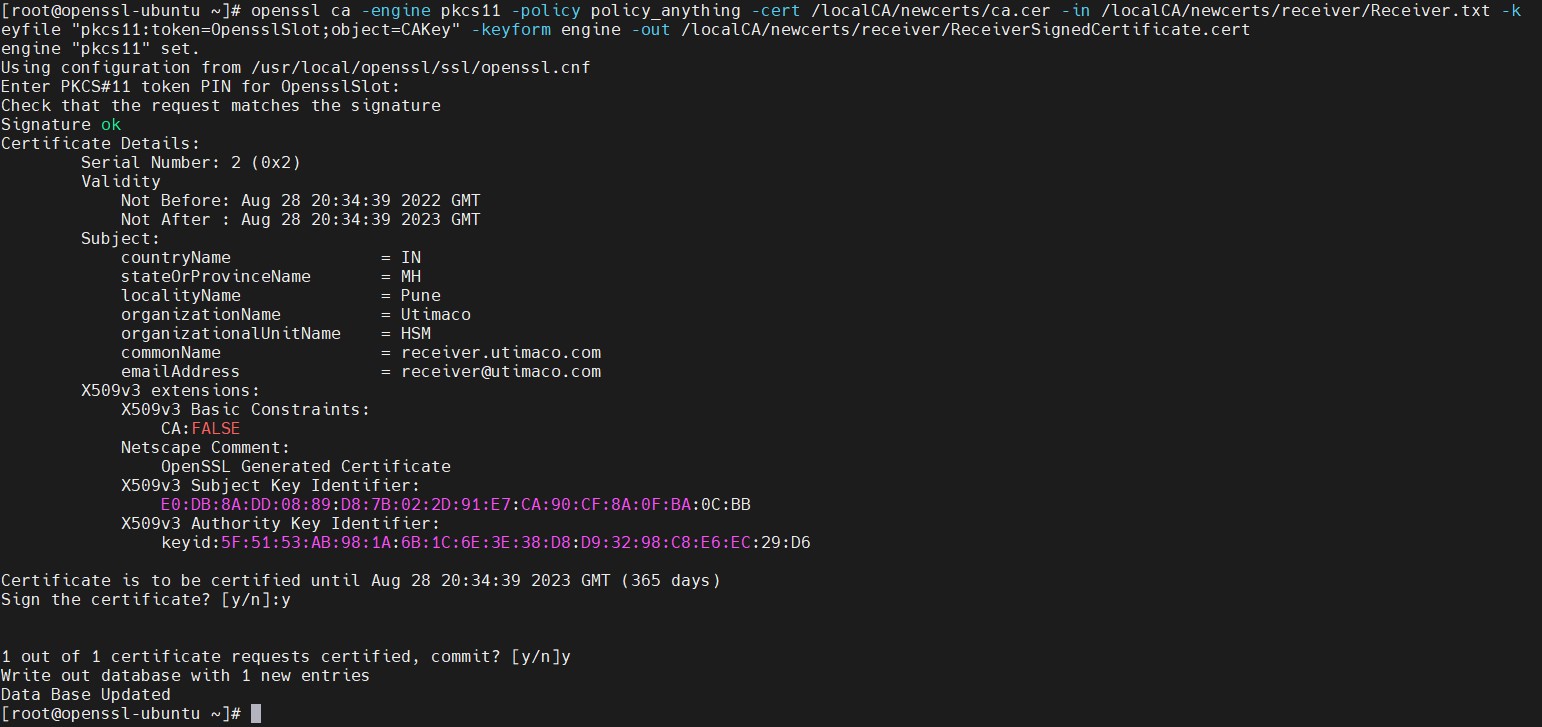
Figure 33: Receiver certificate request signing by CA
Press y to sign and y again to commit.
Here, OpensslSlot is the token label and CAKey is the key on the HSM. Provide Cryptouser PIN when prompted.