

-
Open the /< OPENSSLDIR>/openssl.cnf file in the text editor and edit the [CA_default] section to following:
|
›_ Console |
|

|
NOTE: You can change dir to the directory of your choice, but make sure to use correct path in the subsequent steps. Here we have created directory /localCA under root directory and new_certs_dir= $dir/newcerts |
-
Create the directory /localCA/newcerts
|
›_ Console |
|
-
Create the text files /localCA/index.txt and /localCA/serial
|
›_ Console |
|
-
Open the /localCA/serial file and write 01 in it and click enter. Save the file
-
Create a key pair by using pkcs11tool2 for root CA
For RSA
|
›_ Console |
|
This generates RSA 2048 CA private and public keys on the HSM
For ECDSA
To generate ECDSA CA keys on the HSM
|
›_ Console |
|
Once key generation is completed then add CKA_ID for both public and private ECDSA keys using PKCS11# CryptoServer Administration tool.
-
Verify that the keys are generated onto the HSM using following command:
|
›_ Console |
|
For RSA
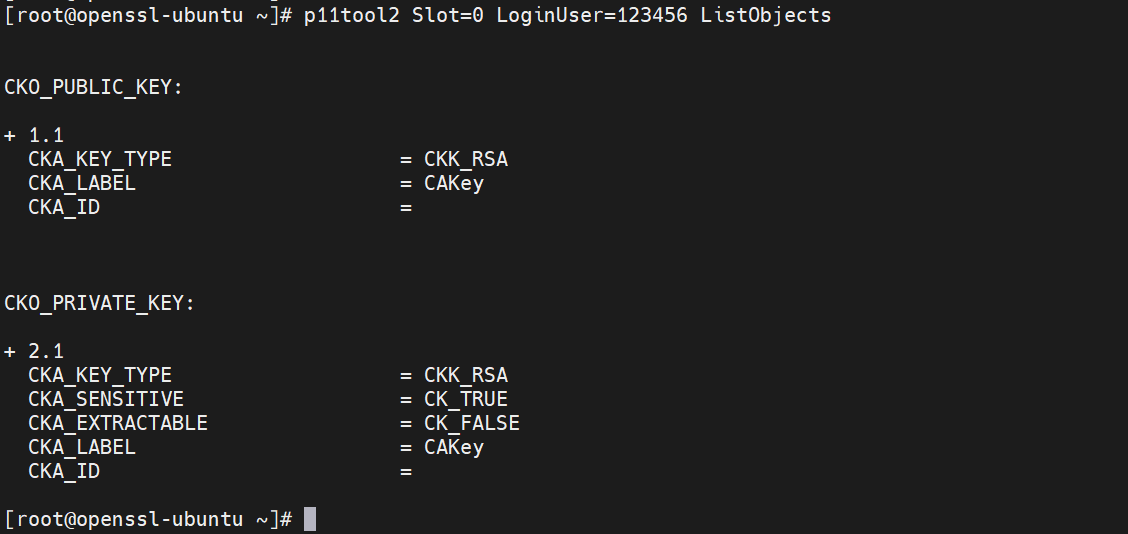
Figure 23: CA RSA Key list
For ECDSA:
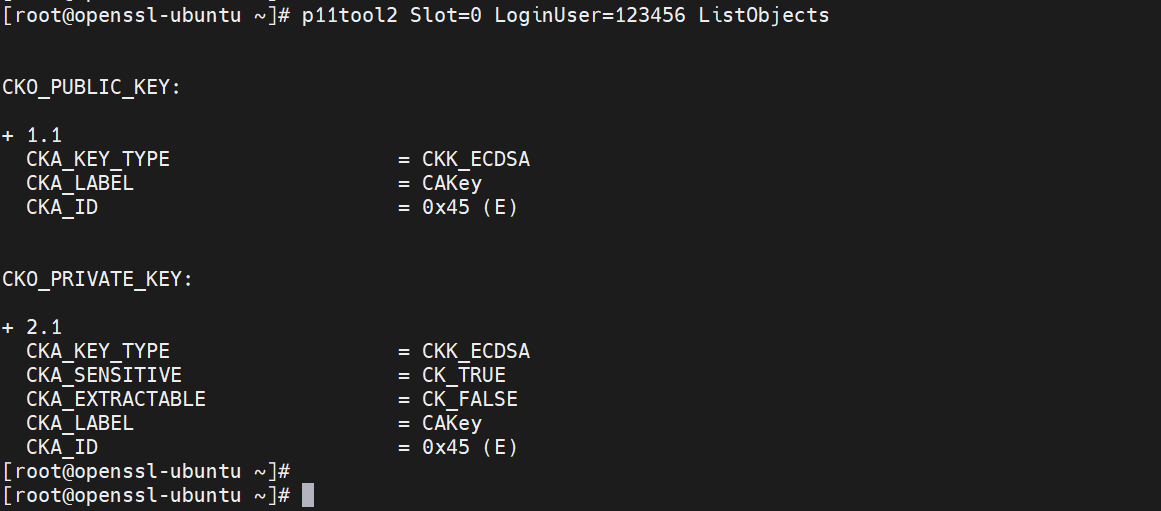
Figure 24: CA ECDSA Key list
-
Create the CA certificate based on the generated key that is used for signing other certificates by running below command:
|
›_ Console |
|---|
|
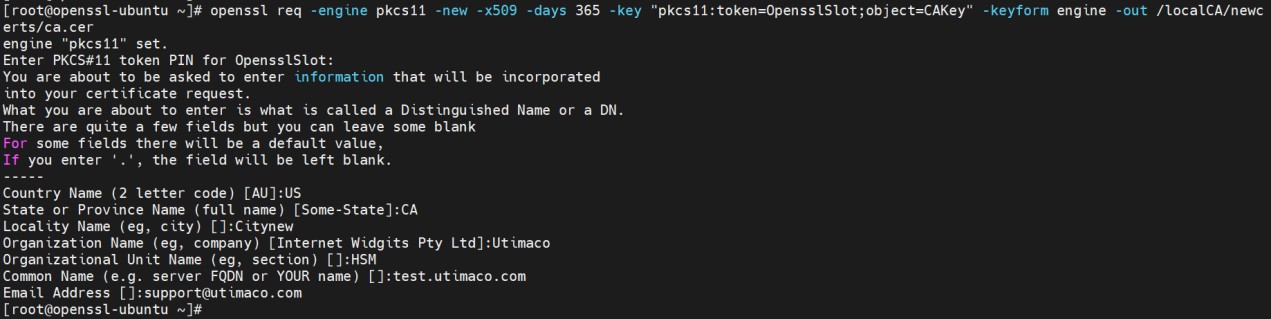
Figure 25: CA certificate generation output
Here, CAKey is the Object label for the CA private key on the Utimaco HSM created in Step 5, and OpensslSlot is token label. Provide Cryptouser PIN when prompted.