

-
Authenticate the current shell with OpenStack admin credentials.
|
|
|---|
|
|
-
Create a secret or password.
|
|
|---|
|
|
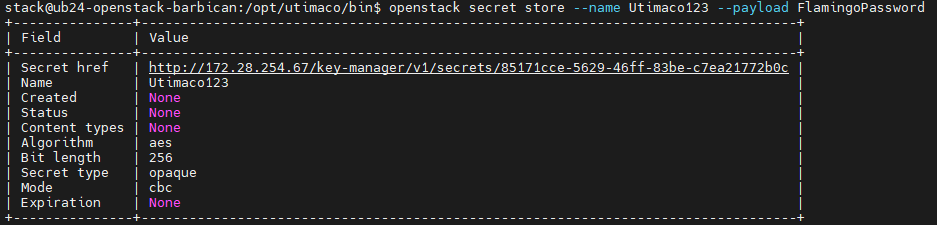
Creating a secret in OpenStack Barbican
Here Utimaco123 is the secret name and its value is FlamingoPassword. This secret is stored in an encrypted form in OpenStack Barbican.
-
You can also verify the encryption operation logging in PKCS11 log file
cs_pkcs11_R3.logduring secret generation as shown below.
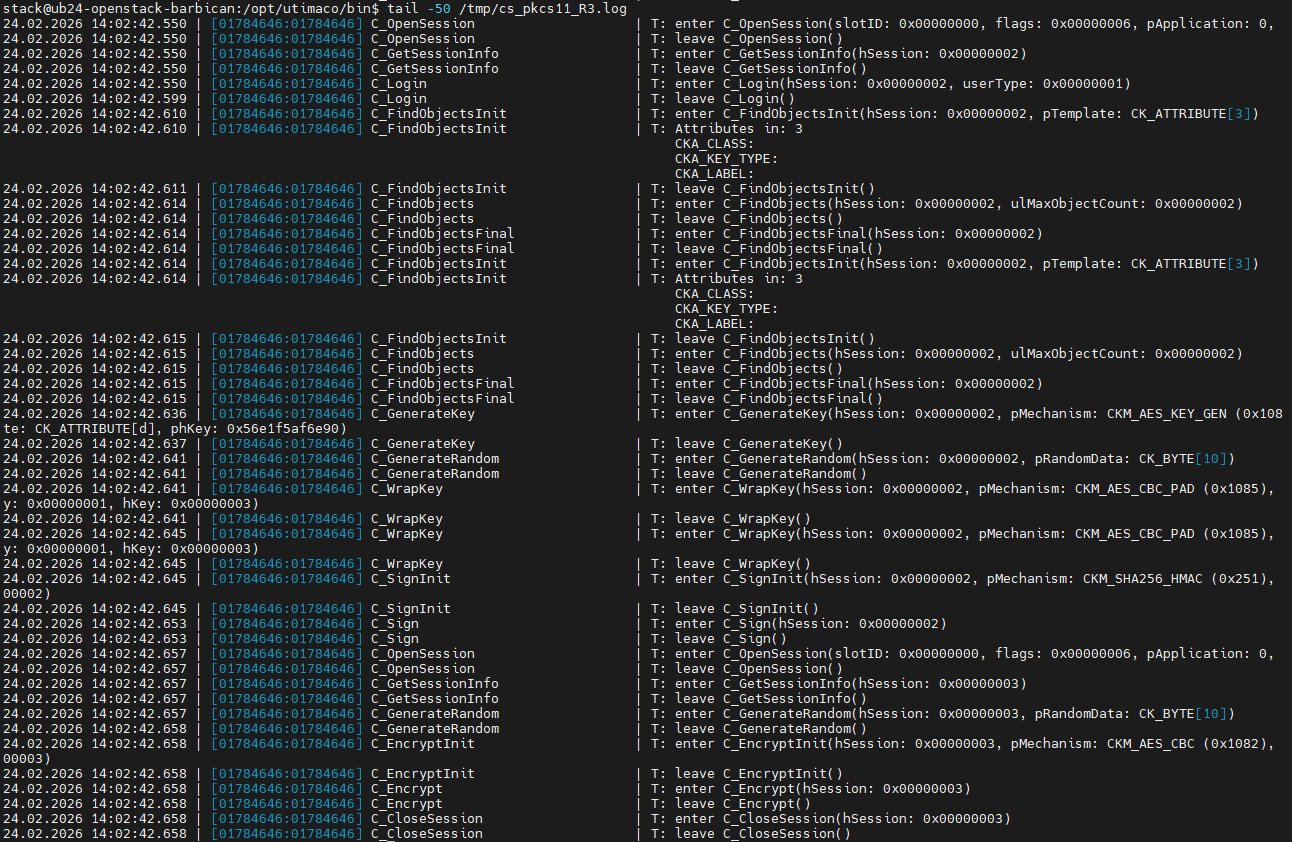
Key wrapping and secret encryption in PKCS#11 logs
The PKCS#11 logs show how Barbican uses the HSM to create and store secrets, including session setup, key generation, key wrapping, encryption, and HMAC operations, with the active cryptographic mechanisms (key wrapping, encryption, etc.) visible in the log entries. The initial secret creation includes one-time project setup (PKEK generation and wrapping under the MKEK), while subsequent secrets reuse this setup and primarily perform encryption and storage operations, resulting in shorter log sequences.
-
Retrieve the newly created secret metadata.
|
|
|---|
|
|

Retrieving the newly created secret metadata
-
Retrieve the newly created secret payload.
|
|
|---|
|
|

Retrieving the newly created secret value
The secret is first decrypted and then displayed.
-
You can also verify the decryption operation logging in PKCS11 log file
cs_pkcs11_R3.logduring secret retrieval as shown below.

Secret decryption in PKCS#11 logs