

-
Create a new directory in the
stackuser folder. It will be used for storing the keys and certificate created in the next steps.
|
|
|---|
|
|
-
Create a self-signed certificate and private key using the command below.
|
|
|---|
|
|
You can generate a key and a certificate by using other utilities as well.
-
Verify that the private key and certificate file are generated.
|
|
|---|
|
|

Certificate and private key created
-
Generate a public key from the private key.
|
|
|---|
|
|

Public key created from private key
-
Store the public key in OpenStack Barbican.
|
|
|---|
|
|

Public key stored in Barbican
-
You can also verify the encryption operation logging in the PKCS#11 log file
cs_pkcs11_R3.logduring public secret generation, as shown below.

Secret encryption in PKCS#11 logs
-
Retrieve the value of the public key.
|
|
|---|
|
|

Retrieving public key value from Barbican
-
Store the private key in OpenStack Barbican.
|
|
|---|
|
|

Private key stored in Barbican
-
Retrieve the value of the private key.
|
|
|---|
|
|
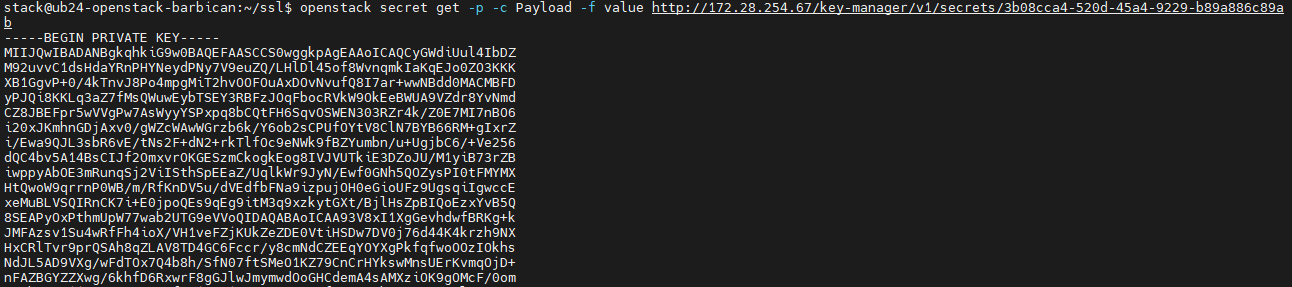
Retrieving private key value from Barbican
-
Store the certificate in OpenStack Barbican.
|
|
|---|
|
|

Certificate stored in Barbican
-
Retrieve the value of the certificate from OpenStack Barbican.
|
|
|---|
|
|
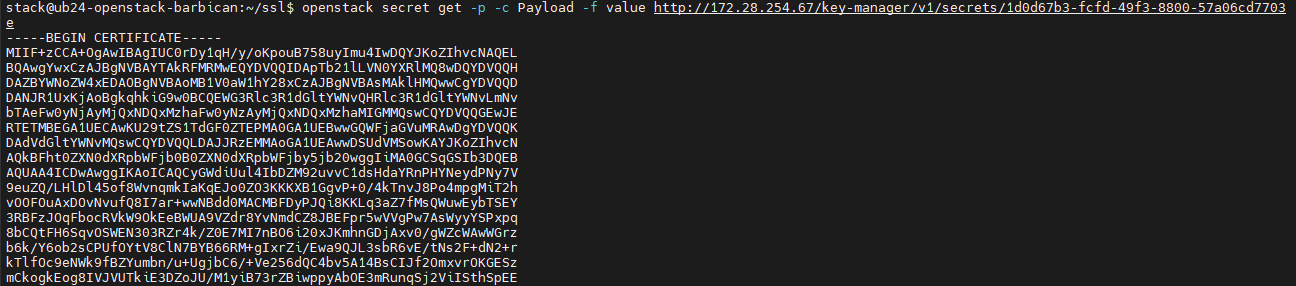
Retrieving certificate value from Barbican
-
List all created secrets.
|
|
|---|
|
|
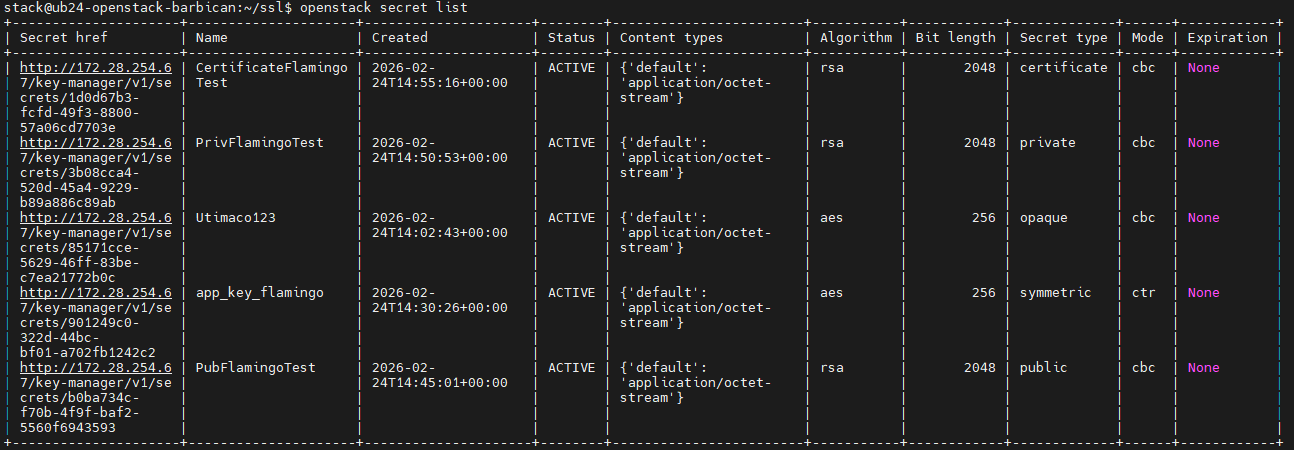
Listing all secrets