

The following procedure describes how to create an API key for the OCI user used by the OCI-BYOK integration. The API key enables external applications, such as Utimaco ESKM, to authenticate when accessing OCI resources.
-
In the OCI Console, go to Identity & Security > Identity > My Profile.
-
Select Tokens and Keys.
-
In the API Keys section, click Add API Key.
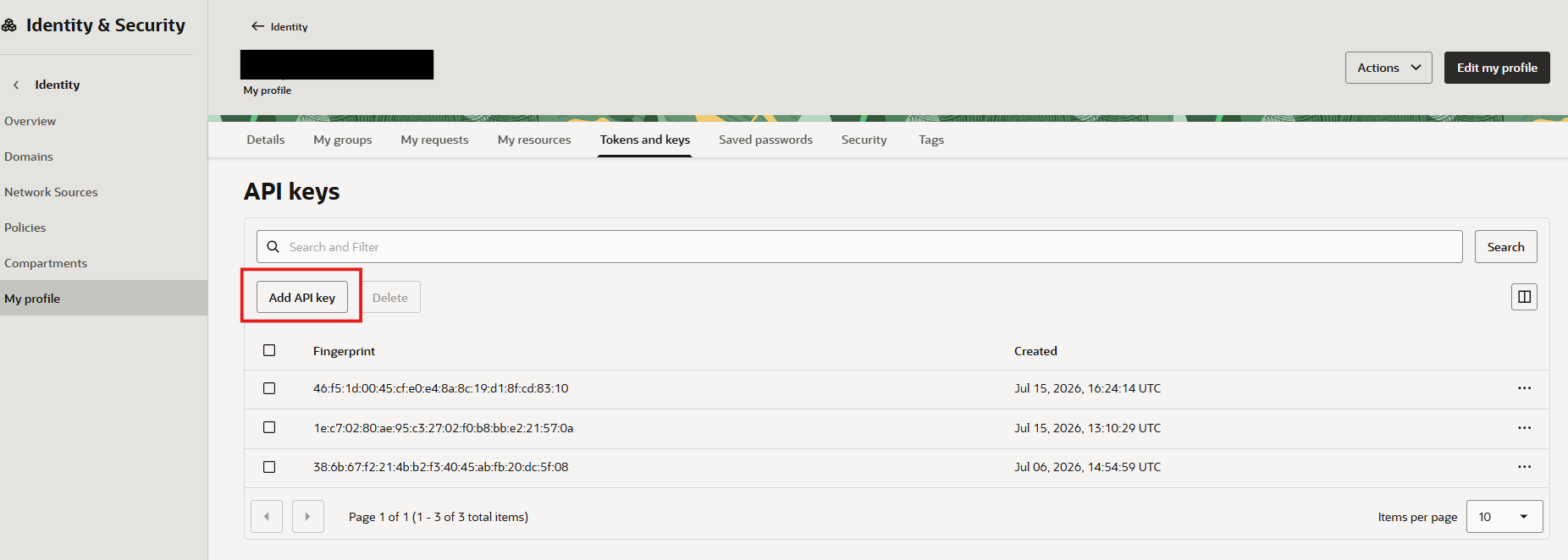
Add API Key
-
Select Generate API Key.
-
Download the generated Private Key and Public Key.
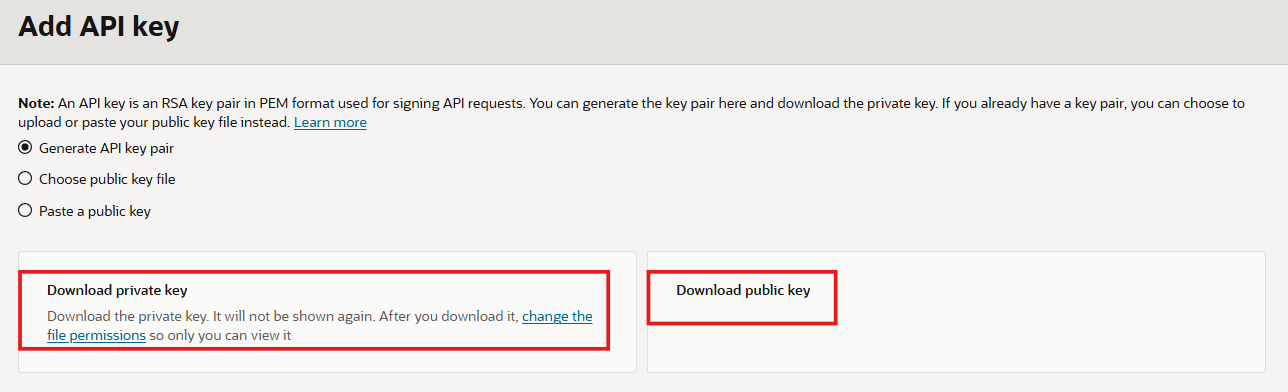
API Key Generation
-
Store the downloaded Private Key securely. The private key cannot be retrieved again from the OCI Console after leaving the API key configuration page.
-
Click Add and Complete the API key configuration.
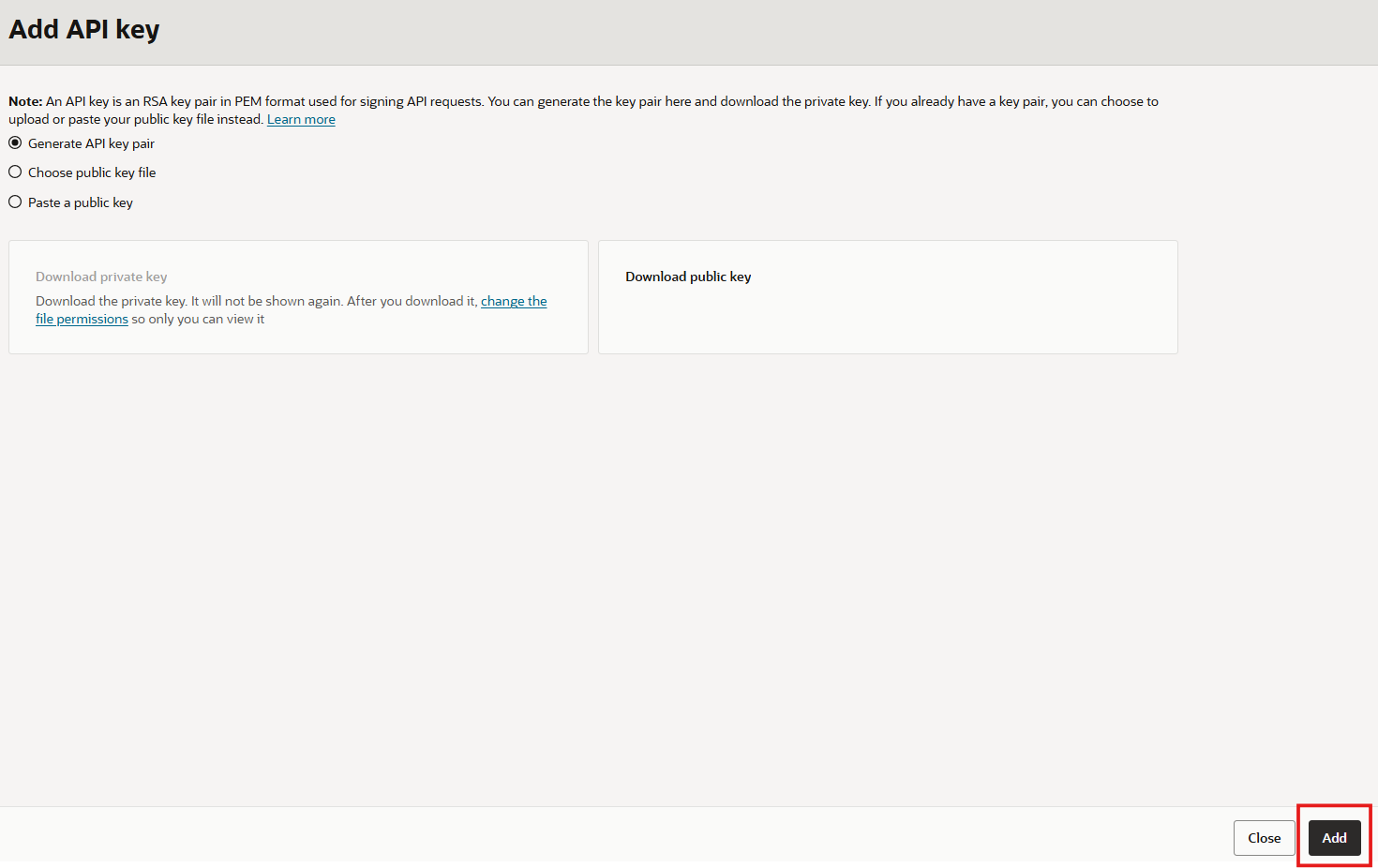
API Key Added