

-
Locate the configured OCI-BYOK cloud instance and click Manage Keys.
-
Select the key to be deleted and click Delete from the Action column.

Delete Action Column
-
Enter the required Waiting period in days.
The waiting period must be between 7 and 30 days.
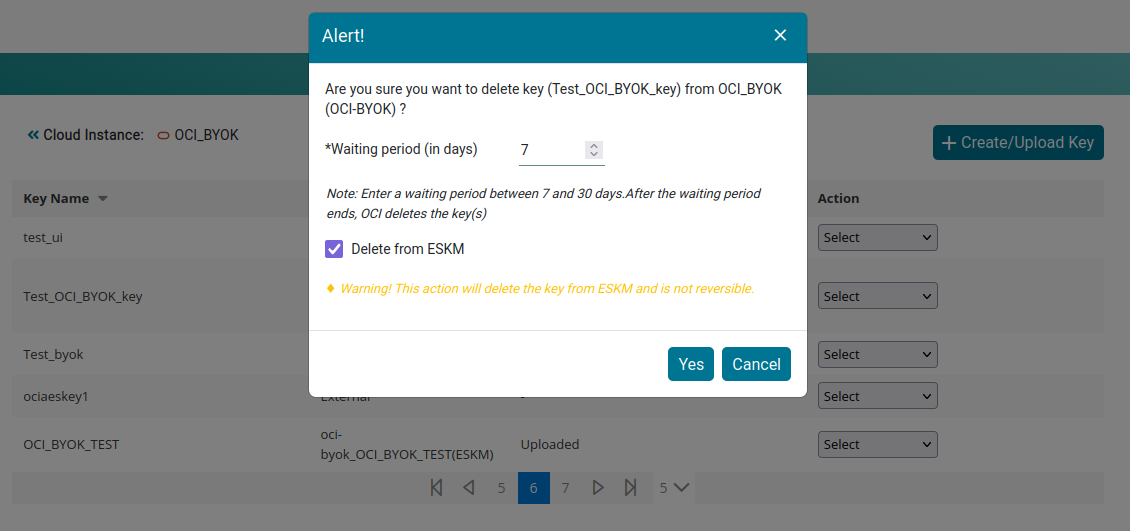
Delete Key Alert
-
Click Yes to confirm the deletion.
-
The key remains in Pending Deletion status during the waiting period. After the waiting period expires, OCI deletes the key.
Deleting the key from the ESKM is irreversible.