DPM easyKey provides the ability to use multiple HSMs in a cluster.
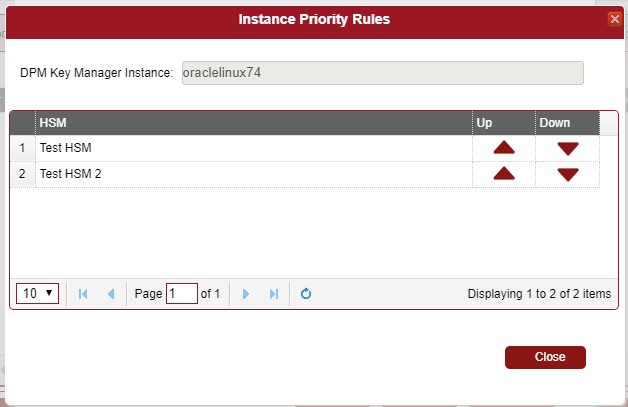
HSMs in the cluster are ordered based on a priority list. If a policy is configured to use a cluster of HSMs, then a key will be created using the first HSM from the cluster, based on the priority list. If the first HSM is not available then DPM will use the next in the list.
To create a cluster, navigate to the System Management - HSM Cluster tab.
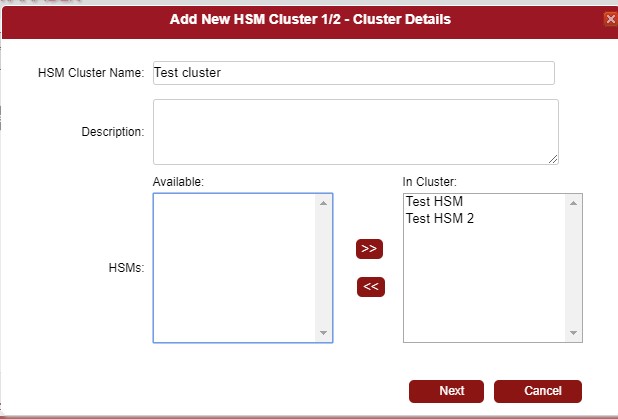
After the tab loads, click on the [+Add] button. In the resulting dialog, name the HSM cluster. Select the target HSM from the Available list and move them to the list In Cluster. Click Next.
In the next dialog you can change default priority lists. There are separate priority lists for each DPM easyKey instance. This allows to target different HSMs based on a geographic location, country etc.
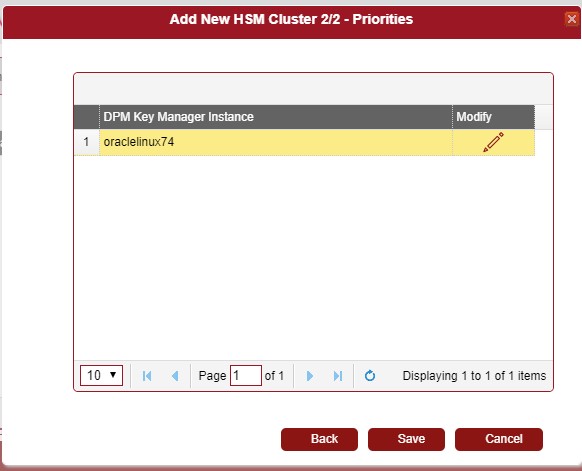
Click Modify for the desired DPM easyKey instance to change the priority list. Use Up and Down arrows to change priorities of the HSMs.
Click Close and Save.