

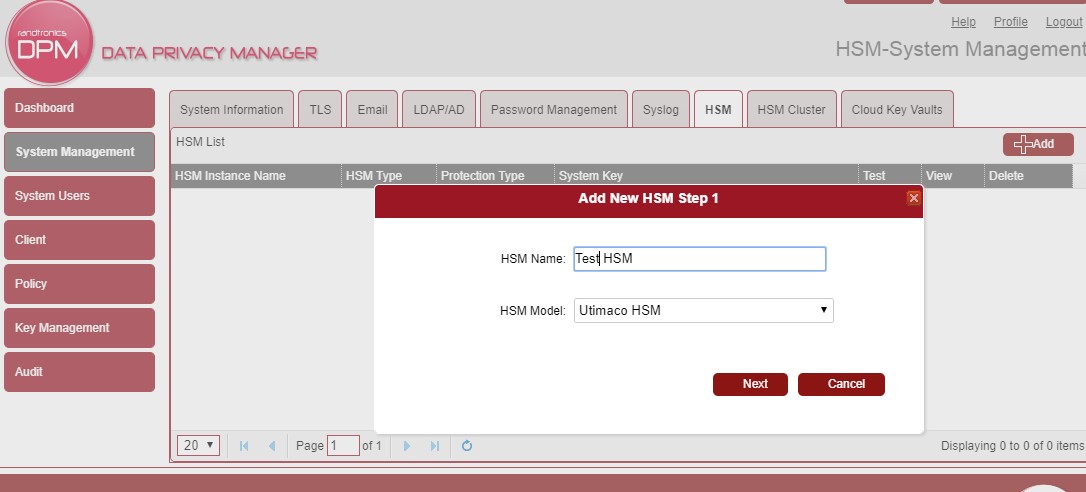
Log in to the application with administrator access. On the first login, you will need to provide a new admin password. Once re-logged in, navigate to the System Management tab (left side). Click on the HSM tab.
After the tab loads, click on the [+ Add] button. In the resulting dialog, name the HSM you are targeting. Select the Utimaco HSM from the dropdown. Click Next.
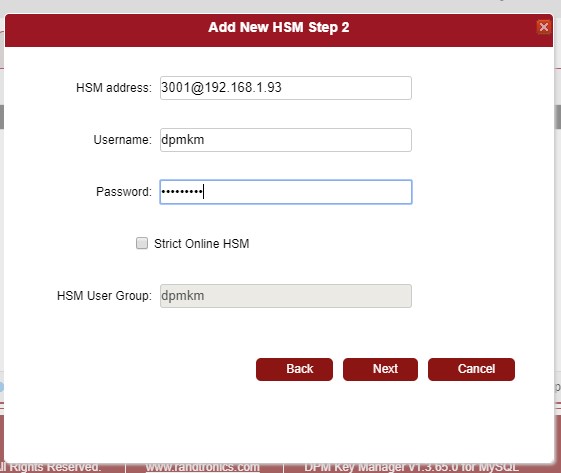
The next dialog asks for the connection string of the HSM. Enter the device’s connection string, including the port number.
Enter the user name created above and the password. Leaving the ’Strict Online HSM’ checkbox unset. Click Next.
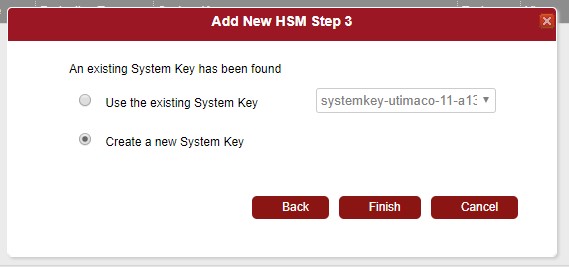
Finally, choose a new system key (or select an existing), and click Next. This should finalize the connection and return you to the HSM List.
For more details please see Randtronics’ ’DPM easyKey and Utimaco HSM Implementation Guide’.