

The Utimaco JCE provider jar file is installed via the Windows installer for SecurityServer V4.21, if the JCE checkbox is checked when the API support page is displayed.
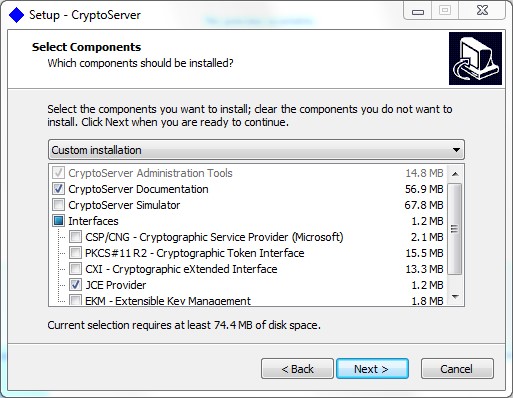
The Randtronics DPM easyKey will attach to the CryptoServer cluster via the CryptoServerJCE.jar, based on its own configuration file.
CryptoServerJCE.jar has one other dependency within the CryptoServer installation. If you have installed the SecurityServer software on one machine, but are running the Key Manager on another, you must copy CryptoServerJCE.jar and the platfrom dependent version of csadm (administration tool) to the Key Manager machine.
CryptoServerJCE.jar should be copied into the Key Manager’s java classpath. The csadm tool should be copied from the SecurityServer installer .zip package directly, and into:
Windows, copy {install}\Software\Windows\x86-64\Administration\csadm.exe to {dpmkm}\tomcat\binnative.
Linux, copy {install}/Software/Linux/x86-64/Administration/csadm to /usr/local/bin. In this case, ensure that /usr/local/bin is configured in your $PATH environment variable.
Whether this is a single device or a cluster of devices will depend on the local configuration on the machine where the Key Manager is running.