

-
Create a working directory named
hsm-buildunder the path/home/admin/. This directory will be used to store all build-related files for the integration. -
Place the OpenShift CLI (
oc) binary inside the/home/admin/hsm-builddirectory.
Theoctool will be included in the Utimaco sidecar Docker image to enable the container to interact with the OpenShift cluster — for example, to create and manage Secrets directly from within the key-generation job during deployment.
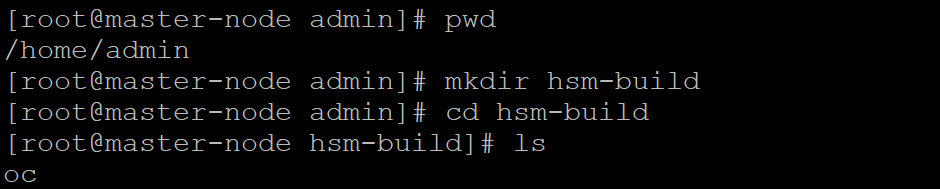
Create hsm-build Directory
-
Create a subdirectory named
hsmunder/home/admin/hsm-buildand place all necessary Utimaco client library files (such aslibcs_pkcs11_R3.so,pkcs11_R3.cfg,p11tool2,csadm,andcxitool) inside it. These files will be included later in the sidecar container image used for HSM communication.

Create hsm Directory
If you change the directory paths, ensure it is updated in all the places where it is used, including configuration files, deployment specifications, and related settings, to maintain consistency and prevent errors.