

-
Restart the ASE server and verify encrypted database access:
Shutdown the ASE server then restart the ASE server using startserver.
1>shutdown
2>go
$/opt/sap/ASE-16_1/bin/startserver -f RUN_SAP01
Verify the ASE server log (/opt/sap/ASE-16_1/install/SAP01.log) and confirm that the encrypted database startup is having no issues.
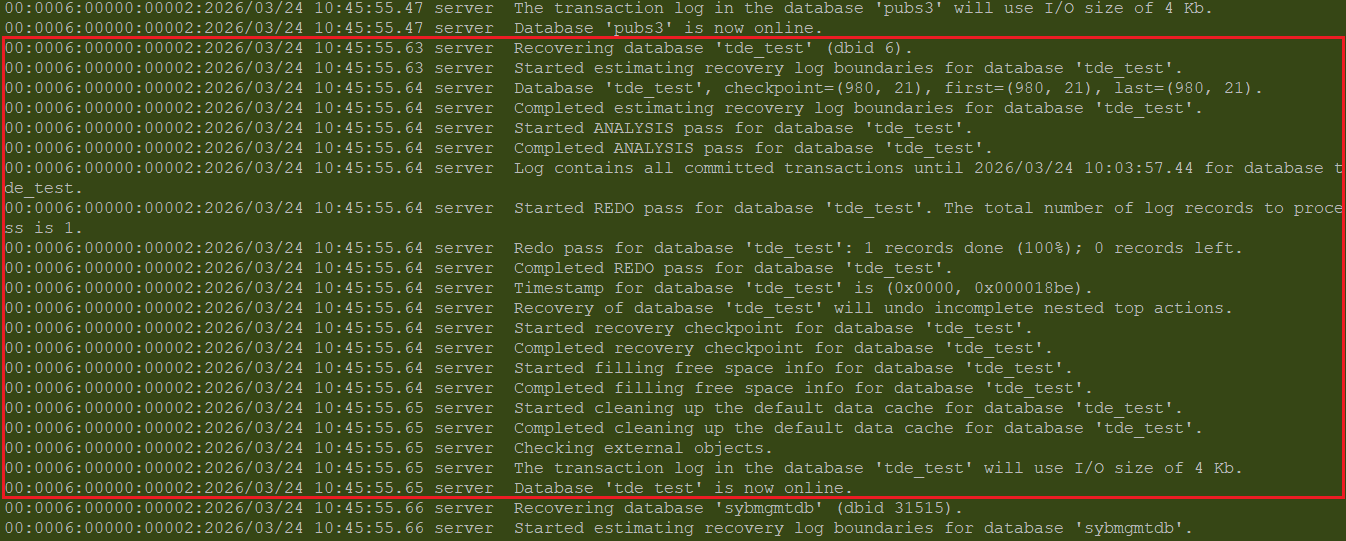
ASE Server Log -ASE Server Started With No Issues
-
Verify the encrypted database access:
1>use tde_test
2>go
1>select * from emp_details
2>go
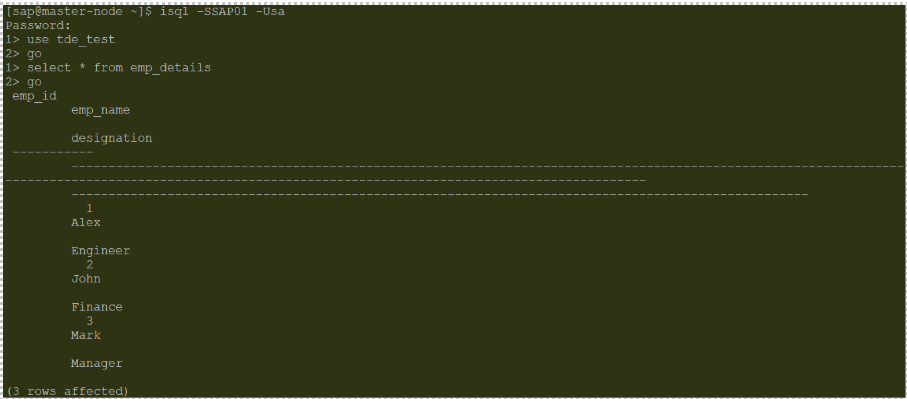
Encrypted Database
-
Shutdown the HSM, restart the ASE server and verify the ASE server logs.
ASE server logs (/opt/sap/ASE-16_1/install/SAP01.log) will have the PKCS11 error for the encrypted database startup.
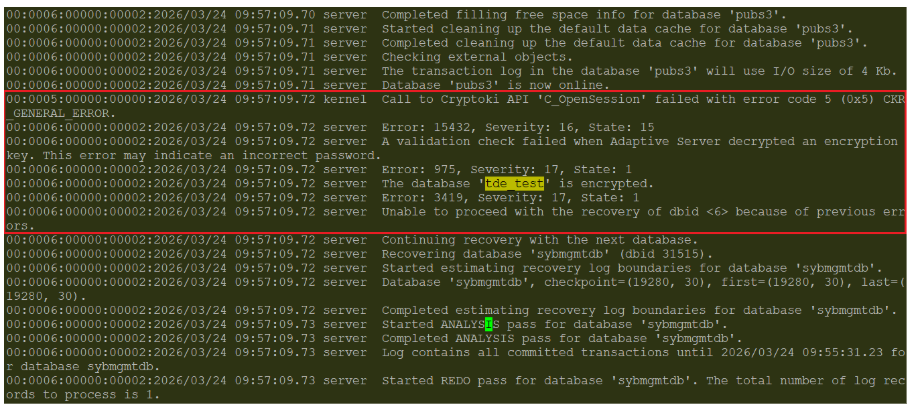
ASE Server Log- Encrypted Database Startup Failure
-
Verify the encrypted database.

Encrypted Database Access Failure
5. Connect the HSM and restart the ASE server then verify the encrypted database access.
Encrypted Database Access After HSM Connection