

-
Open the Microsoft Management Console by typing in mmc in the Run dialog.
-
In the Microsoft Management Console select File Add/Remove Snap-in…
-
Select Certificate Templates in the list with available snap-ins, click Add, and then click OK.
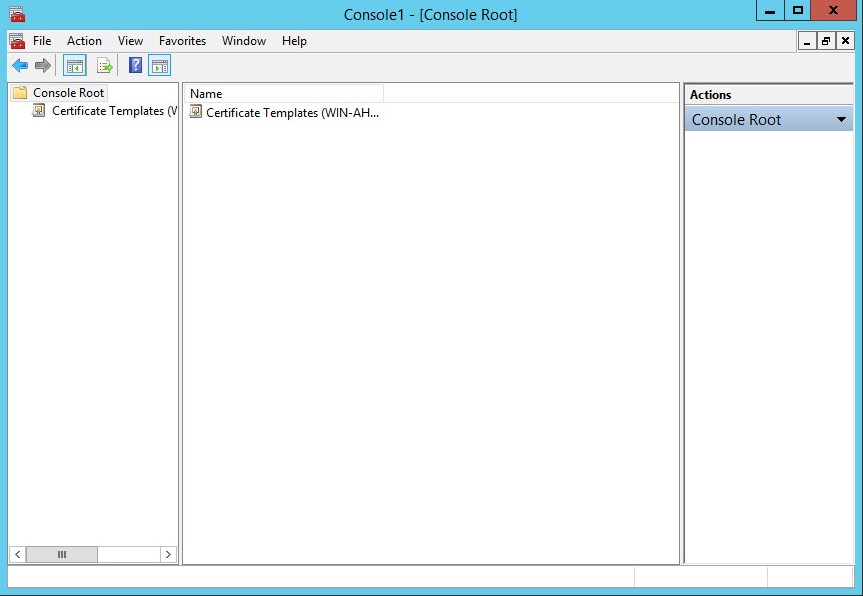
Microsoft Management Console - certificate templates
-
Under Console Root, expand the Certificate Templates snap-in. In the middle section, all certificate templates available to the CA are listed.
-
Scroll down the list until the User template, right-click and click Duplicate Template.
-
In the pop-up dialog that appears, select the General tab.
-
Enter the Template display name, e.g. PGP User, and ensure that Publish certificate in Active Directory is selected.
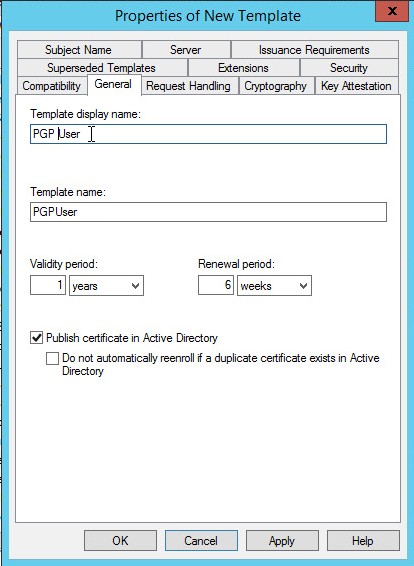
Microsoft Management Console - properties of new template
-
Select the Compatibility tab and choose the following compatibility settings from the corresponding pulldown lists:
-
Certification Authority: Windows Server 2012 R2.
-
Certification recipient: Windows 7 / Server 2008 R2.
-
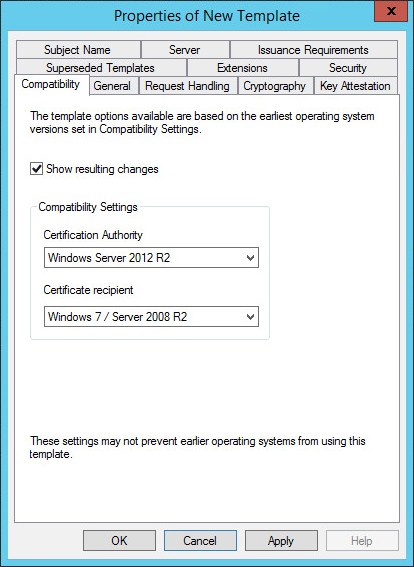
Microsoft Management Console - properties of new template
-
Select the Cryptography tab and ensure that Provider Category Key Storage Provider is selected.
Choose Request must use one of the following providers and select Utimaco CryptoServer Key Storage Provider. Finally select the requested hash, e.g. SHA256.
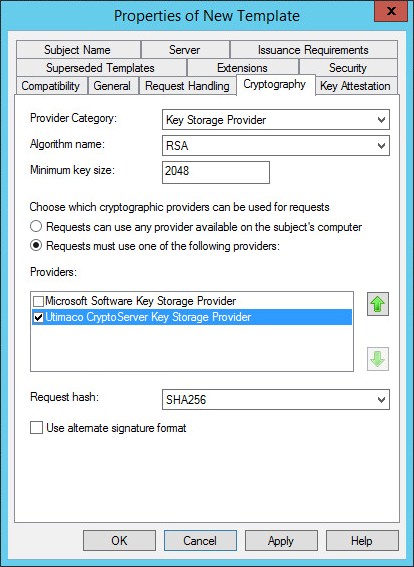
Microsoft Management Console - properties of new template
-
Select the Subject Name tab and uncheck the Include e-mail name in subject name and E-mail name check boxes.
-
Select the Security tab and:
-
Add and provide the Read and Enroll permissions for the following:
-
Authenticated Users.
-
Administrator b For Domain Admins and Enterprise Admins, make sure that Read, Write, and Enroll check boxes are ticked.
-
-
-
Click Apply and then OK.
-
Close the Microsoft Management Console.