

-
From the Start menu select Control Panel Administrative Tools Certification Authority.
-
In the console tree (left-hand section), expand the CA. (It has a computer and a green tick next to it.).
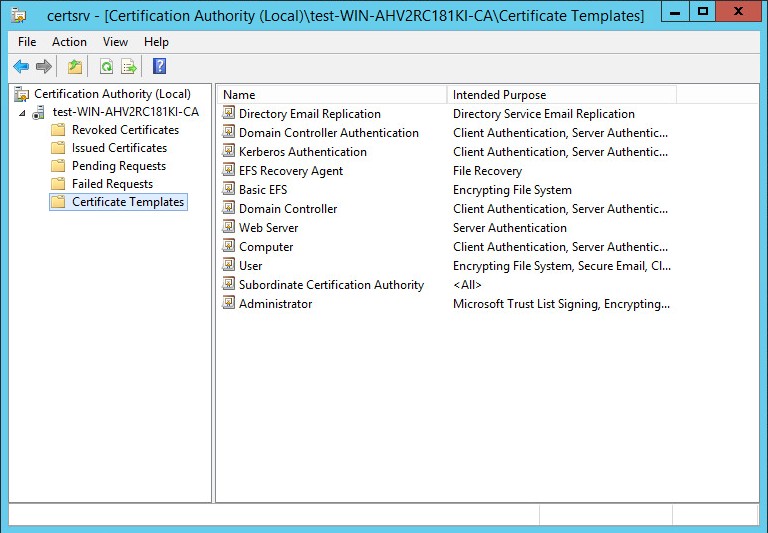
Certification Authority
-
In console tree of the Certification Authority, right-click Certificate Templates, and then click New Certificate Template to Issue.
-
In Enable Certificates Templates, select the PGP User template and then click OK.
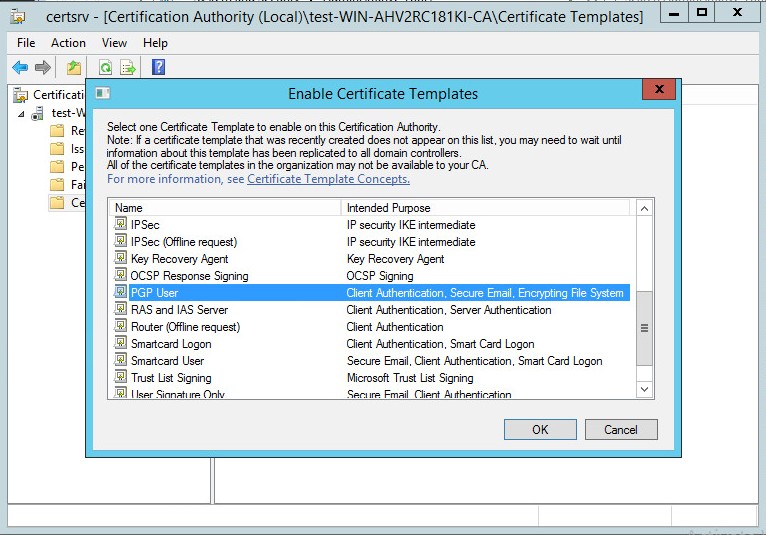
Certification Authority - Enable Certificate Templates
-
Open Certificate Templates in the Certification Authority and verify that the modified certificate templates appear in the list.
-
Close the Certification Authority.