

To validate the integration between VMware vCenter and Utimaco ESKM, perform the following steps to encrypt a virtual machine:
-
Log in to the vCenter Server.
-
Navigate to Menu → VMs and Templates.
-
Select an existing virtual machine.
-
Right-click the virtual machine and select VM Policies → Edit VM Storage Policies
-
In the VM Storage Policy section:
-
Select a policy that includes VM Encryption.
-
Ensure the policy is associated with the configured key provider (ESKM).
-
it can be configured for the whole VM or per disk
-
-
Click OK to apply the policy.
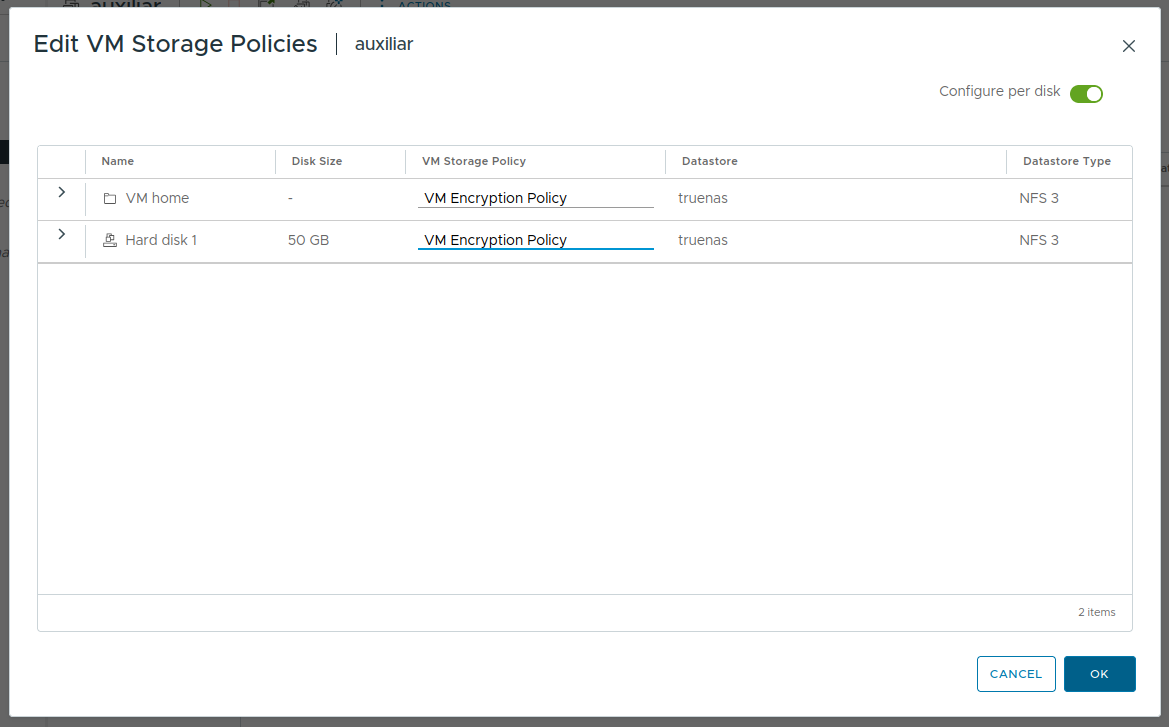
Edit VM Storage Policies
-
Monitor the task progress in the Recent Tasks panel until completion.
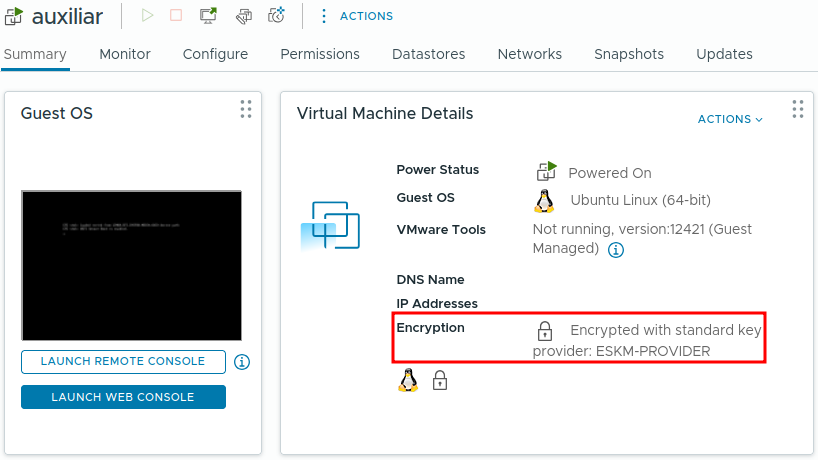
Encrypted VM
The virtual machine should display as Encrypted in its summary.
-
In ESKM, navigate to Security → KMIP Objects
-
Verify that a new Symmetric Key (AES-256) has been created.

KMIP Objects created
-
Navigate to Device → Log Viewer → KMIP to verify the logs
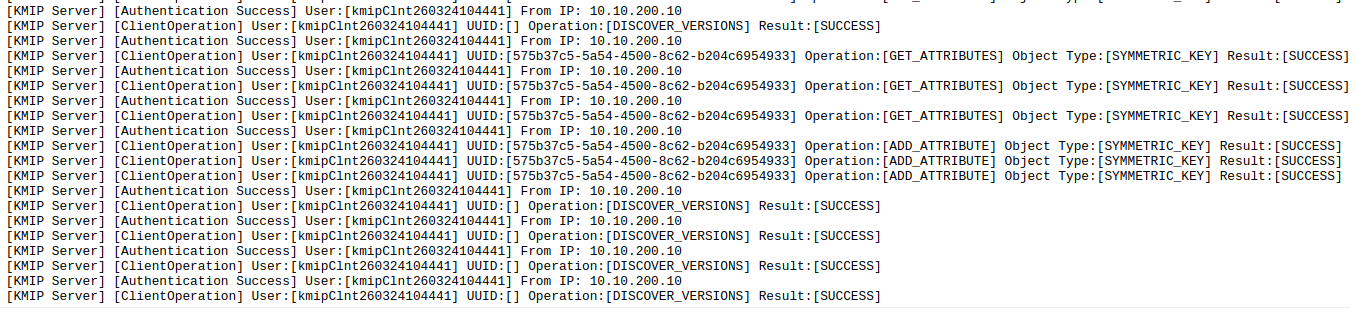
Successful Key Retrieval