

If during the vCenter configuration, the Key Provider is configured to use a single KMS wrapping key option, the re-encryption operation may not result in the creation of a new KMIP object in ESKM. In this mode, vCenter uses a single key obtained from the KMS to wrap internally generated encryption keys, reducing the number of KMIP key creation operations.
As a result, key rotation at the KMIP level may not be visible, and the same KMS key may continue to be used for multiple encryption operations.
To validate key rotation, perform a re-encryption of the virtual machine:
-
In vCenter, select the encrypted virtual machine.
-
Right-click the virtual machine and select VM Policies → Re-encrypt
-
Confirm the operation when prompted.
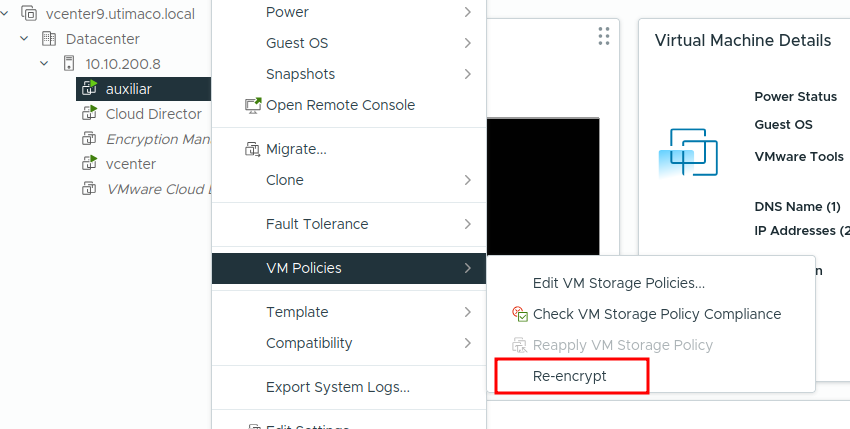
VM Re-encryption
-
Monitor the task progress until completion.
-
In ESKM:
-
A new KMIP object is created.
-
The new object has a different Unique Identifier (UUID) than the previous key.
-

New Key Created