

-
Click TRUST in the “Make vCenter Trust KMS” window and click on “MAKE KMS TRUST VCENTER”.
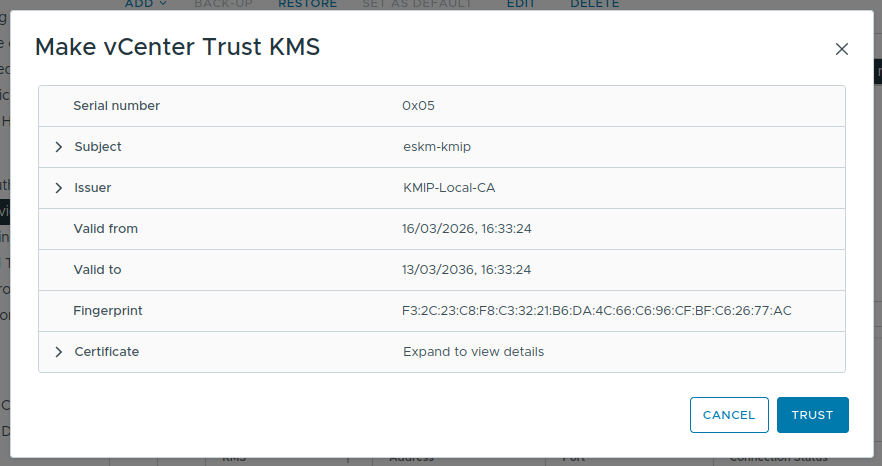
Make vCenter Trust KMS Dialog window
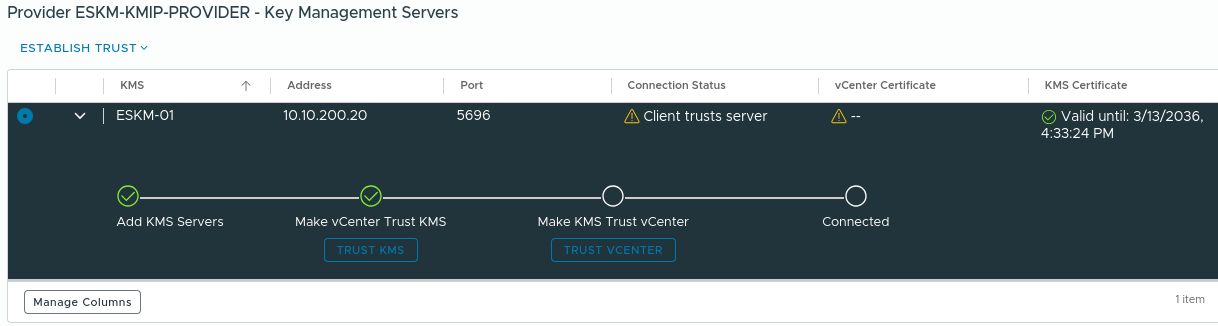
Steps to stablish trust between vCenter and ESKM
-
Navigate to Choose a method, Select “New Certificate Signing Request (CSR)” and click NEXT.
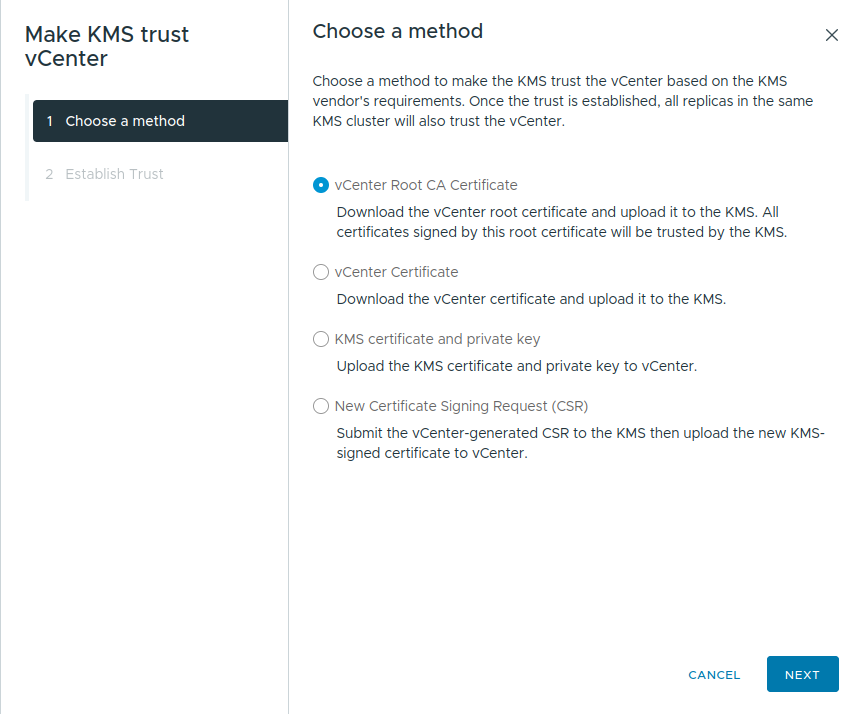
Method selection for trust stablishment
-
In “Submit CSR to KMS”, click on COPY to copy the certificate request. Alternatively, click on DOWNLOAD to download the certificate request.
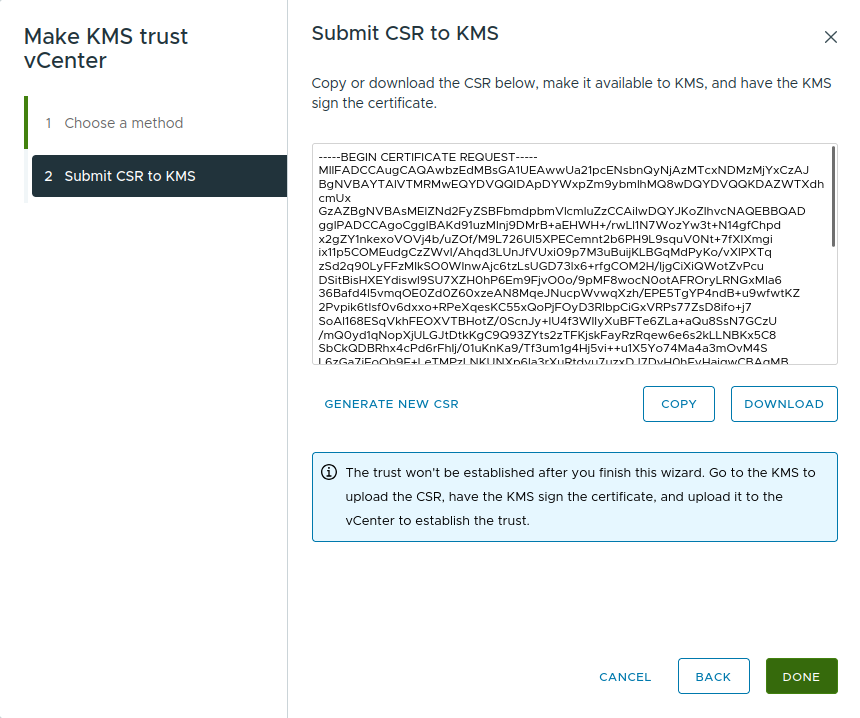
Submit CSR to KMS dialog window
-
Click on DONE.
-
Go to ESKM and click on Security > Certificates & CAs > Local CAs.
-
Select the CA, and then click Sign Request.
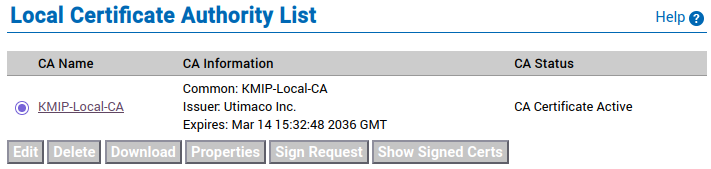
Local Certificate Authority List window
-
Set “Certificate Purpose” to Client.
-
Paste the certificate request generated by the client application into the certificate request field.
-
Click Sign Request.
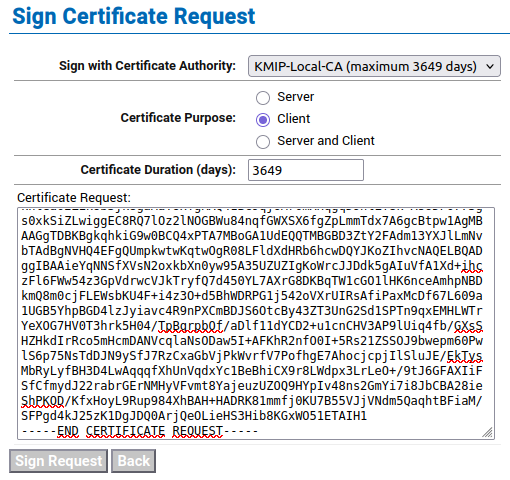
Sign Certificate Request window
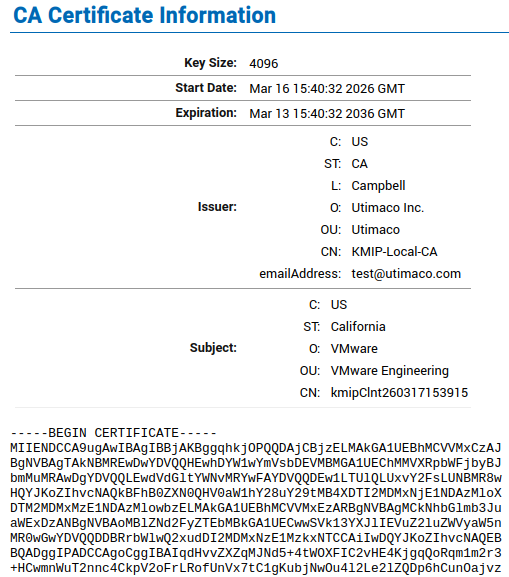
CA Certificate Information window
-
Please note down the Common Name (CN) from the certificate information page and download the certificate.
-
Open the Management Console of the ESKM and navigate to Security > Local Users & Groups > Local Users.
-
At the bottom of the list, click Add.
-
The Create Local User window appears.
-
Create a KMIP local user in ESKM and provide the signed certificate content.
The “Username” must match with the noted “Common Name (CN)”.
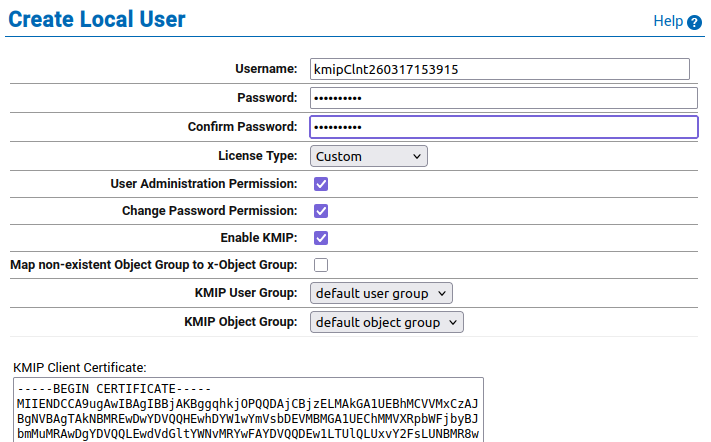
Create Local User dialog window
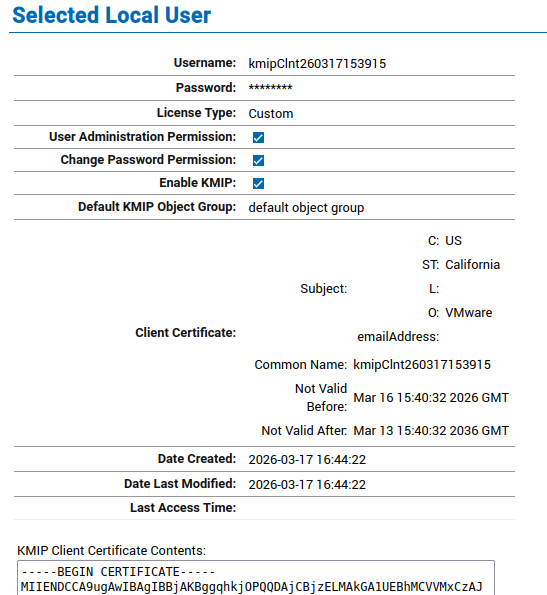
Selected Local User
-
Go to vCenter and click on Establish Trust > “Upload Signed CSR Certificate”.
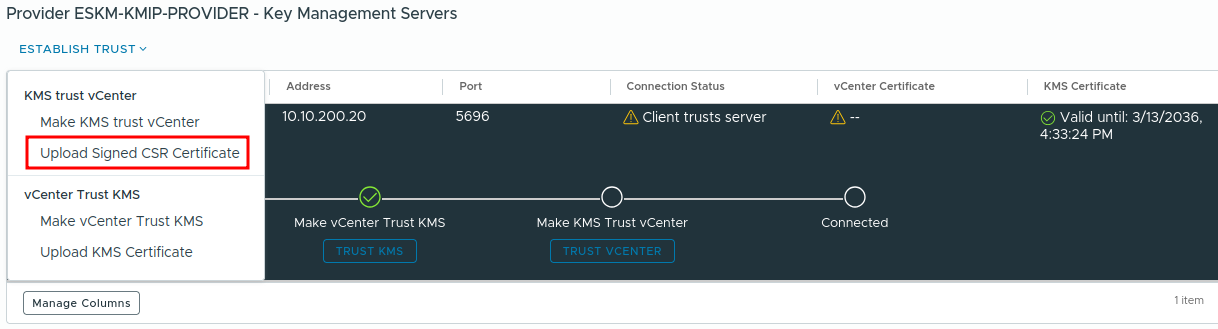
Upload Signed Certificate Menu
-
Click UPLOAD A FILE and select the downloaded certificate from ESKM.
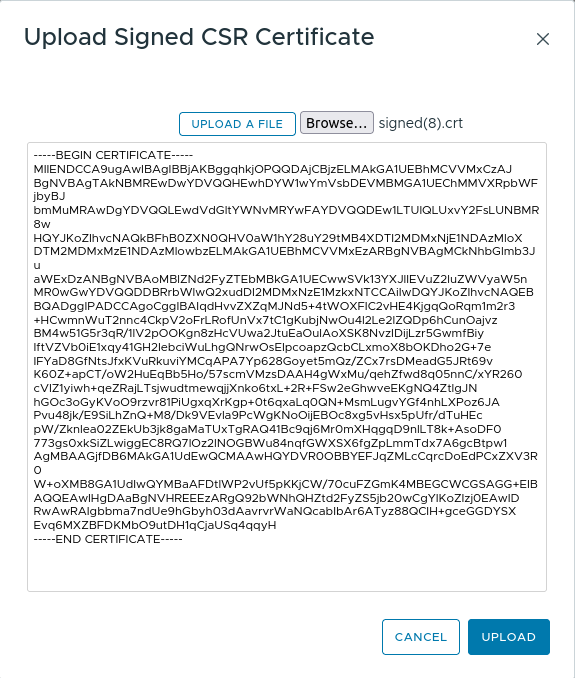
Upload Signed CSR Certificate
-
Click on UPLOAD to confirm trust.
-
Confirm that the ESKM server is accessible and connected.
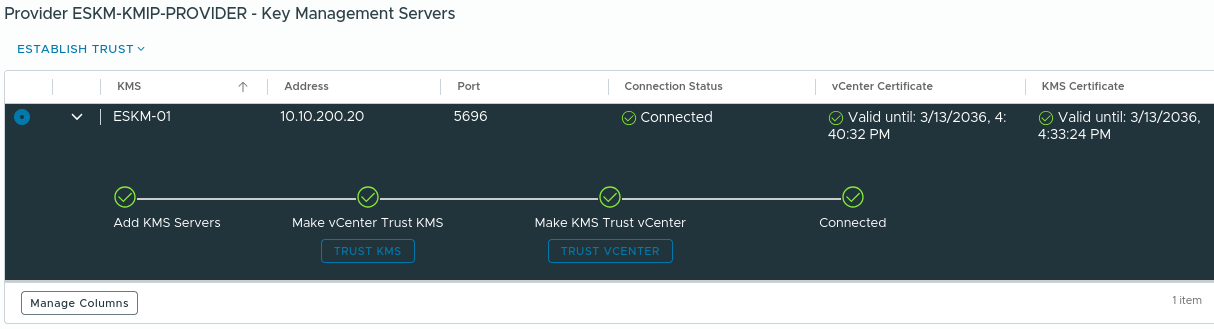
Cpmpleted trust stablishment process
-
Click on EDIT in the key Provider then ADD KMS to add another ESKM server to the existing cluster and allow failover.
-
Enter the details to add a Key Management Server (ESKM).
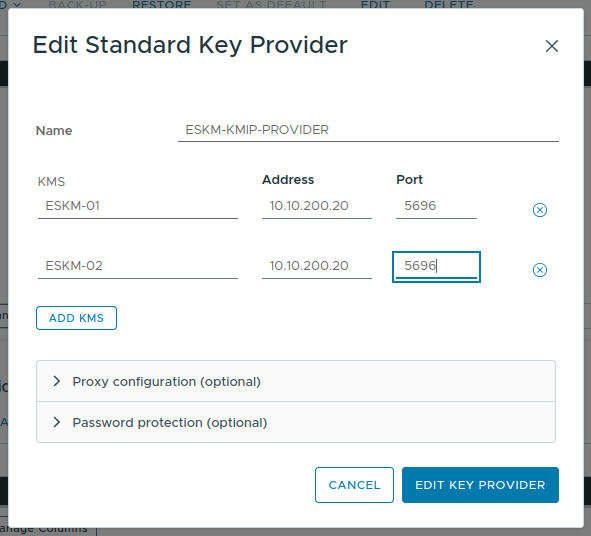
Add Standard Key Provider for second ESKM
-
Review the input information and click ADD.
-
Click TRUST to make the vCenter trust KMS.
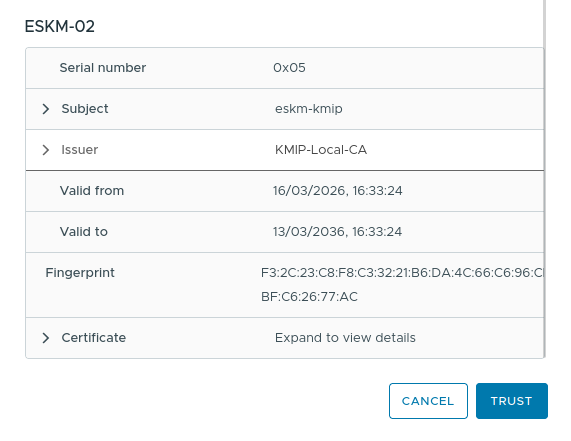
Make vCenter Trust KMS on second ESKM
-
Confirm both the ESKM servers are accessible.
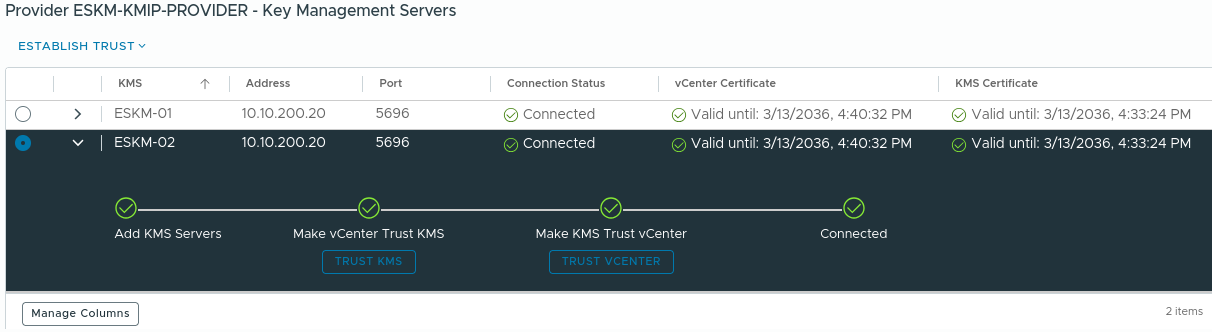
Completed trust stablishment process on second ESKM
ESKM will be successfully integrated with VMware by following the procedure described above. Please follow the VMware policy guidelines to encrypt the VMs/ VSAN.