

To configure the Apache HTTP Server to use Utimaco HSM, first we need to enable SSL-TLS support on the Apache and then configure the above created Keys and Certificate in the Configuration file.
-
Navigate to the Apache configuration file
/usr/local/apache/conf/httpd.confand uncomment the below mentioned configuration lines.
LoadModule ssl_module modules/mod_ssl.so
LoadModule socache_shmcb_module modules/mod_socache_shmcb.so
-
Open the Apache SSL Configuration file
/usr/local/apache/conf/extra/httpd-ssl.confand add the below entries.
SSLCryptoDevice pkcs11
Listen 443
<VirtualHost *:443>
ServerName <Name of the Server>:443
SSLEngine on
SSLCertificateFile "/<folder path>/SSL.cert"
SSLCertificateKeyFile "pkcs11:token=HTTPSERVER;object=RSAKey?pin-value=<cryptouser_pin>"
</VirtualHost>
Where, pkcs11 is engine, HTTPSERVER is the name/label of token and RSAKey is the key inside the HSM.
The path of httpd-ssl.conf file will change based on your installation method.
-
Restart the Apache Service with the below command.
If you have installed from source code:
# /usr/bin/apache/bin/apachectl -k stop
# /usr/bin/apache/bin/apachectl -X

Start Apache Service Output
If you are restarting the service through systemctl make sure to edit the systemd file and update the ExecStart with single worker apachectl command as described in point a, b and c as shown below. This integration is not supported with multiple workers.
If you have installed from dnf:
a) Create the backup of the Apache httpd service file /usr/lib/systemd/system/httpd.service as described below
# cp /usr/lib/systemd/system/httpd.service /usr/lib/systemd/system/httpd.service.bkp
b) Open the Apache httpd service file /usr/lib/systemd/system/httpd.service and make sure it contains the below entries
[Unit]
Description=The Apache HTTP Server
[Service]
Type=simple
RemainAfterExit=yes
Environment="PATH=/usr/local/openssl/bin:$PATH"
Environment="LD_LIBRARY_PATH=/usr/local/libp11/lib:/usr/local/openssl/lib"
ExecStart=/usr/local/apache/bin/httpd -X
ExecStop=/usr/local/apache/bin/apachectl -k graceful-stop
User=root
[Install]
WantedBy=multi-user.target
The path of openssl and libp11 library files will change based on your installation method.
c) Now, reload the systemd daemon and restart the httpd service with below commands
# systemctl daemon-reload
# systemctl restart httpd.service
-
Open <https://<apache_server_ip>> in any browser and verify that you are able to load the page.
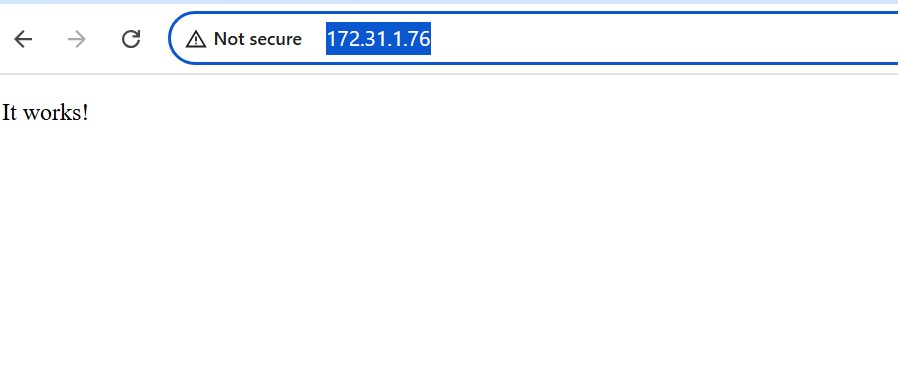
Apache Web Page